SEO Topical Map: How to Build One and Why It Matters in 2026
A topical map for SEO is the strategic blueprint that transforms a list of keywords into a comprehensive, interconnected content architecture. Without a topical map, content production is reactive — chasing individual keyword opportunities without a coherent vision of the topical territory you’re trying to own. With one, every article you publish advances a deliberate plan to become the most comprehensive resource on your topic.
In 2026, topical maps have moved from “advanced SEO technique” to “table stakes for content-driven sites.” The data is clear: sites with structured topical coverage outrank those with equivalent link authority but scattered content. This guide walks through building an SEO topical map from scratch — and how to use it as a publishing roadmap.
What Is a Topical Map for SEO?
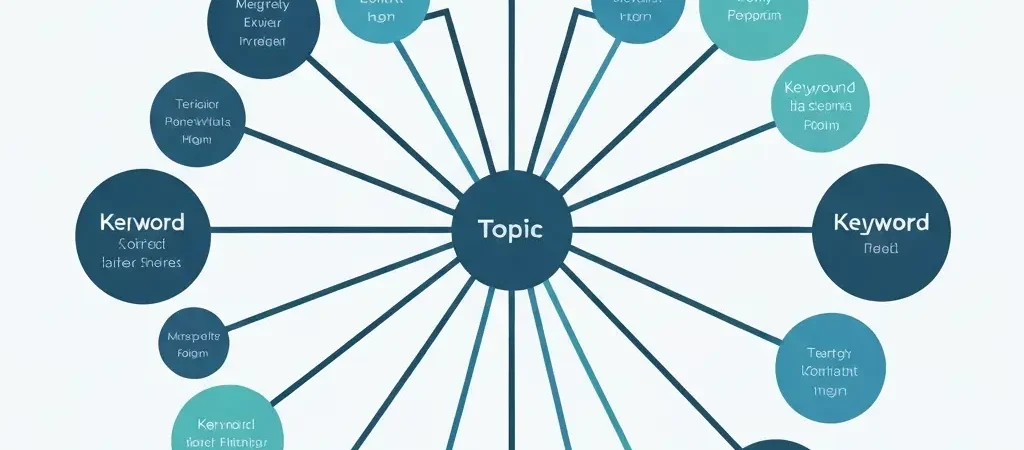
An SEO topical map (sometimes called a content map or keyword cluster map) is a structured document that organizes all the topics, sub-topics, questions, and keyword opportunities within a defined niche into a hierarchical, interconnected framework.
It serves three functions:
- Coverage audit: It tells you what’s in your topic domain and what you haven’t covered yet
- Architecture blueprint: It defines the pillar-cluster hierarchy for your content and internal linking structure
- Publishing roadmap: It sequences content creation from foundation to comprehensive coverage
Why Topical Maps Matter in 2026
Google’s entity-based ranking model rewards sites that demonstrate comprehensive, authoritative coverage of topic domains. The mechanism: Google maps a site to one or more topic entities in its Knowledge Graph. Sites that comprehensively cover a topic entity — answering all the major questions, covering all the sub-topics, addressing all the related use cases — receive stronger topical authority signals for that entity.
A topical map is the planning tool that makes comprehensive coverage achievable. Without one, even a high-output content operation will have coverage gaps — entire sub-topics untouched, questions unanswered, keyword clusters neglected — that prevent full topical authority from developing.
How to Build an SEO Topical Map
Step 1: Define Your Topic Domain
Choose a topic domain narrow enough to dominate but large enough to support 30–100+ articles. The right scope has one clear primary entity (“content marketing automation”) with 5–10 major sub-entities and 30–60 specific query categories.
Test your scope: Can you list 30 meaningful questions your target audience asks about this topic without repeating yourself? If yes, the scope is right. If you struggle to find 20 non-overlapping questions, the scope is too narrow.
Step 2: Research All Topic Sub-Entities
Use a combination of tools to comprehensively identify sub-topics:
- Google Search Console: What queries does your site currently appear for? What related queries appear in the “People Also Ask” and “Searches related to” sections?
- Ahrefs or Semrush keyword explorer: Enter your primary topic keyword and export all related keywords. Look for keyword clusters around the same sub-topics
- Google’s autocomplete: Type your topic keyword and note all autocomplete suggestions — these represent high-frequency queries
- People Also Ask: Follow the expanding PAA box for your topic — it surfaces the questions Google considers most related
- Competitor content analysis: What content do the top 3 sites in your niche have? What topics do they cover that you haven’t?
Step 3: Organize into Query Types
Categorize each identified query by type:
- Definitional: “What is X,” “What does X mean,” “X definition”
- How-to: “How to X,” “How does X work,” “Step-by-step X”
- Comparison: “X vs Y,” “Best X for Y,” “X alternatives”
- Data/Research: “X statistics,” “X benchmarks,” “X case studies”
- Transactional: “X tool,” “X software,” “X service,” “Best X”
- Use case: “X for e-commerce,” “X for agencies,” “X examples”
Step 4: Assign Pillar vs. Cluster vs. Supporting
For each identified topic/query, assign a content type:
- Pillar (1 per major sub-entity): Comprehensive guide to the sub-entity. Highest volume keyword in the sub-cluster. 2,000–4,000 words.
- Cluster (3–8 per pillar): Deep coverage of a specific aspect, question type, or use case. 1,200–2,000 words.
- Supporting (2–5 per cluster): Specific questions, comparisons, or data reports. 800–1,200 words.
Organizing Your Topical Map
A practical topical map can be maintained in a spreadsheet with these columns:
- Topic level: Pillar / Cluster / Supporting
- Query/Keyword: The primary keyword this content targets
- Search volume: Monthly search volume
- Difficulty: Keyword difficulty score
- Parent topic: Which pillar or cluster this article belongs under
- Query type: Definitional / How-to / Comparison / Data / Transactional / Use case
- Priority: Publication order (1 = publish first)
- Status: Not started / In progress / Published / Needs update
- URL: Published article URL (filled in after publishing)
- Content ID: CMS content ID for linking management
Platforms like Authenova let you import keyword clusters directly and manage content production against your topical map within the platform — eliminating the need to maintain a separate spreadsheet and manually track coverage status.
Using Your Topical Map as a Publishing Roadmap
Prioritization Logic
Sequence your content production using this priority logic:
- Supporting articles (lowest competition, fastest to rank — establishes initial authority signals)
- Cluster articles targeting long-tail keywords (medium competition, builds sub-topic coverage)
- Pillar articles (highest competition — now backed by cluster article authority)
- Remaining cluster articles to fill any coverage gaps identified after pillar publishing
Coverage Tracking
Update your topical map weekly to mark newly published articles. This creates a visual coverage map showing which parts of your topic domain are covered and which have gaps. It also reveals competitive opportunities — topics your competitors cover that you haven’t addressed yet.
Regular Map Expansion
Your topical map should grow over time. Every 30 days, run a new keyword research pass on your topic domain to identify new queries that have emerged, new sub-topics your competitors have started covering, and new query types (like new “People Also Ask” questions) that have appeared since your last audit.
Cross-linking to resources like CampaignOS within related content demonstrates one practical application — topical maps for marketing automation often intersect with campaign management topics, creating natural cross-linking and audience overlap opportunities.
Frequently Asked Questions
What is the difference between a topical map and a content calendar?
A topical map is a structural document that defines what topics to cover and how they relate to each other. A content calendar defines when to publish specific articles. They work together: the topical map provides the comprehensive list of content to create; the content calendar schedules production and publishing of each item from the map. A topical map without a calendar is a plan without execution; a calendar without a topical map is execution without strategy.
How many topics should be in an SEO topical map?
A typical topical map for a focused niche contains 50–150 total content items: 5–10 pillar articles, 20–50 cluster articles, and 20–90 supporting articles. Larger content operations might have 200–500+ items across multiple topic clusters. Start with a single cluster of 30–50 items and expand after establishing authority in that initial cluster.
Can a topical map be used for non-English content?
Yes — topical maps apply to any language market. Build separate topical maps for each language target, using keyword research tools with data for those specific markets. Search intent, query patterns, and sub-topic coverage needs often differ by language and cultural context, so direct translation of an English topical map rarely produces optimal results for other markets.
How do I handle overlapping topics across different content clusters?
When two topic clusters share overlapping sub-topics, assign each overlapping topic to only one cluster and create cross-cluster internal links where relevant. Avoid creating duplicate articles targeting the same keyword from different clusters — this creates keyword cannibalization where two articles compete against each other for the same query. One article per keyword intent; use cross-cluster links to connect related content without duplication.
Should I share my topical map publicly?
Generally no — a comprehensive topical map is a competitive asset that shows competitors exactly where you’re planning to compete. Some SEO professionals share high-level topic strategies publicly as thought leadership content, but the detailed keyword-by-keyword plan should be kept internal. The exception: agencies often share topical maps with clients as deliverables to demonstrate strategic planning rigor.
Execute Your Topical Map with Authenova
Authenova’s keyword cluster management turns your topical map into an automated content production pipeline — generating, optimizing, and publishing articles systematically until your entire topic domain is covered.