How to Set Up a WordPress Auto Blog in 2026 (Complete Guide)
A WordPress auto blog lets you publish fresh, SEO-optimized content consistently — without manually writing every post. In 2026, AI-powered automation has made it possible to run a blog that researches topics, generates articles, schedules posts, and publishes them with minimal human intervention. Whether you’re managing one site or a portfolio of niche blogs, auto blogging can multiply your content output without multiplying your workload.
But here’s the critical distinction: auto blogging done right produces genuinely useful content that ranks and converts. Done wrong, it produces spam that gets penalized. This guide shows you the right way — using AI tools that prioritize quality, relevance, and topical authority.
What Is a WordPress Auto Blog?
A WordPress auto blog is a website that uses automation — typically AI-powered tools — to handle some or all of the content production and publishing cycle. At its most basic, it’s a WordPress site connected to a content automation platform that:
- Generates articles based on predefined topics, keywords, or RSS feeds
- Formats content with proper headings, metadata, and schema markup
- Schedules posts to publish at optimal times
- Optionally pulls in images, internal links, and CTAs automatically
Modern auto blogs in 2026 are fundamentally different from the spam-filled “article spinners” of the early 2010s. Today’s tools use large language models to produce coherent, accurate, topically relevant content — content that can genuinely compete in search results when properly configured.
Auto Blog vs. Traditional Blog
| Aspect | Traditional Blog | Auto Blog (AI-Powered) |
|---|---|---|
| Articles/month | 4–8 | 20–60+ |
| Time per article | 2–4 hours | 5–15 minutes (review) |
| Topical coverage | Limited by writer bandwidth | Comprehensive clusters |
| SEO consistency | Variable | Systematically optimized |
| Cost per article | $100–$500+ | $2–$15 |
Auto Blog Risks and How to Avoid Them
Before diving into setup, it’s worth understanding the legitimate risks — so you can build a system that avoids them from day one.
Risk 1: Low-Quality, Generic Content
The biggest risk is publishing AI content that’s technically correct but adds no unique value. Google’s Helpful Content guidelines target exactly this. The solution: configure your AI platform with a specific brand voice, target audience, and content depth requirements. Every article should answer a specific searcher intent better than existing results.
Risk 2: Factual Errors
AI can hallucinate statistics, dates, or technical details. Solution: use a platform that cites sources, or build a human review step into your workflow before publishing. Even a 10-minute review catches most factual issues.
Risk 3: Thin Content Penalties
Short, thin articles hurt your site’s authority. Solution: set minimum word count thresholds in your automation platform (1,200+ for cluster articles, 2,000+ for pillars) and configure the AI to cover topics comprehensively.
Risk 4: Duplicate Content
Auto blogs can inadvertently create near-duplicate articles targeting similar keywords. Solution: build a keyword cluster map before generating content, and configure your platform to check for existing content before creating new articles.
Tools You Need to Set Up an Auto Blog
A complete WordPress auto blog stack in 2026 requires three components:
1. WordPress (Self-Hosted)
Use self-hosted WordPress.org, not WordPress.com. You need full plugin access and the ability to install custom integrations. A reliable hosting provider (SiteGround, WP Engine, or Cloudways) ensures your site handles publishing spikes without downtime.
2. AI Content Automation Platform
This is the brain of your auto blog. Authenova is purpose-built for exactly this use case — it manages content strategies, generates topically clustered articles, and handles publishing schedules automatically. Unlike generic AI writing tools, Authenova understands pillar-cluster architecture and builds topical authority systematically.
Alternatives include platforms built around individual AI writers (Jasper, Copy.ai), but these lack the strategic layer that makes auto blogging effective for SEO at scale. You’d also want to look at how CampaignOS handles content-to-campaign automation if you’re running paid promotion alongside organic content.
3. WordPress Plugin for Content Sync
The Authenova WordPress plugin bridges your content platform and your WordPress site. Once installed and authenticated, it receives content from Authenova and creates/updates posts automatically — including title, body, meta tags, schema markup, featured image, and publishing status.
Optional: Analytics and Monitoring
Google Search Console (free), Ahrefs or Semrush for keyword tracking, and Google Analytics 4 for traffic monitoring. These help you measure what’s working and refine your content strategy over time.
Step-by-Step Auto Blog Setup
Step 1: Install and Configure WordPress
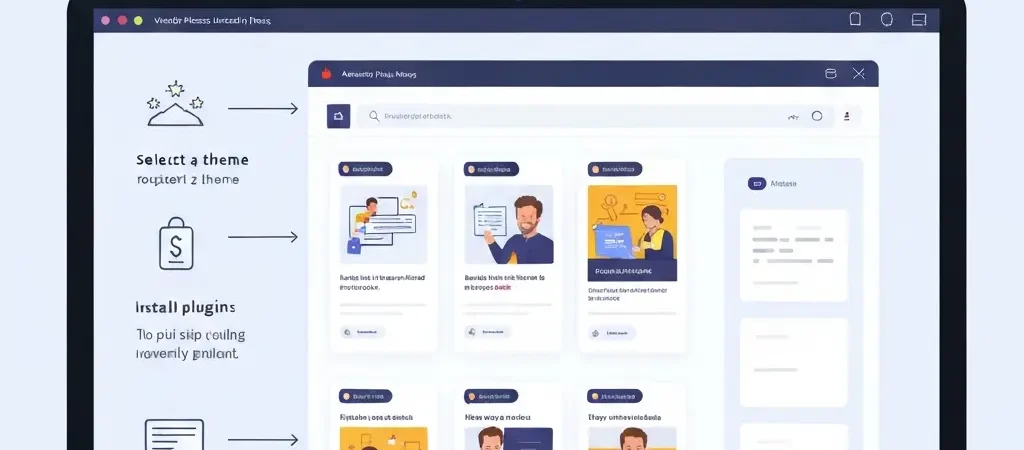
Install WordPress on your hosting. Choose a lightweight, fast theme (GeneratePress or Kadence) and install only essential plugins: caching (WP Rocket or LiteSpeed Cache), security (Wordfence), and the Authenova WordPress plugin.
Configure your permalink structure to use /%postname%/ — this is essential for clean, keyword-friendly URLs.
Step 2: Set Up Your Authenova Account and Connect Your Site
Create an account at Authenova and add your WordPress site. You’ll get an API key that you enter into the Authenova WordPress plugin settings. Once connected, Authenova can push content directly to your WordPress installation.
Verify the connection by checking that Authenova shows your site as “Connected” in the dashboard. You should also confirm that a test post can be pushed successfully before configuring automation.
Step 3: Define Your Content Strategy
This is the most important step — it determines what your auto blog publishes. In Authenova, create a strategy that defines:
- Target keywords: Your primary keyword clusters (e.g., “wordpress SEO,” “content automation”)
- Content types: Ratio of pillar articles to cluster articles to supporting posts
- Brand voice: Tone, style, audience level (beginner/expert), and any topic restrictions
- Publishing schedule: How many articles per week and at what times
- Word count minimums: Per content type
Step 4: Build Your Keyword Cluster Map
A keyword cluster map organizes your target keywords into topic groups. Each cluster has one pillar keyword (highest volume, broadest intent) and multiple cluster keywords (more specific, lower competition). This structure mirrors how search engines understand topical authority.
Example cluster for an auto blog about content marketing:
- Pillar: “content marketing automation” (5,400/mo)
- Cluster: “AI content creation tools” (3,800/mo)
- Cluster: “automated blog posting” (2,100/mo)
- Supporting: “wordpress auto post plugin” (880/mo)
Step 5: Configure the Publishing Schedule
In Authenova’s strategy settings, configure:
- Publishing days: Which days of the week to publish
- Articles per day: Start with 1–2 per day and scale up once quality is verified
- Publish time windows: 8–10 AM and 2–4 PM tend to get fastest indexing
- Content type rotation: Alternate pillar and cluster articles for balanced coverage
Step 6: Set Up Image Automation
Authenova can generate AI images for each article and set them as featured images automatically. Configure your image style in the strategy settings to match your brand aesthetic. This ensures every published post has a unique, relevant featured image — critical for social sharing and OG tags.
Step 7: Test and Review Before Full Automation
Before enabling full auto-publishing, run in “draft” mode for the first 5–10 articles. Review each article for quality, accuracy, and relevance. Once you’re confident in the output quality, switch to auto-publish mode. Some operators prefer to keep a draft-first workflow with a 24-hour review window before posts go live.
Building Your Auto Blog Content Strategy
The automation is only as good as the strategy behind it. A poorly configured auto blog will publish hundreds of mediocre articles that never rank. A well-configured one builds compound topical authority that drives exponential traffic growth.
Focus on Topical Authority, Not Just Keywords
Google’s ranking systems have shifted heavily toward topical authority — rewarding sites that cover a topic comprehensively over sites that just target individual keywords. Your auto blog should be structured to become the definitive resource on its niche, not just to rank for a list of individual terms.
This means planning 30–50 articles around each core topic before you start publishing, not just targeting one keyword at a time.
Internal Linking Is Automatic — But Needs a Plan
Configure Authenova to automatically add internal links between related articles. Set up your pillar articles as link targets for all cluster articles in that topic group. This creates the silo structure that amplifies topical authority signals across your entire site.
Monitor and Prune Underperformers
Even with AI automation, some articles will underperform. Run a quarterly content audit using Google Search Console to identify articles with zero impressions after 90 days. Update them, merge them with similar articles, or remove them to protect your site’s overall quality score.
Optimization Tips for Auto Blog Success
Tip 1: Customize AI Output with Your Domain Expertise
Feed your content platform context about your specific expertise, products, and unique insights. The more context Authenova has about your brand and positioning, the more differentiated your content output becomes.
Tip 2: Target Featured Snippets
Structure articles to answer specific questions directly at the top. Include a “quick answer” box, definition-style answers for “what is” queries, and numbered steps for “how to” queries. This is the AEO (Answer Engine Optimization) approach — optimizing for direct answers in AI search, not just traditional blue links.
Tip 3: Publish Consistently, Not in Bursts
Google’s crawl budget and freshness signals reward consistent publishing cadences. Publishing 2 articles per day every day outperforms publishing 14 articles in one day and nothing for a week. Auto blogging makes consistent cadences easy — but only if your schedule is properly configured.
Tip 4: Scale Gradually
Start with one topic cluster and one publishing cadence. Monitor traffic and ranking velocity for 60 days. If the strategy is working, expand to additional keyword clusters. If not, audit and adjust before scaling. This prevents wasting resources on content that won’t perform.
Tip 5: Combine Organic with Paid Distribution
New sites face a 3–6 month ranking lag. Bridge this gap by promoting your best auto-generated content through paid social and email marketing. This drives initial traffic and engagement signals that help new articles rank faster. Platforms like iQuitNow demonstrate how combining content marketing with direct user acquisition can accelerate growth for new online platforms.
Frequently Asked Questions
Is a WordPress auto blog against Google’s guidelines?
No — Google’s guidelines focus on content quality and user value, not production method. Auto blogs that produce helpful, accurate, original-feeling content are compliant with Google’s Helpful Content guidelines. What Google penalizes is low-quality, mass-produced content that provides no value to users. Using AI to produce high-quality, well-structured articles at scale is explicitly acceptable under Google’s current policies.
How many articles should I publish per day with an auto blog?
For a new site, start with 1–2 articles per day and maintain that cadence for 60–90 days before scaling. Established sites with strong domain authority can publish 5–10 articles per day successfully. The key is consistency over volume — a steady daily cadence builds stronger topical authority signals than sporadic publishing bursts.
What’s the difference between an auto blog and a content aggregator?
An auto blog generates original content using AI, while a content aggregator reposts or summarizes existing content from other sources. Auto blogs (done properly) create unique articles from scratch, making them SEO-safe. Content aggregators that simply republish or lightly rewrite existing articles risk duplicate content penalties and copyright issues.
How long before an auto blog starts ranking on Google?
Most new auto blogs see initial rankings within 60–90 days for long-tail keywords, with stronger positions developing after 6 months of consistent publishing. Established domains can rank auto-generated content within days or weeks. The key factors are domain authority, topical depth, content quality, and publishing consistency.
Can I monetize a WordPress auto blog?
Yes — auto blogs can be monetized through display advertising (Google AdSense, Mediavine), affiliate marketing, sponsored content, digital products, or lead generation. The most successful auto blog monetization strategies combine multiple revenue streams, with affiliate content often delivering the highest per-article ROI when the content is properly matched to buyer-intent keywords.
Do I need to review every auto-generated article before publishing?
It depends on your quality threshold and risk tolerance. For new sites or sensitive niches (health, finance, legal), a human review step is strongly recommended. For established niche blogs with a well-tuned content strategy, auto-publishing with periodic audits (weekly review of recent posts) is a common approach. Most operators settle on reviewing pillar articles manually and auto-publishing cluster and supporting articles.
Ready to Build Your Auto Blog?
Authenova handles the entire content automation stack — strategy planning, AI content generation, WordPress publishing, and performance tracking. Connect your WordPress site and publish your first auto-generated article today.