AI WordPress Content: Publish 9 SEO Posts in 7 Days
Nine published, fully optimized SEO posts in seven days. That sounds like a full-time content team’s weekly output — not something a solo blogger or small agency could realistically pull off. And yet, with the right WordPress content automation and SEO plugins working together, it’s not just possible. It’s repeatable.
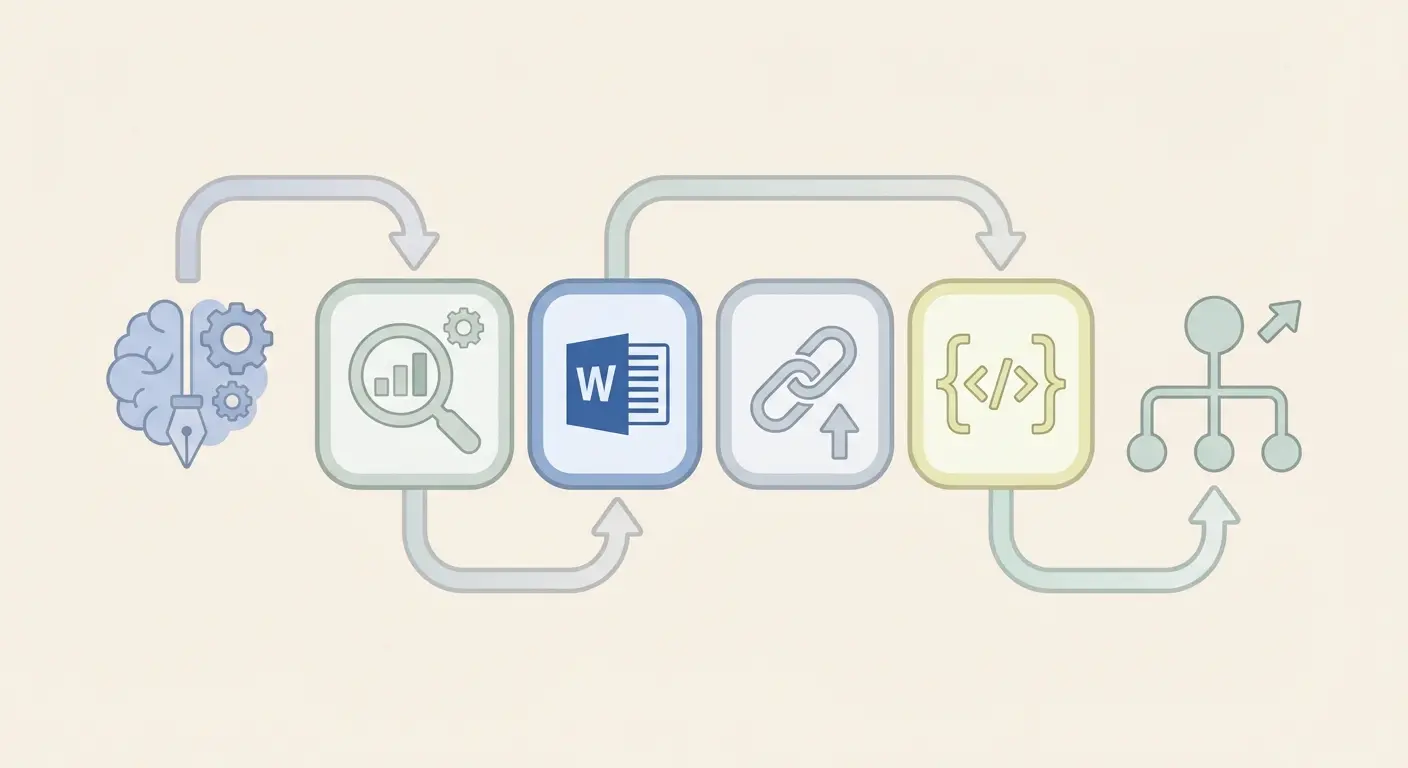
What most people miss is that the bottleneck isn’t ideas. It isn’t even writing. It’s the assembly line — keyword research, drafting, on-page optimization, internal linking, schema markup, scheduling. Each step bleeds time. String them together manually and a single post takes 4–6 hours. Multiply that by nine and you’re staring at a full work week for one content sprint.
This guide breaks down exactly how to collapse that timeline using AI writing tools, WordPress automation plugins, and a publishing workflow that runs almost on its own. We’ll cover tools, a day-by-day plan, real plugin comparisons, and the honest tradeoffs you need to know before you start.
Why 9 Posts in 7 Days Is the Right Content Velocity Target
Here’s where it gets interesting: publishing frequency directly correlates with crawl rate. Google’s John Mueller has confirmed that sites publishing more frequently tend to get crawled more often — which means new content gets indexed faster, and ranking signals accumulate quicker.
According to W3Techs’ WordPress market share report, WordPress powers over 43% of all websites. That’s a massive content ecosystem, and the sites that grow fastest aren’t posting once a week — they’re batching strategically.
Nine posts in seven days hits a specific sweet spot. It’s enough volume to build topical authority around a subject cluster, but not so much that quality inevitably suffers. Think of it as one pillar page concept broken into eight supporting cluster articles — a structure that Google’s algorithms actively reward.
What most people get wrong: they chase volume without structure. Thirty posts about loosely related topics won’t outrank ten posts that form a tight semantic cluster. The velocity goal isn’t just “publish more” — it’s “establish expertise faster.” That distinction changes everything about how you plan your week.
WordPress Content Automation & SEO Plugins: The Stack You Need
The right stack does the heavy lifting. The wrong stack just adds complexity. Here’s what actually matters for WordPress content automation and SEO plugins.
Core SEO Plugins
Yoast SEO and Rank Math are the two dominant players. Yoast’s beginner’s guide is one of the best onboarding resources in the WordPress ecosystem — if you’re new to on-page SEO, start there. Rank Math edges ahead on features per dollar at the free tier, with built-in schema markup, keyword tracking, and content AI suggestions.
For automation-heavy workflows, Rank Math’s API compatibility is a genuine advantage. It plays well with tools that push content programmatically — more on that shortly.
Scheduling and Publishing Automation
WP Scheduled Posts and the native WordPress scheduling feature handle the basics. For more control — auto-posting to social, missed schedule recovery, and calendar views — PublishPress is worth the upgrade. WPBeginner’s guide to auto-scheduling WordPress posts walks through the setup if you want a visual walkthrough.
Workflow Automation Tools
This is where things get powerful. Uncanny Automator connects WordPress actions to external apps without code — think “when post publishes → notify Slack → share to social.” For more technical teams, n8n opens up fully custom pipelines. There’s even a ready-made n8n workflow that automates SEO-optimized WordPress posts using AI and Google Sheets — genuinely impressive for teams comfortable with self-hosted automation.
AI Content Generation
The AI layer is where most of the time savings live. Tools range from standalone platforms to deeply integrated WordPress solutions. The key criteria: does it understand SEO structure, not just prose? Can it generate content that respects your existing internal linking? Does it handle schema markup automatically?
Most generic AI writers answer “no” to at least two of those questions. That gap is where specialized WordPress-native platforms earn their place in the stack.
How the Authenova WordPress Plugin Fits Into This Workflow
This is the piece that ties the stack together — and it’s worth understanding what makes it different from a generic AI writer or a simple scheduling tool.
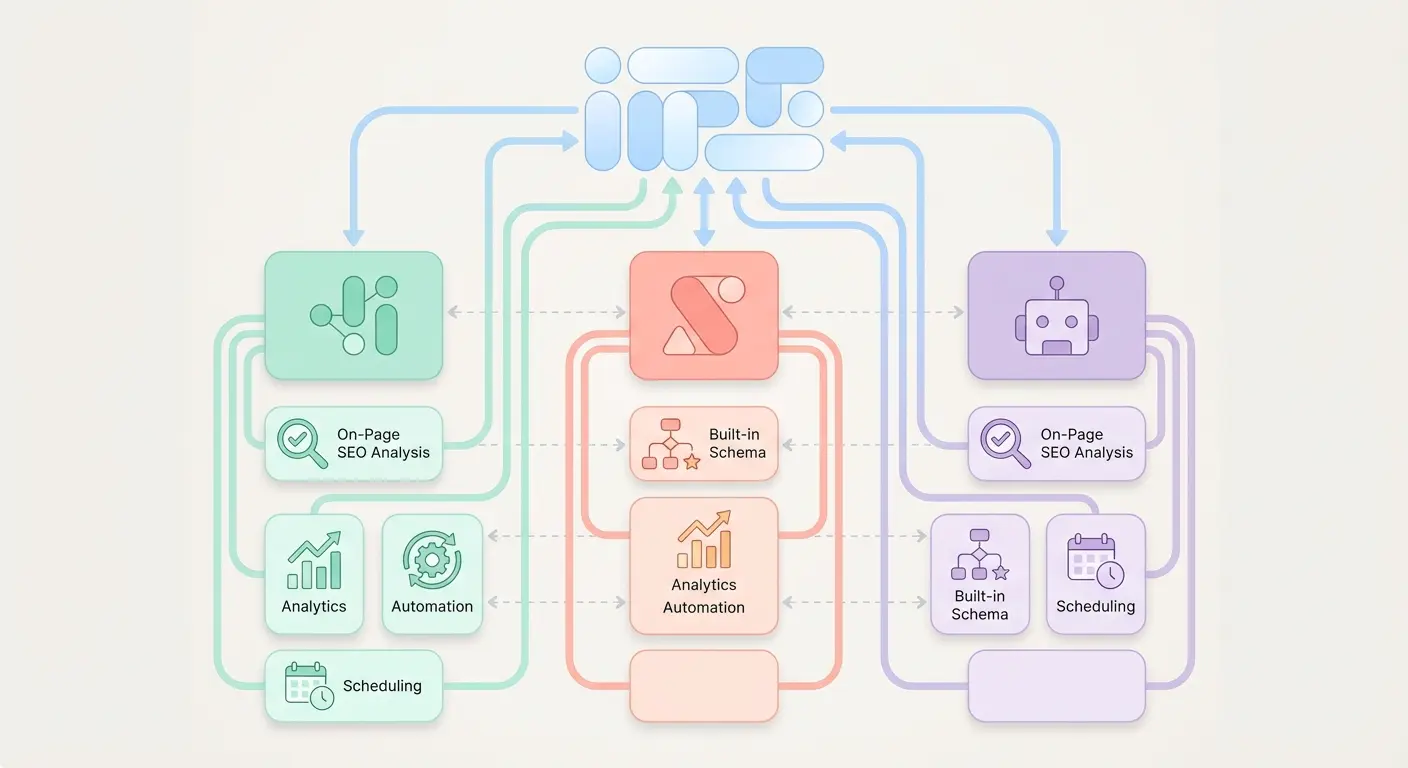
The Authenova WordPress Plugin connects your site to the Authenova platform in a single activation step. Once installed, it does something most tools don’t: it reads your site’s existing structure first — pages, categories, tags, metadata, sitemaps — before generating a single word.
That matters because AI content that ignores your site’s existing architecture creates orphaned posts, duplicate topics, and internal linking gaps. Authenova generates content that fits into your site, not content that just exists alongside it.
What the Plugin Handles Automatically
- Schema markup injection — Article, FAQPage, HowTo schemas applied at publish time
- Meta tags and title optimization — Synced with your SEO plugin settings
- Internal link insertion — Contextual links to existing posts based on semantic relevance
- Category and tag assignment — Based on your existing taxonomy, not arbitrary labels
- Sitemap updates — Posts appear in your XML sitemap immediately on publish
- Scheduled publishing — Stagger your 9 posts across the week with exact timestamps
The practical result: you define your content strategy in the Authenova platform (keywords, cluster structure, tone), and the plugin handles the technical delivery on your WordPress site. Your job shifts from “assembling each post” to “reviewing and approving the output.”
For the 9-posts-in-7-days workflow, this is the difference between spending 4 hours per post and spending 30–45 minutes per post. The math changes dramatically.
The 7-Day Publishing Plan: Day-by-Day Breakdown
Structure is what separates a productive content sprint from a chaotic one. Here’s the framework that works — tested across sites in competitive niches.

Day 1: Strategy, Keywords, and Cluster Mapping (2–3 hours)
Pick your pillar topic and identify 8 cluster subtopics around it. Run keyword research (more on this in the next section). Set up your Authenova workspace with the cluster structure. Sync the WordPress plugin. At the end of Day 1, you should have 9 keyword targets and a content brief for each.
Output: 9 content briefs, keyword targets confirmed, Authenova workspace configured.
Day 2: Generate Drafts 1–3 (1.5–2 hours)
Generate AI drafts for your first three posts. Review each one for factual accuracy, brand voice alignment, and internal linking suggestions. Approve or request revisions. Schedule Posts 1–3 for Days 3, 4, and 5 respectively.
Output: 3 posts reviewed, SEO metadata confirmed, scheduled in WordPress.
Day 3: Generate Drafts 4–6 + First Post Publishes (1.5–2 hours)
Post 1 goes live automatically — you set it up yesterday. Meanwhile, generate and review Drafts 4–6. Check Post 1’s initial indexing status in Google Search Console.
Output: 1 post live, 3 more posts reviewed and scheduled.
Day 4: Generate Drafts 7–9 (1.5 hours)
Your final batch. By now the workflow feels natural — review time drops noticeably. Post 2 publishes automatically. Schedule Posts 7–9 for Days 6, 7, and 7 (two posts on the final day is fine for crawl purposes).
Output: Full 9-post slate drafted, reviewed, and scheduled.
Days 5–7: Monitor, Tweak, and Promote (30 min/day)
Posts 3–9 publish on schedule. Your job: check Search Console for indexing, respond to early comments, and share posts to relevant communities. This isn’t passive — early engagement signals matter for rankings.
Visual Schedule at a Glance
| Day | Active Work | Posts Published | Est. Time |
|---|---|---|---|
| Day 1 | Strategy + keyword mapping | 0 | 2–3 hours |
| Day 2 | Generate + review Posts 1–3 | 0 | 1.5–2 hours |
| Day 3 | Generate + review Posts 4–6 | 1 | 1.5–2 hours |
| Day 4 | Generate + review Posts 7–9 | 1 | 1.5 hours |
| Day 5 | Monitor + promote | 1 | 30 min |
| Day 6 | Monitor + promote | 2 | 30 min |
| Day 7 | Sprint retrospective | 3 | 1 hour |
Keyword Strategy for Rapid Publishing: Pick the Right 9 Topics
Speed without direction is just noise. The keyword selection phase on Day 1 is where most rapid publishing efforts either succeed or quietly fall apart six weeks later when nothing ranks.
The principle that works: pick one parent topic, then find eight specific questions it spawns. Each question becomes a cluster post. The parent topic becomes your pillar. This isn’t just organizational tidiness — it’s how Google understands expertise signals across related content.
For a detailed breakdown of how to find and evaluate these long-tail opportunities, the guide on long-tail keyword strategy as an SEO growth engine covers the exact research methodology — including how to evaluate keyword difficulty, search intent, and conversion potential before you write a single word.
Quick Keyword Selection Framework for Your 9-Post Sprint
- Anchor the pillar: Choose a primary keyword with 1,000–10,000 monthly searches and moderate competition (KD 30–55 in Ahrefs or Semrush)
- Mine the “People Also Ask” box: Google’s PAA section for your pillar keyword almost always surfaces 6–10 cluster-worthy questions
- Check search intent alignment: Informational intent posts are faster to write and rank; commercial intent posts convert better. Mix both
- Validate search volume: Each cluster post should have at least 100 monthly searches. Below that, the ROI is thin unless you’re targeting hyper-specific buying intent
- Confirm uniqueness: Run a quick search to confirm you’re not cannibalizing existing posts on your own site
- Assign a content type: Label each post as “how-to,” “comparison,” “definition,” “listicle,” or “case study” — this guides AI generation and on-page structure
Pillar-Cluster Architecture: Making 9 Posts Work Together
Publishing 9 unrelated posts in a week is just noise. Publishing 9 posts that reinforce each other? That’s how topical authority gets built — fast.
The pillar-cluster model works like this: your pillar post covers the broad topic at a high level. Each cluster post goes deep on one specific subtopic and links back to the pillar. The pillar links out to all cluster posts. Google reads this web of internal links as a signal that your site genuinely covers the subject in depth.
For the full structural breakdown — including how to map clusters, measure topical coverage, and build the internal linking architecture — the article on pillar-cluster content strategy and topical authority architecture is the most detailed resource we’ve published on this. Worth reading before you finalize your 9-topic list.

Internal Linking Rules for Your 9-Post Sprint
- Every cluster post links to the pillar (anchor text = pillar’s focus keyword)
- The pillar links to all 8 cluster posts (anchor text = each cluster’s focus keyword)
- Where natural, cluster posts link to each other — keeps users in your content ecosystem
- Avoid forcing links — one contextual link per 300 words is a reasonable density ceiling
- Use descriptive anchor text, not “read more here” or “click this post”
The Authenova platform handles much of this automatically — it generates internal link suggestions based on your full content map. But understanding the logic yourself means you can catch errors and improve on the suggestions.
Quality Control at Scale: What to Check Before Every Post Goes Live
The biggest objection to AI-assisted content publishing is quality. It’s a fair concern. Here’s the honest answer: AI drafts need human review. Every single one. The question is what to review, so you can do it efficiently without reading every word.
What most people miss: you don’t need to rewrite AI content — you need to verify it. The things that actually hurt rankings are specific and checkable in under 10 minutes per post.
Pre-Publish Checklist (10-Minute Review Per Post)
- Factual claims: Check any statistics, dates, or named sources. AI hallucinates specifics. One false stat can tank credibility.
- Keyword placement: Confirm primary keyword appears in H1, first 100 words, at least two H2s, and meta description.
- Internal links: Verify all internal links point to live pages with correct anchor text.
- Meta title and description: Title under 60 characters, description under 160. Both include primary keyword.
- Schema markup: Check that your SEO plugin (or Authenova) applied the correct schema type for the post format.
- Image alt text: Every image needs a descriptive alt attribute — not “image1.jpg.”
- Readability scan: Run through Yoast or Rank Math’s readability analysis. Fix passive voice flags and long sentence warnings.
- Originality check: Run a quick Copyscape or Originality.ai check if you’re in a competitive niche.
- Mobile preview: Check the post in WordPress’s mobile preview. Formatting issues are invisible on desktop.
- Canonical URL: Confirm the canonical tag points to the correct URL (especially for posts created programmatically).
This checklist cuts review time from “reading every word” to “verifying the 10 things that actually affect rankings.” It won’t catch every imperfect sentence, but it will catch everything Google penalizes.
Plugin Comparison: SEO & Automation Tools Side-by-Side
Choosing your stack upfront saves hours of switching mid-sprint. Here’s an honest comparison of the tools most relevant to WordPress content automation and SEO plugins workflows.
| Tool | Primary Function | Free Tier? | Best For | Limitations |
|---|---|---|---|---|
| Yoast SEO | On-page SEO analysis | Yes | Beginners, content teams | Limited schema on free tier |
| Rank Math | SEO + schema + analytics | Yes (generous) | Automation workflows, API users | Steeper learning curve |
| PublishPress | Editorial calendar + scheduling | Yes (limited) | Teams managing multiple posts | No AI integration |
| Uncanny Automator | WordPress workflow automation | Yes | No-code trigger/action workflows | External triggers cost more |
| n8n | Custom automation pipelines | Self-hosted free | Technical teams, custom workflows | Requires technical setup |
| Authenova | AI content generation + WordPress publishing | Free trial | Full content pipeline automation | Best ROI at scale (5+ posts/week) |
For teams running occasional content sprints, Rank Math + PublishPress + Uncanny Automator is a solid no-cost starting stack. For recurring weekly publishing or agency-scale output, an integrated platform like Authenova eliminates enough friction that the math justifies itself within the first sprint.
Common Mistakes That Kill AI Content Rankings
Here’s something that doesn’t get said enough: AI content fails to rank for predictable, fixable reasons. The problem isn’t usually the AI — it’s how the content gets set up and published.
Mistake 1: Generic Content With No Unique Perspective
AI generates competent summaries of what’s already online. That’s not enough to rank in 2025. Every post needs at least one original angle — a specific data point, a counterintuitive insight, a first-hand example. Add it in review. Even two or three sentences of genuine perspective changes how Google evaluates the content.
Mistake 2: Publishing Everything on the Same Day
Stagger your 9 posts across the week. Publishing all nine on Day 1 looks unnatural in crawl patterns and gives you no opportunity to catch formatting issues on the first few posts before the rest go live.
Mistake 3: Skipping the Pillar-Cluster Structure
Nine posts on loosely related topics won’t build topical authority. Nine posts in a tight cluster will. This is the single highest-ROI decision in the entire sprint — get the structure right on Day 1 or you’re just adding pages to your sitemap.
Mistake 4: Ignoring Search Intent
AI writing tools optimize for readability, not intent. A post targeting “best WordPress SEO plugins” needs a comparison table and clear recommendations. A post targeting “what is schema markup” needs a clear definition and examples. Match the format to what searchers actually expect to find. For the complete AI content strategy framework — including intent mapping, topic clustering, and content velocity planning — the complete guide to AI-powered SEO content strategy is the most thorough resource available on this topic.
Mistake 5: No Promotion After Publishing
A published post with zero initial traffic signals gets indexed slowly and ranks poorly out of the gate. Share to relevant communities (Reddit, LinkedIn, niche forums), ping the URL in Google Search Console, and build even one or two contextual backlinks in the first week. Early engagement accelerates ranking velocity noticeably.
Your Complete 9-Post Sprint Setup Checklist
Pull this out before you start Day 1. Every item here is either a time-saver or a ranking-saver — often both.
Before the Sprint
- ☐ Install and activate Authenova WordPress Plugin
- ☐ Run site sync — review existing content gaps
- ☐ Confirm SEO plugin (Yoast or Rank Math) is configured with correct site settings
- ☐ Set up XML sitemap and verify it’s submitted to Google Search Console
- ☐ Create or confirm editorial calendar tool (PublishPress or native WordPress scheduler)
Day 1: Strategy
- ☐ Select pillar topic and 8 cluster subtopics
- ☐ Confirm keyword targets with search volume data
- ☐ Verify search intent for each of the 9 posts
- ☐ Map internal linking structure (which posts link to which)
- ☐ Configure Authenova workspace with cluster structure
Days 2–4: Generation and Review
- ☐ Generate AI drafts in batches of 3
- ☐ Run 10-minute pre-publish checklist on each post
- ☐ Add unique insights, first-hand examples, or original data points to each draft
- ☐ Confirm internal links are in place and anchor text is correct
- ☐ Schedule each approved post (stagger by 1 post per day minimum)
Days 5–7: Publishing and Promotion
- ☐ Monitor Google Search Console for indexing status
- ☐ Share each post to 2–3 relevant communities or channels
- ☐ Check for any broken links or formatting issues after live publish
- ☐ Record initial ranking positions for each target keyword
- ☐ Note which post formats performed best — use this for your next sprint
FAQ: WordPress Content Automation & SEO Plugins
Does publishing AI-generated content hurt my WordPress SEO?
Not if it’s helpful, accurate, and structured correctly. Google’s stance is that AI-assisted content is fine — what they penalize is low-quality, thin, or deceptive content regardless of how it was produced. AI content that passes a human review, includes original insights, and is properly optimized for search intent performs as well as manually written content in most niches. The key is the review step — never publish raw AI output without checking facts, keyword placement, and schema markup.
What’s the best SEO plugin for WordPress content automation workflows?
Rank Math edges ahead for automation-heavy workflows because of its robust API, generous free tier features (including schema markup and multiple keyword tracking), and compatibility with programmatic publishing tools. Yoast SEO remains the easier choice for beginners or teams that prioritize user experience over technical configurability. Both work well — the deciding factor is usually how much you’ll rely on API-based content delivery.
How do I schedule WordPress posts to publish automatically?
WordPress has native scheduling built into the post editor — set the publish date and time under “Publish” in the block editor sidebar and click “Schedule.” For more control (auto-social sharing, missed schedule recovery, editorial calendar view), the PublishPress plugin adds these features without much configuration overhead. Authenova handles scheduling directly from the platform if you’re using it for