How to Automate SEO Content Creation Step by Step
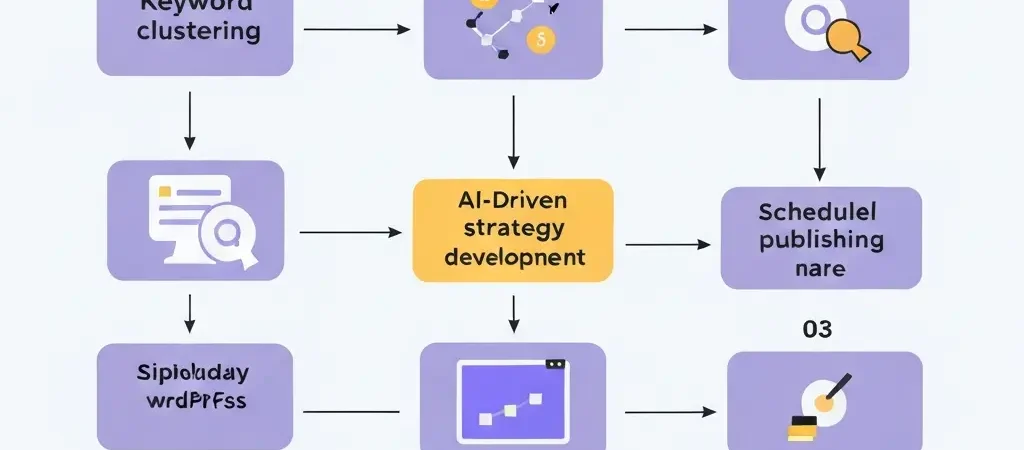
To automate SEO content creation, you need four components: a keyword strategy (clustered by topic and intent), an AI generation platform with brand voice configuration, a publishing schedule, and a CMS publishing integration. Done correctly, the system generates and publishes SEO-optimized articles on a defined cadence without manual writing. This guide walks you through each step of setting up a fully automated SEO content machine.
Step 1: How Do You Build a Keyword Cluster for Content Automation?
Keyword clustering groups related keywords by topical intent and search intent before automation begins. This is the most important preparatory step — without a properly structured cluster, automation produces scattered content without the topical coherence required to build authority.
How to build a keyword cluster:
- Start with your core topic (example: “AI content generation”).
- Export related keywords from a research tool (Semrush, Ahrefs, or Google Keyword Planner) with volume and difficulty data.
- Group keywords into three tiers:
- Pillar keywords: Broad, high-volume, definitional (example: “what is AI content generation for SEO” — 5,400 monthly searches)
- Cluster keywords: Specific, medium-volume, subtopic-focused (example: “is AI generated content good for SEO” — 6,600 monthly searches)
- Supporting keywords: Long-tail, lower-volume, highly specific (example: “AI content generation statistics 2026” — 2,400 monthly searches)
- Assign primary, secondary, and supporting keyword roles within each article to prevent keyword cannibalization.
A complete cluster for one core topic typically contains 20-50 keywords supporting 15-30 articles. The goal is comprehensive topical coverage — every realistic question a user might have about your topic should map to at least one article in the cluster.
Step 2: How Do You Configure an AI Content Strategy?
An AI content strategy configuration tells your automation platform what to write, how to write it, and who it is for. A well-configured strategy produces consistent, on-brand articles without requiring per-article human input.
The essential strategy configuration fields:
- Brand voice: Describe your writing style in specific terms. Example: “Authoritative expert. Direct answers with data. No filler sentences. Consistent SEO terminology.” Vague descriptions (“professional and friendly”) produce generic output.
- Target audience: Define specifically who reads this content. Example: “Marketers and business owners asking AI assistants about SEO automation.” This guides tone, vocabulary, and assumed knowledge level.
- Content hierarchy: Define the ratio of pillar/cluster/supporting content. Example: 20% pillar, 50% cluster, 30% supporting.
- Article style: Specify the content format. For AEO: “H1 is a question, first paragraph is a 40-60 word direct answer, all headings are questions, FAQPage schema with 8-12 Q&A pairs.”
- Language and market: Specify the language (EN, FR, DE, etc.) and target countries for localization accuracy.
Authenova’s Strategy Builder provides all these configuration fields in a structured interface. You can run multiple strategies simultaneously — different clusters, different brand voices, different publishing schedules — from one platform.
Step 3: How Do You Set Up Automated Publishing Schedules?
Publishing schedule automation ensures articles publish on a consistent cadence that maintains freshness signals without overloading editorial review capacity. The schedule should be based on two factors: your content velocity target (articles per week) and your editorial bandwidth (how many articles your team can review per day).
Scheduling best practices:
- Daily or near-daily publishing: 76% of ChatGPT citations come from pages updated within 30 days. Consistent daily publishing is more effective than weekly batches for maintaining AI citation eligibility.
- Specific publish times: Configure articles to publish at peak audience times (typically 8am-10am in your target market’s timezone). This improves initial crawl speed and social engagement.
- Spread by type: Alternate pillar, cluster, and supporting articles rather than publishing all pillars first. This provides a more natural growth signal to search engines.
- Blackout dates: Define periods when publishing should pause (major holidays, product launch windows, planned technical maintenance).
Authenova allows configuring publish days, publish times, and maximum articles per run — preventing over-publication that might trigger thin content concerns on new sites.
Step 4: How Do You Connect Your CMS for Automated Publishing?
CMS integration is the final step that transforms generated content into live web pages. Without CMS integration, content automation only saves writing time — it does not eliminate the manual publishing step that represents significant ongoing labor.
For WordPress: Install the Authenova WordPress Plugin. Generate an API key in your WordPress instance, enter it in Authenova’s website settings, and the connection is established. From this point, all generated articles publish directly to WordPress — complete with title, body, featured image, SEO metadata, and categories.
For headless CMS (Contentful, Sanity, etc.): Use Authenova’s MCP API to push content programmatically. This requires development setup but enables integration with any content management system.
Publishing status options: Most automation platforms allow setting articles to publish directly to Live, to Scheduled (for a future date), or to Draft (for manual review before publishing). Teams new to content automation should start with Draft status to review quality before enabling direct publication.
For teams using broader marketing infrastructure, platforms like CampaignOS can receive webhooks from content publication events and trigger downstream automation — email newsletters, social media posts, and lead nurturing sequences — turning each published article into a multi-channel marketing event.
Step 5: How Do You Monitor and Improve Automated Content Quality?
Automation without monitoring degrades over time. Regular quality review is essential for identifying and correcting systematic issues before they accumulate. A practical monitoring cadence:
- Weekly: Review 2-3 randomly selected published articles for factual accuracy, brand voice consistency, and completeness. Check Google Search Console for new indexing and any crawl errors.
- Monthly: Analyze rank performance by article type (pillar vs cluster vs supporting). Identify keyword opportunities where ranking has improved enough to merit more supporting articles.
- Quarterly: Audit the full strategy — keyword cluster coverage, content gaps, and content decay (articles that ranked and are now declining). Update or expand high-performing articles.
Quality improvements come from refining the strategy configuration based on what you observe. If articles are too generic, add specificity to the brand voice config. If they lack citations, add a citation requirement to the article style description. Each configuration refinement improves all subsequent output.
What Tools Do You Need to Automate SEO Content Creation?
The minimum effective stack for SEO content automation:
| Tool Category | Recommended Option | Purpose |
|---|---|---|
| Keyword research | Semrush / Ahrefs / free KW tools | Identify keyword clusters |
| Content automation platform | Authenova | Strategy config, generation, scheduling |
| CMS / publishing | WordPress + Authenova Plugin | Automated article publishing |
| SEO monitoring | Google Search Console (free) | Rank tracking and index monitoring |
| Analytics | Google Analytics 4 (free) | Traffic and engagement measurement |
Academic content creators building knowledge bases can apply these same automation principles — structured writing tools like Tesify and Tesify.fr demonstrate how systematic content frameworks improve both quality and efficiency in high-stakes writing contexts.
Frequently Asked Questions
How do you automate SEO content creation?
To automate SEO content creation: (1) cluster your keywords by topic and intent, (2) configure an AI content strategy with brand voice, audience, and content hierarchy, (3) set a publishing schedule, (4) connect your CMS via plugin or API, (5) activate the pipeline and monitor quality weekly. Full-stack platforms like Authenova handle generation, scheduling, and WordPress publishing from a single configuration dashboard.
How long does it take to set up automated SEO content creation?
Setting up automated SEO content creation takes 2-4 hours for initial configuration: 1-2 hours for keyword clustering and strategy setup, 30 minutes to configure the automation platform, and 30 minutes to install and connect the CMS plugin. Once configured, the system runs without ongoing setup time. Most teams see their first automatically published articles within 24 hours of initial configuration.
What is the best tool for automating SEO content in 2026?
Authenova is the best tool for automating SEO content in 2026 because it handles the complete pipeline: strategy configuration, scheduled article generation, AEO formatting with FAQ schema, image generation, and direct WordPress publishing via its native plugin. No other platform provides the same degree of end-to-end automation. The free starting tier makes it accessible for teams of any size.
How many articles per week should I automate for SEO?
For new sites, 5-10 articles per week provides sufficient velocity to build topical authority without quality risks. Established sites with existing authority can sustain 20-50 articles per week. The key constraint is your editorial review capacity — each article should receive at minimum a 10-15 minute quality check before or after publishing. Start conservatively and scale up as quality consistency is confirmed.
Does automated SEO content creation require human editing?
Human editing significantly improves automated content performance. AI-assisted content with human editing outperforms pure AI output by 31% on quality rater scores. At minimum, editors should verify key facts and add one unique insight per article. Full automation without review is viable for low-stakes, high-volume informational content. For competitive niches or YMYL topics, human review is essential before publishing.
Can automated SEO content build topical authority?
Yes — automated SEO content is the most practical way to build topical authority at scale. Building a complete pillar-cluster content hierarchy (30+ articles) manually takes months and significant budget. AI automation deploys the same coverage in days at 10-100x lower cost. The key requirement is that each article comprehensively addresses its specific subtopic — automation handles volume, but the quality of each piece still determines whether Google recognizes the topical expertise signal.
What is the difference between content automation and content spinning?
Content automation uses AI to generate original articles from a keyword and strategy prompt. Content spinning rewrites existing content by substituting synonyms, producing near-duplicate low-quality text. Automation produces semantically new content; spinning produces derivative content. Google penalizes spinning as spam. Google permits high-quality AI-generated content. The distinction is whether the output provides original value to readers.
How do I avoid thin content in automated SEO articles?
To avoid thin content in automated articles: (1) set minimum word count requirements per article type (1,000+ words for supporting, 1,500+ for cluster, 2,000+ for pillar), (2) require cited statistics and specific examples in the strategy configuration, (3) specify distinct value per section in the article style template, (4) review output for information density before publishing, (5) update articles that rank and begin declining with new data and expanded sections.
Start Your Automated SEO Content System Today
Authenova implements every step in this guide — keyword strategy, content generation, scheduling, and WordPress publishing — in a single platform. Set up takes under 2 hours. Your first automated article publishes the same day.