Internal Linking Strategy: The Advanced SEO Guide for 2026
An internal linking strategy is one of the highest-leverage, most underutilized SEO tactics available. External backlinks get most of the attention, but internal links — the connections between pages within your own site — are fully under your control and directly shape how Google distributes authority across your content, understands your topical structure, and determines which pages deserve to rank for competitive queries.
In 2026, as content volumes grow (partly through AI automation) and topical authority becomes more central to ranking, internal linking architecture has become more critical than ever. This guide covers the full internal linking strategy: the PageRank mechanics, topical authority signals, anchor text optimization, structural models, and the practical workflows that keep internal linking consistent as your site scales.
PageRank Mechanics and Internal Links
PageRank — Google’s original algorithm for evaluating page importance based on link signals — is still active in 2026, running as one of hundreds of ranking signals. Understanding its mechanics explains why internal link architecture matters.
How PageRank Flows Through Internal Links
PageRank is distributed from a page to the pages it links to. A page linking to 10 other pages passes a fraction of its PageRank to each. The same page linking to 3 pages passes a larger fraction to each. This means:
- High-authority pages (homepage, frequently linked-to pillar articles) are PageRank sources
- Linking from high-authority pages to target pages boosts those targets’ authority
- Reducing the number of links on high-authority pages concentrates the PageRank passed to each linked page
The Practical Implications
Your homepage and highest-linked pillar articles are your most valuable internal PageRank sources. Any page you want to rank for competitive keywords should have links from these high-authority sources. This is why navigation links, footer links, and homepage feature links to target pages are more SEO-valuable than most site owners realize.
PageRank Sculpting in 2026
Google deprecated the rel="nofollow" PageRank sculpting technique years ago, but strategic internal linking still achieves similar effects. Link deliberately to pages you want to rank. Minimize links to non-SEO-critical pages (like privacy policy, login, etc.) from your most authoritative pages. This is not manipulation — it’s simply choosing where to direct your site’s earned authority.
Internal Links as Topical Authority Signals
Beyond PageRank, internal links carry topical relevance signals. When two pages are linked to each other with topically relevant anchor text, Google infers that they cover related aspects of the same topic entity. This contributes to Google’s understanding of your site’s topical structure.
Building Topical Silos with Internal Links
A topical silo is an internally linked cluster of related content that collectively signals comprehensive coverage of a topic. Within a silo:
- Every cluster article links to the silo’s pillar article
- The pillar article links to every major cluster article
- Cluster articles link to closely related cluster articles within the same silo
- Supporting articles link up to their parent cluster article
- Cross-silo links are minimized to maintain topical signal clarity
This architecture creates a dense internal link graph that concentrates topical relevance signals around each silo’s core topic entity — exactly what Google’s entity-based evaluation model is looking for.
Hub and Spoke vs. Mesh Architecture
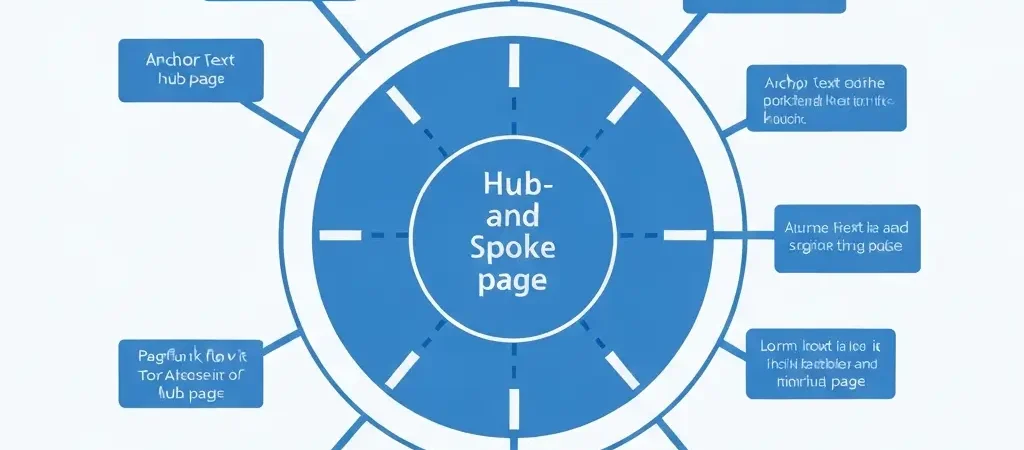
Hub and Spoke: Pillar article (hub) links to all cluster articles (spokes), and spokes link back to hub. Clean, predictable, easy to manage. Best for sites with 20–50 articles per topic cluster.
Mesh Architecture: All closely related articles link to each other directly, creating a dense interconnection. Higher internal link density, more complex to manage. Best for large content operations (100+ articles) where every article is within 2–3 links of every other related article.
Anchor Text Optimization
Anchor text — the visible, clickable text of a link — is an important signal for both PageRank flow direction and topical relevance. Google uses anchor text to understand what the linked page is about.
Internal Anchor Text Best Practices
| Anchor Type | Example | When to Use |
|---|---|---|
| Exact match keyword | “internal linking strategy” | For pillar pages, use sparingly |
| Partial match keyword | “internal linking best practices” | Most internal links — balances relevance and naturalness |
| Descriptive phrase | “how to structure internal links for SEO” | When natural in prose context |
| Branded anchor | “Authenova’s link analysis” | For product/tool mentions |
| Generic anchor | “learn more,” “click here” | Avoid — no topical signal value |
Anchor Text Diversity
Avoid linking to the same page with identical anchor text from every article. Vary anchor text across partial matches, descriptive phrases, and natural contextual phrasing. This looks more natural and covers a broader set of keyword variations for the target page.
Internal Linking Structural Models
Model 1: Topic Cluster Architecture (Recommended)
The topic cluster model has become the dominant internal linking architecture for content-heavy sites. It directly aligns with Google’s entity-based evaluation model and is easy to implement and audit.
Structure: Pillar → Clusters → Supporting articles. Each level links up to the level above, and down to the level below. Pillar links out to all clusters; clusters link out to related supporting articles. Cross-cluster links exist only where genuine topical relevance exists.
Model 2: Hierarchical Site Architecture
For large sites with multiple distinct topic domains, hierarchical URL structure (category → subcategory → article) combined with breadcrumb links and category page links creates a clean authority flow from category pages down to individual articles.
Model 3: Contextual Link Mesh
For information-dense content operations (100+ articles), a contextual link mesh where every article links to 5–10 closely related articles (not just up to pillars) creates maximum topical signal density. This is the model used by Wikipedia and major reference sites — high internal link density within topically coherent content areas.
The Practical Internal Linking Workflow
Internal linking at scale requires systematic processes, not case-by-case decisions:
At Publication
- Identify the new article’s parent pillar and add a link to the pillar within the article body
- Identify 2–4 closely related cluster articles and add cross-links
- Add a link from the pillar article to the new cluster article
- Update 1–2 older related articles to include a link to the new article
Weekly Maintenance
Review the 5 most recent articles and ensure each has: at least one link from the pillar article, at least 3 internal links to related articles, and at least 2 inbound links from related articles.
Tools like Authenova automate the initial internal link insertion — identifying related content by topic cluster and automatically inserting contextual links at article creation time. This maintains link consistency even when publishing at high velocity (20+ articles per month).
Internal Link Auditing
Quarterly internal link audits identify and fix structural issues that accumulate as sites grow:
What to Audit
- Orphan pages: Articles with fewer than 3 inbound internal links — these receive minimal PageRank and topical signal
- Dead ends: Articles with no outbound internal links — these don’t contribute to authority distribution
- Broken internal links: Links pointing to 404 pages — waste PageRank and create poor user experience
- Generic anchor text: Internal links using “click here” or “read more” — replace with descriptive keyword-rich anchors
- Redirect chains: Internal links that go through 301 redirects — update to point to final destination URLs
Tools for Internal Link Auditing
Screaming Frog (crawls your site and maps all internal links), Ahrefs Site Audit (includes orphan page detection and internal link reports), Google Search Console (coverage report identifies pages not being indexed, often correlating with internal linking gaps), and Semrush Site Audit.
Frequently Asked Questions
How many internal links should each page have?
There’s no fixed limit. Google can follow any reasonable number of internal links. For SEO effectiveness, aim for: pillar articles linking to 8–15 cluster articles, cluster articles linking to 4–8 related articles, and supporting articles linking to 2–4 related articles. More important than count is relevance — every internal link should connect pages with genuine topical relationships.
Does anchor text in internal links matter for SEO?
Yes — anchor text in internal links is a significant relevance signal. Google uses it to understand what the linked page is about and which keywords it should rank for. Using descriptive, keyword-relevant anchor text (e.g., “internal linking strategy for SEO” rather than “click here”) strengthens the topical relevance signal for the target page. Vary anchor text across your internal links to cover multiple keyword variations.
Should internal links open in a new tab?
No — internal links should open in the same tab. Opening in a new tab (target=”_blank”) is appropriate for external links where you want to keep users on your site while they access external resources. For internal links, same-tab navigation is the UX standard and helps with session continuity tracking in analytics. Using target=”_blank” for internal links is a common mistake that fragments user sessions and creates analytics reporting issues.
How do I fix orphan pages?
Identify orphan pages using a site crawler (Screaming Frog or Ahrefs). For each orphan, identify the most topically related existing content on your site and add contextual internal links from those pages to the orphan. Also ensure the orphan links back to its appropriate parent pillar or category page. For orphans with no clear topical relationship to other content, consider whether the content should be consolidated with a related article.
Do internal links help with Google indexing?
Yes — internal links are one of the primary ways Google discovers and indexes new pages. A new article linked from a frequently crawled page (like your homepage or a popular pillar article) will typically be discovered and indexed faster than an article with no internal links. This is especially important for new sites where Google’s crawl budget is limited — ensure your most important new content has internal links from existing indexed pages.
Automate Internal Linking at Scale
Authenova automatically identifies topical relationships between articles and inserts contextual internal links at publication time — maintaining consistent internal linking architecture even at 20+ articles per month publishing velocity.