
SEO Content Automation: The Complete 2026 Guide to AI-Powered Blog Writing
You already know you need more content. Your competitors are publishing three times a week. Your WordPress dashboard has twelve draft posts that haven’t moved in months. And your organic traffic? Flat as a pancake since Q3.
Here’s the thing most people won’t say out loud: the content bottleneck isn’t a creativity problem. It’s a capacity problem. And AI-powered content automation is the most direct solution available right now — if you know how to use it without sacrificing quality or rankings.
This guide breaks down exactly how SEO content automation works in 2026, which workflows actually produce rankable output, and where most tools fall short before Authenova solves the problem most of them ignore.

What Is SEO Content Automation?
SEO content automation is the practice of using software — primarily AI language models combined with SEO data inputs — to produce, optimize, and publish search-optimized content without manual writing for every piece. It’s not about spamming the web with thin articles. The 2026 version of this is genuinely sophisticated.
What’s changed in 2026 is the quality ceiling. Early AI content (2022-2023) was easy to spot — generic, repetitive, and shallow. The models powering today’s platforms — GPT-4o, Claude 3.5, Gemini 1.5 Pro — produce output that passes quality checks when properly prompted with structured briefs, keyword data, and content hierarchy instructions.
The missing piece for most small business owners and solopreneurs isn’t the AI itself. It’s the infrastructure: how do you get the keyword research in, apply topical architecture, and push finished content to WordPress without a 14-step manual process every single time?
That’s exactly what modern SEO content automation platforms solve. For the broader strategic picture behind why this architecture matters, the Complete Guide to AI-Powered SEO Content Strategy in 2026 walks through the full system — from content velocity to topical authority building.
Why Automated Blog Writing Works in 2026
Skepticism about AI-generated content is healthy. But the data has shifted the conversation significantly.
According to McKinsey’s research on generative AI’s economic potential, knowledge work productivity gains from AI range from 30-70% depending on the task. Content creation sits squarely in the upper end of that range — specifically because AI excels at the most time-intensive parts: first drafts, structure, and keyword weaving.
A Deloitte Digital study on GenAI in marketing operations found that teams using AI-assisted content workflows produced 3.1x more content while maintaining quality parity with fully human-written output — provided there was human review at the strategy layer.
Here’s the counterintuitive insight most people miss: Google doesn’t penalize AI-generated content. It penalizes low-quality, unhelpful content. The distinction matters enormously. A well-structured, accurately researched, properly formatted article that answers a genuine search query will rank — regardless of whether a human or AI typed the words.
What automated blog writing does not replace:
- Original research and proprietary data
- Personal experience narratives (E-E-A-T signals)
- Brand voice calibration at the strategy layer
- Topic prioritization and competitive analysis
What it absolutely does handle: the 80% of content work that’s structural, formulaic, and high-volume.
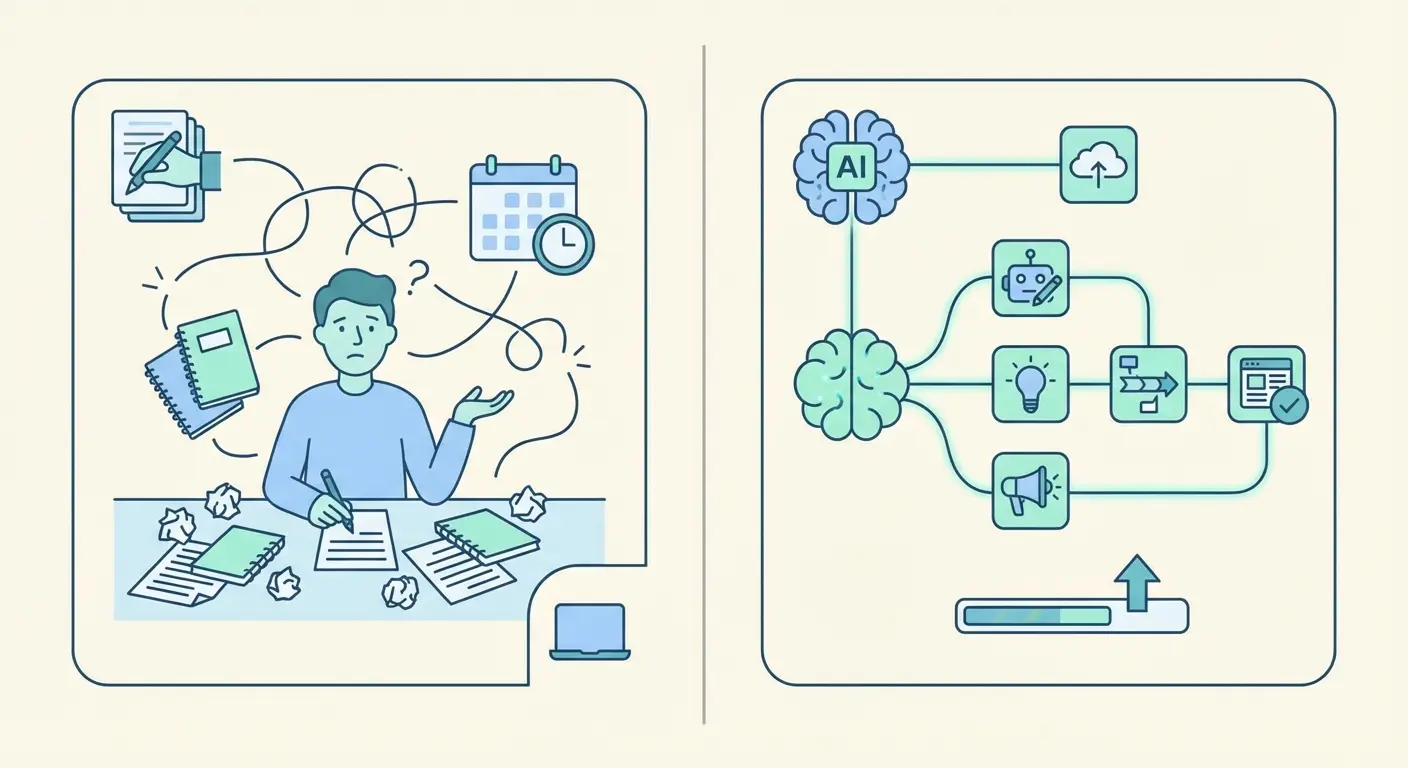
The AI-Powered Content Automation Workflow
Most people imagine AI content automation as: “type a topic, hit generate, publish.” That’s how you get garbage output. The actual workflow that produces rankable content has six distinct stages.
Stage 1: Keyword Research and Prioritization
Before any AI writes a word, you need a structured keyword list segmented by intent, competition, and topical relevance. The goal isn’t just volume — it’s finding the long-tail keyword clusters that drive high-conversion traffic with realistic ranking potential. Tools like Semrush or Ahrefs export these into spreadsheets. Automation platforms ingest that data as briefing inputs.
Stage 2: Topical Architecture Mapping
Keyword lists become content calendars only when you apply pillar-cluster architecture. Each pillar topic gets a primary page. Each cluster keyword gets a supporting article that links back to the pillar. This is the foundation of topical authority — the structural approach that tells Google you cover a subject comprehensively, not just superficially.
Stage 3: Brief Generation
The AI brief is where content quality is won or lost. A proper brief includes: primary keyword, secondary keywords, target word count, content type (pillar/cluster/supporting), internal link targets, tone of voice, and the specific search intent the article must satisfy. Without this, AI output is generic.
Stage 4: AI Drafting
With a structured brief, modern AI models produce strong first drafts 80-90% of the time. The output includes proper heading hierarchy, semantic keyword distribution, and meta descriptions — if your platform is built for SEO rather than just text generation.
Stage 5: Quality Review and Enhancement
This is where human judgment adds irreplaceable value. Review for factual accuracy, brand voice consistency, and E-E-A-T signals. Add a specific data point or real-world example if the draft is too generic. This takes 10-15 minutes per article at most — not 3 hours of writing from scratch.
Stage 6: Publishing with Full SEO Configuration
Automated publishing to WordPress means more than pasting text into the editor. It includes schema markup injection, meta tag population, category/tag assignment, internal link insertion, sitemap updates, and scheduled release timing. This is where most DIY automation setups break down — and why dedicated platforms exist.
Semrush Academy’s course on doing SEO, content, and social faster with AI covers the research and briefing stages in detail if you want to dig deeper into Stage 1 and 3.
Tool Comparison: Automated Blog Writing Platforms
The market for AI content tools is genuinely crowded. Here’s an honest breakdown of what different approaches offer — and where they fall short for small business owners who need end-to-end automation, not just a text generator.
| Approach | What It Does | What It Misses | Best For |
|---|---|---|---|
| ChatGPT / Claude (Direct) | Flexible content generation, strong writing quality | No SEO structure, no WP publishing, no topical architecture | One-off drafts with heavy manual work |
| Jasper / Copy.ai | Marketing copy, templates, team collaboration | No autonomous publishing, limited SEO depth, no cluster architecture | Marketing teams needing copy at scale |
| Zapier / Make.com Templates | Custom automation pipelines, flexible integrations | Requires technical setup, no built-in SEO logic, fragile workflows | Developers or technically advanced users |
| Surfer SEO + AI | Content scoring, NLP optimization, outline building | Requires manual writing/editing, no scheduled autopublish | SEO-focused writers optimizing existing content |
| Authenova | End-to-end: strategy → AI writing → WP publishing → internal linking | Less flexible for non-WP sites (WP-first platform) | WordPress owners who want true autopilot content growth |
The DIY route — using Zapier or Make.com to stitch together ChatGPT with WordPress — is technically possible. Make.com’s blog automation template and Zapier’s ChatGPT-to-WordPress workflow show how it’s done. Fair warning: you’ll spend 20+ hours configuring them, they break when APIs change, and they produce zero SEO structure by default. For a bootstrapped founder, that’s not a good trade.
How Authenova Automates SEO Content End-to-End
Most content automation tools hand you a draft and say “good luck.” Authenova is built differently — it’s designed as a complete autonomous SEO growth engine, not a writing assistant you have to babysit.
Here’s what the platform actually does, practically speaking:
Authenova Strategy Builder: Your Content Campaign Controller
You start by configuring a strategy in Authenova’s Strategy Builder. You set your business goal (traffic growth, product sales, authority building), define your keyword roles (primary, secondary, supporting), choose your publishing workflow (draft-only, auto-publish, or scheduled), and configure your content velocity — how many pieces per week, what ratio of pillars to cluster articles to supporting micro-content.
Each strategy runs independently. If you have a SaaS product and a services offering, they get separate strategies with separate keyword sets and publishing cadences. This is the kind of configuration that would take weeks to set up manually.
Authenova AI Content Generator: Structured for Rankings
The AI Content Generator doesn’t just produce text — it produces SEO-structured content based on your pillar-cluster architecture. Each piece automatically includes: proper H1-H3 heading hierarchy, primary and secondary keyword placement, meta description generation, schema markup, readability optimization, and internal link suggestions that connect back to your pillar pages.
The difference between this and pasting a prompt into ChatGPT is the difference between a finished product and raw material. One goes to WordPress. The other goes to a pile of manual work.
Authenova WordPress Plugin: One-Click Pipeline
The Authenova WordPress Plugin connects your site in one click. It syncs your existing content (pages, categories, metadata, sitemaps) back to the platform so the AI understands your site structure before generating anything. Then it receives finished articles and publishes them with full configuration: categories, tags, featured images, meta tags, internal links, sitemap updates — all automatic.
You don’t touch the WordPress editor unless you want to. That’s the actual autopilot experience.
Step-by-Step Setup: Launch Your First Automated Content Pipeline
Here’s the practical workflow for getting your first automated SEO content pipeline live. This assumes you’re using a platform like Authenova — though the principles apply to any end-to-end tool.
- Audit your existing content: Before automating new content, map what you already have. Identify your top 5 topics by organic traffic. These become your pillar themes.
- Run keyword research for each pillar: Export 20-30 keywords per pillar topic, segmented by search intent. Focus on informational and commercial-investigation queries. Long-tail variations are your fastest-ranking opportunities.
- Build your pillar-cluster map: For each pillar, assign 8-12 cluster keywords and 5-8 supporting/long-tail keywords. This becomes your content calendar blueprint for the next 90 days.
- Install the WordPress plugin and connect your site: The sync process feeds your existing site structure to the AI so internal links are contextually accurate from day one, not generic.
- Configure your Strategy Builder: Set business goal, keyword assignments, content type ratios, publishing schedule, and tone. For most small businesses, 3-4 pieces per week is a strong starting cadence.
- Review the first batch of drafts: Before enabling full auto-publish, review 3-5 generated articles. Check for factual accuracy, tone consistency, and any brand-specific additions. Use this to calibrate your prompts and brief templates.
- Enable scheduled publishing: Once you’re satisfied with output quality, flip to auto-publish mode. Set your publishing times for peak audience engagement (typically Tuesday-Thursday, 8-10am in your target market’s timezone).
- Track and iterate monthly: Check rankings for published content at the 30, 60, and 90-day marks. Adjust your keyword targeting and content velocity based on what’s gaining traction.
The Semrush blog’s deep-dive on what content automation is and how to use it adds useful context on quality control frameworks if you want a second perspective on the review process in Step 6.
4 Mistakes That Kill Automated Content Performance
Automation done wrong doesn’t just fail to grow traffic — it can actively damage a site’s standing with Google. Here are the four patterns that show up repeatedly, and how to avoid them.
Mistake 1: Publishing AI Content Without Topical Architecture
Random articles on random keywords don’t build authority. They dilute it. The whole point of pillar-cluster architecture is to signal to Google that you cover a topic comprehensively. If your automated content isn’t organized around topical clusters, you’re leaving the most powerful ranking signal on the table. Every piece needs to connect to a pillar — and those connections need to exist as real internal links, not just conceptual associations.
Mistake 2: Zero Differentiation in the Brief
Feeding the AI just a keyword produces the most generic possible output — the same article that 50 other tools would produce for the same prompt. Your brief needs to specify: your unique angle, what competitors aren’t saying, your audience’s specific pain points, and any proprietary data or examples to include. This is where most “AI content doesn’t rank” complaints originate.
Mistake 3: Ignoring Search Intent Alignment
An informational query (“how does X work”) written as a product comparison article will not rank, regardless of how well it’s written. The format must match the intent. Automated platforms that don’t classify keywords by intent before generating content will produce misaligned articles at scale — a volume problem that’s hard to fix retroactively.
Mistake 4: Set-and-Completely-Forget
Autopilot doesn’t mean zero oversight. The “automated” part handles volume and structure. You still need monthly reviews of ranking progress, quality spot-checks, and strategy updates when search trends shift. Surfer’s live demo on scaling AI content workflows makes a strong case for this human-in-the-loop model even when automation handles the heavy lifting.
FAQ: SEO Content Automation
Does Google penalize AI-generated content in 2026?
Google doesn’t penalize AI-generated content specifically — it penalizes low-quality, unhelpful content regardless of how it was produced. Google’s guidance explicitly states that how content is created is less important than whether it demonstrates experience, expertise, authoritativeness, and trustworthiness. AI content that is accurate, well-structured, and genuinely useful to the reader ranks just as well as human-written content with the same qualities.
How many articles should I publish per week with AI content automation?
For most small business sites, 3-5 articles per week is the sweet spot for content velocity — enough to build topical authority quickly without overwhelming your quality review process. New sites should start at 2-3 weekly and scale up as quality patterns stabilize. The key is maintaining consistent internal linking and pillar-cluster structure regardless of volume, since unstructured high volume is worse than structured moderate volume for rankings.
What’s the difference between automated blog writing and just using ChatGPT?
ChatGPT produces text. Automated blog writing platforms produce SEO-ready, published content. The difference is the infrastructure around the AI: keyword briefing, topical architecture, meta tag generation, schema markup, WordPress publishing, internal link insertion, and scheduled deployment. Using ChatGPT directly requires you to manually handle all of those steps for every article — which is why standalone AI tools rarely produce the efficiency gains that purpose-built content automation platforms deliver.
How long does it take to see SEO results from automated content?
Most sites see initial ranking movements for long-tail keywords within 30-45 days of consistent publishing. Significant organic traffic gains typically appear in the 60-90 day window for established domains and 3-6 months for newer sites. The speed is primarily a function of domain authority, content velocity, topical depth, and how well your cluster architecture is implemented — not simply how much content you publish.
Can I automate blog content for a WordPress site without coding?
Yes — platforms like Authenova are built specifically for WordPress site owners without technical backgrounds. The Authenova WordPress Plugin connects your site in one click, no code required. Once connected, the platform handles content generation, SEO configuration, and publishing automatically. The only non-automated steps are strategy setup (done once) and optional monthly quality reviews.
Is SEO content automation worth it for small websites with low traffic?
Small, low-traffic sites benefit the most from content automation because they have the most to gain from topical authority building. A site publishing 3 well-structured cluster articles per week will cover a topic’s full keyword landscape in 3-4 months — which is exactly what Google needs to start sending consistent organic traffic. Starting with automation early compounds faster than trying to scale manually once the site is larger.
Stop Writing. Start Ranking.
If your content pipeline is the bottleneck between you and organic growth, the answer isn’t “write more.” It’s automating the parts that don’t require your unique expertise.
Authenova connects to your WordPress site, builds your pillar-cluster content strategy, and publishes SEO-optimized articles on autopilot — complete with internal linking, schema markup, and scheduled publishing. No content team required.
Free trial. No credit card required. See what a full week of automated SEO content looks like for your site before you commit to anything.
SEO content automation in 2026 isn’t about replacing good thinking with generic output. It’s about removing the production bottleneck so your strategy can actually execute at the speed your competitors are moving.
The brands winning organic search right now aren’t writing more — they’re automating smarter. The infrastructure to do that, without an engineering team or a six-figure content budget, is accessible to any WordPress site owner willing to set it up correctly.
For the full picture on how content strategy, AI, and topical authority connect at the highest level, the AI-Powered SEO Content Strategy guide is the logical next read. And if you’re still building your keyword foundation, the long-tail keyword strategy guide will give you the input data your automation pipeline needs to perform.