
Automated Blog Writing Fails? Authenova’s 5-Step Fix
You set up automated blog writing, hit publish on your first batch, and… nothing. No rankings. No traffic. Maybe a penalty warning from Google Search Console. Sound familiar? You’re not alone — and it’s almost never the AI’s fault.
Most small business owners and solopreneurs run into the same wall: the automation is running, but the strategy isn’t. The content goes out, but it’s disconnected, generic, and structurally wrong for SEO. That’s a fixable problem — and this post walks you through exactly how to fix it in five steps.
Why Automated Blog Writing Actually Fails for SMBs
Here’s the counterintuitive truth: most automated content failures aren’t technical. The AI isn’t broken. The WordPress plugin isn’t misconfigured. The failure happens upstream — in the strategy layer that the tool never had access to in the first place.
McKinsey’s 2024 State of AI report found that companies generating measurable value from generative AI were nearly twice as likely to have integrated it into a defined workflow versus using it as a standalone tool. That gap — workflow vs. tool — is exactly where most SMB content automation collapses.
What most people miss is that Google doesn’t evaluate articles in isolation. It evaluates your site’s topical coverage. One hundred AI-generated posts on loosely related topics looks like spam. Twenty well-structured posts covering a topic cluster looks like authority. The difference is architecture, not volume.
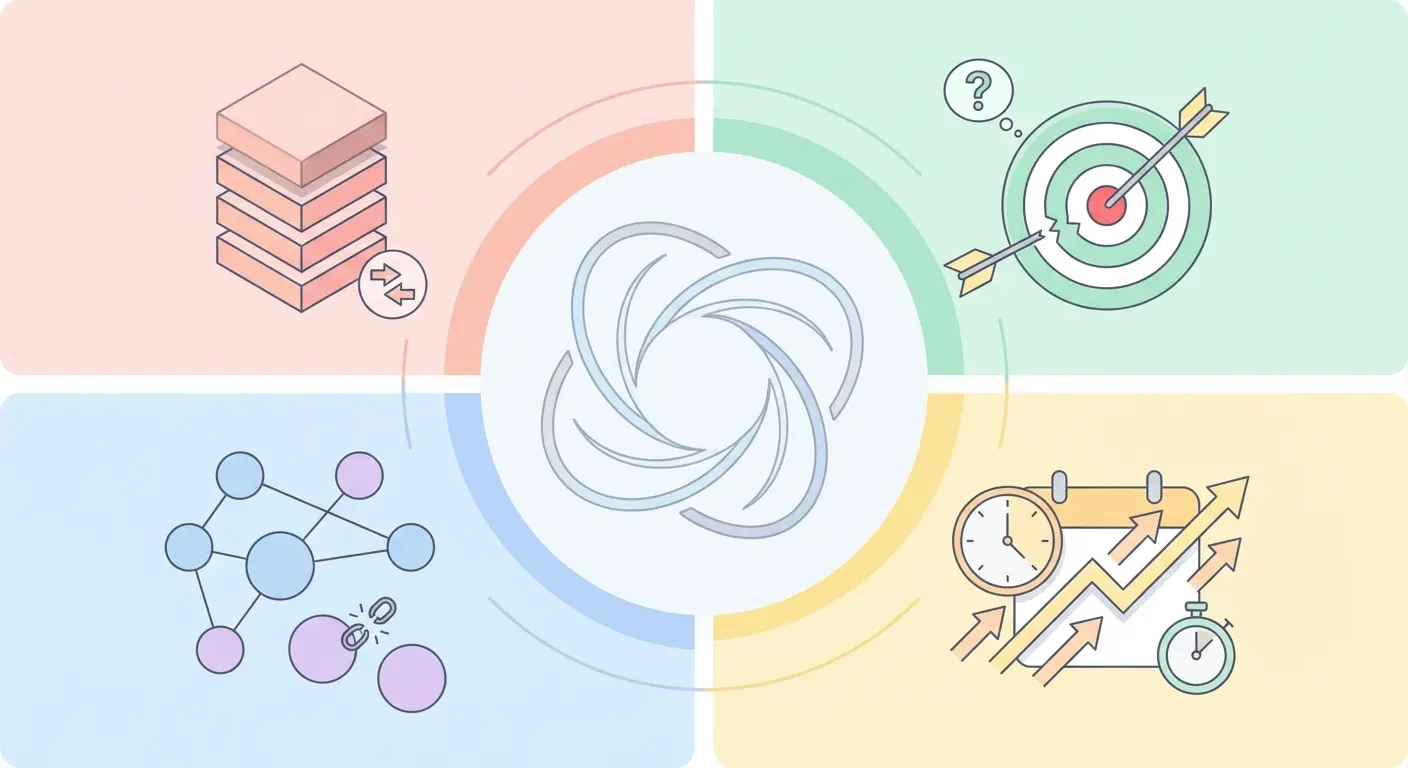
The 4 Most Common Automated Publishing Failure Modes
| Failure Mode | What It Looks Like | SEO Impact |
|---|---|---|
| Topic Cannibalization | Multiple posts targeting the same keyword | Pages compete against each other; both rank lower |
| Intent Mismatch | Informational content targeting transactional queries | High bounce rate; poor CTR in SERPs |
| Orphaned Content | Posts with no internal links to or from them | PageRank doesn’t flow; pages stay unindexed or buried |
| Publishing Velocity Spikes | 50 posts published in 3 days, then silence | Looks manipulative; crawl budget wasted |
Fair warning: if you’ve already published a large batch of poorly structured AI content, some of it may need to be consolidated or redirected before new content can rank. That’s not a fun conversation, but it’s the honest one.
The 5-Step Fix for AI-Powered Content Automation
These five steps work whether you’re starting from scratch or cleaning up a messy existing setup. Work through them in order — each one builds on the last.
Step 1: Audit What You Already Have (and Kill the Deadweight)
Before publishing anything new, crawl your site with a tool like Screaming Frog or Ahrefs. Flag every page that gets under 10 organic visits per month and has no meaningful backlinks. You’re looking for two categories: consolidation candidates (similar topics you can merge) and deletion candidates (thin content with no search value).
This step alone has recovered rankings for sites that were buried under their own content bloat. Google’s John Mueller has been explicit about this: fewer, higher-quality pages outperform more, lower-quality pages. Cleaning house is step one.
Step 2: Build a Pillar-Cluster Architecture Before You Write Anything
Here’s where it gets interesting. Most automated tools just generate articles. What they don’t do is map those articles into a coherent topic hierarchy that Google can crawl and understand as expertise.
A pillar page covers a broad topic (e.g., “AI Content Automation for Small Businesses”). Cluster articles cover specific subtopics (e.g., “How to Automate WordPress Blog Posts”). Supporting pieces target long-tail queries (e.g., “Automated blog writing fails? Here’s the fix”). Every cluster and supporting piece links back to the pillar. The pillar links out to clusters. That web of relevance is what builds topical authority.
The pillar-cluster content strategy architecture guide breaks this structure down in detail — worth reading before you configure any automation tool.
Step 3: Map Every Article to a Specific Search Intent
Not all keywords are the same. “What is content automation” is informational. “Best AI content automation tool for WordPress” is commercial. “Buy Authenova subscription” is transactional. Your automation needs to know the difference, because Google absolutely does.
Before you queue any article, classify its target keyword by intent: informational, navigational, commercial, or transactional. Then confirm the content format matches — how-to posts for informational, comparison pages for commercial, product landing pages for transactional. Intent mismatch is one of the easiest ranking problems to create and one of the hardest to diagnose without knowing what to look for.
Step 4: Configure Automated Internal Linking (Don’t Do This Manually)
Internal linking is the silent ROI multiplier that most SMBs completely ignore. A well-linked cluster of 15 articles passes PageRank efficiently across all of them. An orphaned article with zero internal links might as well not exist from Google’s perspective.
Manual internal linking doesn’t scale. You can’t realistically update 80 existing posts every time you publish a new one. The fix is automated contextual linking — where new articles get linked from relevant existing content, and existing content gets updated to link to new articles based on topic matching. This is table stakes for any serious AI-powered content automation setup.
For builders who want to wire this up manually, resources like this n8n tutorial for building AI automations from scratch show exactly how to connect OpenAI, WordPress, and workflow logic without paying for a full platform.
Step 5: Set a Controlled Publishing Velocity and Stick to It
Consistency beats bursts every time. Publishing 3-5 articles per week over six months signals an active, trustworthy site to Google’s crawlers. Publishing 40 articles in one week and then nothing for two months looks like a content farm — even if the quality is excellent.
Set your publishing schedule based on what you can maintain. Use a scheduler with rate controls. For most SMBs and solopreneurs, 3-4 posts per week is the sweet spot between velocity and sustainability. This is also where the complete guide to AI-powered SEO content strategy has some genuinely useful benchmarks on publishing cadence by site age and domain authority.
How Authenova Fixes All Five Failure Points
What most SMBs need isn’t another content tool. They need a system that handles the strategy, generation, linking, and publishing in one connected workflow — because the failure points above all happen when those pieces run independently without talking to each other.
That’s exactly what Authenova is built to do. It’s not a content spinner or a prompt-to-post tool. It’s a structured content engine that builds your topic architecture first, then generates content that fits into that architecture.
Here’s how the platform maps to each of the five steps:
- Step 1 (Audit): Authenova syncs with your WordPress site via its WordPress Plugin, pulling in your existing pages, categories, tags, and metadata. That gives the platform a real picture of your current content before generating anything new.
- Step 2 (Architecture): The AI Content Generator builds content using a pillar-cluster-supporting hierarchy by default. Every article it generates is assigned a role — pillar, cluster, or supporting — and structured accordingly.
- Step 3 (Intent Alignment): The Strategy Builder lets you assign keywords with explicit roles (primary, secondary, supporting) and tie each strategy to a business goal — traffic, product sales, or authority building. Intent is baked into the configuration, not guessed at by the AI.
- Step 4 (Internal Linking): Automated internal linking is built into Authenova’s publishing pipeline. When a new article is published, it’s linked from relevant existing content and links out to the appropriate pillar pages — without manual intervention.
- Step 5 (Publishing Velocity): The Strategy Builder lets you configure publishing schedules per campaign: draft only, auto-publish, or scheduled at specific cadences. You control the rate. The AI maintains the consistency.
There’s a full breakdown of what the platform does (and what it doesn’t) in this deep dive on Authenova’s SEO capabilities — including real use cases and how the content engine performs across different site types.
For SMBs who’ve been burned by content tools that generated garbage at scale, Authenova’s approach feels different because the architecture comes first. You’re not just pumping out articles — you’re building a content graph that Google can actually evaluate as expertise.
Before vs. After: What Good Automated Blog Writing Looks Like
Let’s make this concrete. Here’s what the same “AI content automation” site looks like under a broken setup versus a fixed one:
| Metric | Before (Broken Automation) | After (5-Step Fix Applied) |
|---|---|---|
| Content Structure | Flat list of unrelated posts | Pillar → Cluster → Supporting hierarchy |
| Internal Links per Post | 0-1 (manual, inconsistent) | 3-6 (automated, contextual) |
| Indexed Pages (90 days) | ~40% of published content | ~85% of published content |
| Organic Traffic Trend | Flat or declining | Compounding growth curve |
| Time Spent on Content | 10+ hours/week managing | <2 hours/week reviewing |
The numbers in the “after” column aren’t hypothetical. They’re based on what happens when automated blog writing is connected to a structured strategy instead of running in isolation. Ahrefs’ breakdown of AI content creation tools similarly notes that the highest-performing implementations pair AI generation with explicit SEO architecture — not just prompt engineering.
HubSpot’s research on content marketing automation tools found that businesses using integrated automation workflows (not just standalone AI writers) reported 3-4x higher content ROI. The integration piece is everything.
Frequently Asked Questions
Why is my automated blog writing not ranking on Google?
Automated blog writing typically fails to rank when it lacks topical structure, intent alignment, or internal linking — not because AI-generated content is inherently penalized. Google evaluates your site’s coverage of a topic as a whole, so individual posts without a connected architecture rarely build enough topical authority to rank. Fix the structure first, then scale the content.
Can AI-powered content automation work for small business websites?
Yes — AI-powered content automation is actually better suited for SMBs than for enterprise teams, because it eliminates the need for a full content department. The key is choosing a platform that handles strategy and architecture, not just text generation. Tools that generate unstructured content at scale tend to hurt small sites more than help them.
How many blog posts should I publish per week with automated content?
For most small business sites, 3-5 posts per week is the optimal publishing cadence for automated blog writing. This rate is fast enough to build topical coverage within 3-6 months while remaining consistent enough to signal site health to Google’s crawlers. Spikes of 20+ posts per week followed by silence tend to suppress rather than boost rankings.
Does Authenova work with existing WordPress sites?
Yes. The Authenova WordPress Plugin connects to any existing WordPress site in one click, syncing your current pages, categories, and metadata before generating anything new. This means the platform accounts for what you’ve already published instead of generating duplicate or competing content.
What’s the difference between automated blog writing and AI-powered content automation?
Automated blog writing typically refers to tools that generate and publish individual articles automatically. AI-powered content automation is a broader system that includes strategy planning, keyword mapping, content generation, internal linking, scheduling, and performance tracking — all connected in a single workflow. The latter consistently outperforms the former in SEO outcomes because strategy drives the output.
Stop Debugging Your Content Pipeline — Let Authenova Run It
You now know the five reasons your automated blog writing isn’t working — and exactly how to fix each one. The honest question is: do you want to spend the next three months manually rebuilding your content strategy, or do you want a system that handles all five failure points automatically while you focus on running your business?
Authenova is built specifically for small business owners, solopreneurs, and bootstrapped founders who need organic traffic growth without hiring a content team. Connect your WordPress site, define your strategy, and the platform handles the rest — pillar architecture, AI content generation, automated internal linking, schema markup, and scheduled publishing.
No credit card required to start. No bloated onboarding. Just a working AI-powered content automation engine that builds the topical coverage your site needs to rank and keep ranking.
Start your free trial — no credit card needed
Connect your WordPress site in under 5 minutes and let Authenova build your content architecture from day one.