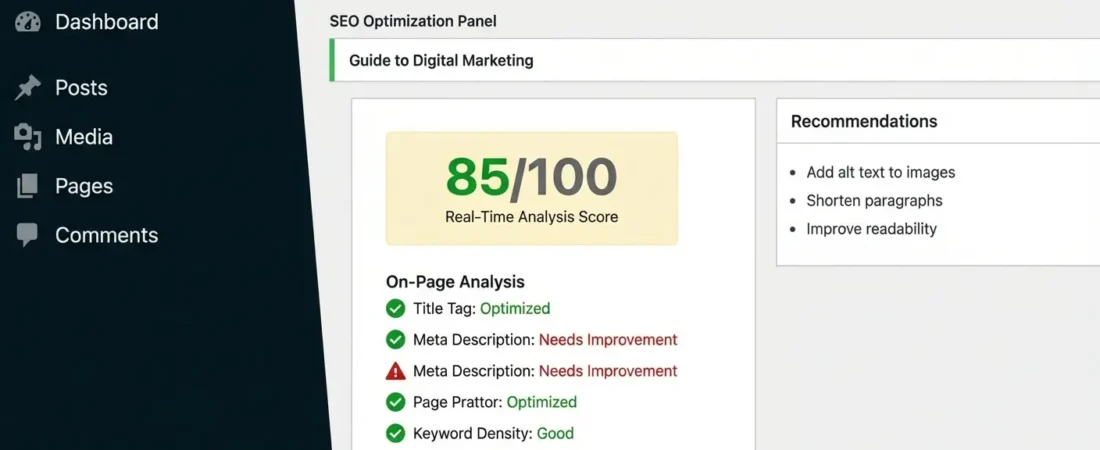
Automated WordPress SEO & Content: How to Gain 30% Traffic in 30 Days
You’ve been publishing WordPress posts for months. Traffic? Flat. You tweak meta titles, chase keywords, and still watch competitors climb past you on Google. Here’s what’s actually happening: manual content workflows can’t compete with the speed that modern SEO demands. Sites using automated WordPress SEO and content automation are publishing 3-5x more optimized content — and Google is rewarding them for it.
The good news? You don’t need a 10-person team or a developer on call. With the right automation stack, a WordPress site can generate, optimize, and publish SEO-ready content at scale — and 30% traffic growth in 30 days isn’t a stretch goal. It’s a repeatable outcome.
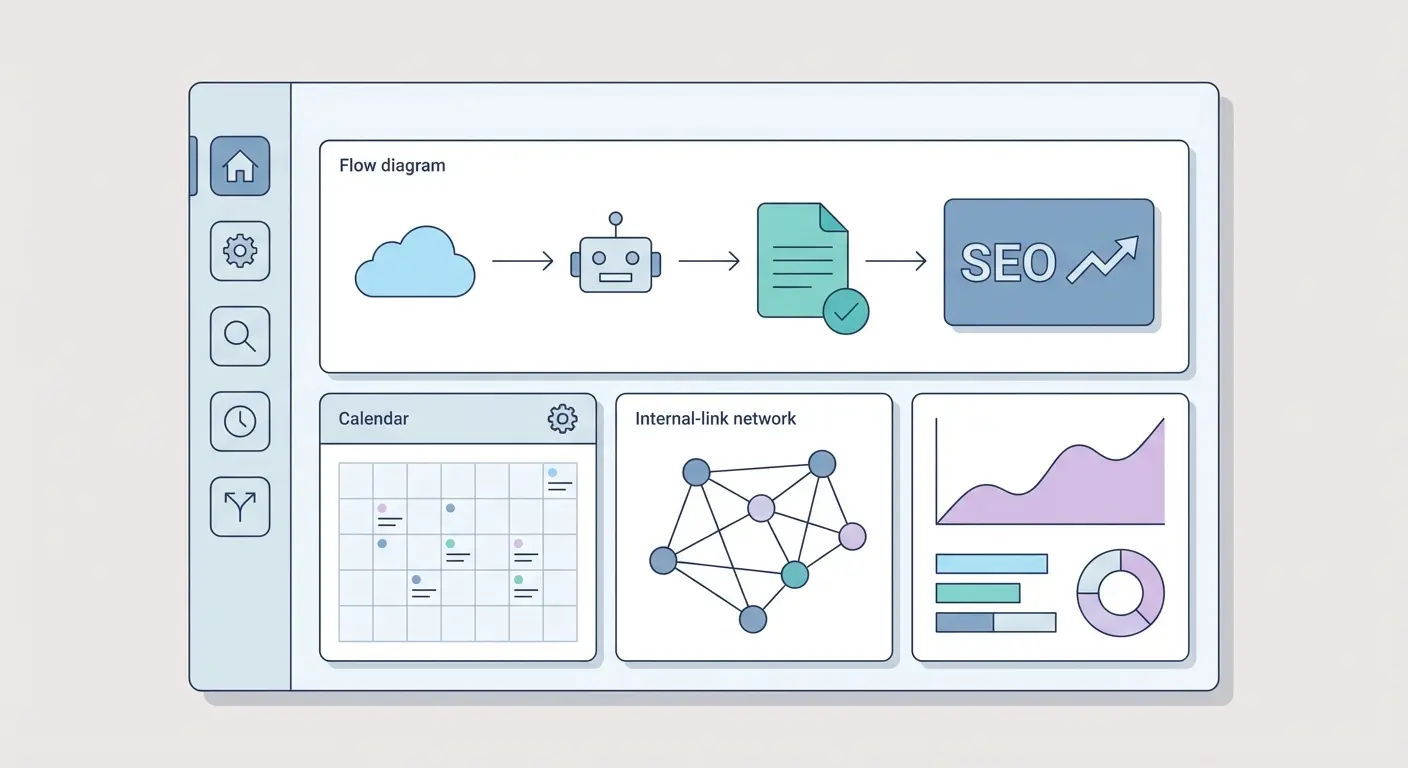
What Is Automated WordPress SEO & Content Automation?
Automated WordPress SEO is the practice of using software — AI models, plugins, and workflow tools — to handle the SEO tasks that would otherwise eat 10-20 hours of your week. We’re talking meta tag generation, keyword optimization, schema markup insertion, internal linking, and even the content writing itself.
There are two layers to this. First, the technical SEO layer: schema markup, canonical tags, XML sitemaps, page speed — all things that need to be correctly configured and maintained. Second, the content production layer: keyword research, article drafting, internal link insertion, and topical clustering. When you automate both, the compounding effect on organic traffic is significant.
According to the 2025 Web Almanac by HTTP Archive, WordPress powers 36%+ of all websites on the internet. That’s an enormous playing field — and the sites winning on Google within it are almost universally the ones that have figured out scalable content systems.
The Components of a WordPress Automation Stack
A functional automation stack for WordPress typically has four parts working together:
- AI content generation engine — Produces drafts, outlines, and full articles from keyword inputs
- SEO optimization layer — Injects meta tags, schema, and keyword density rules automatically
- Internal linking system — Connects new content to existing posts based on topical relevance
- Publishing scheduler — Queues and posts content at optimal times with correct categories and tags
Miss any one of these and you’ll get partial results. The magic is when they operate as a unified pipeline — which is exactly what separates manual bloggers from sites scaling to thousands of monthly organic visits.
Why 30% Traffic Growth in 30 Days Is Actually Realistic
Skeptical? Fair. Most “X% traffic in Y days” claims are nonsense. But this one has a specific mechanism behind it — and it has nothing to do with gaming Google.
Most WordPress sites are sitting on what SEOs call an “indexability gap.” They have a domain with decent authority, existing content Google partially trusts, but nowhere near enough topical depth to rank for clusters of related keywords. When you deploy automated content that fills those topical gaps, Google notices fast — especially if your site already has some history.
Here’s where it gets interesting: Google’s crawl budget is partially determined by your publishing cadence. Sites that publish consistently get crawled more frequently. When you go from 2 posts/month to 15+ posts/month with proper automation, you’re essentially telling Googlebot “there’s more here — come back often.”
The Numbers Behind the 30-Day Window
A site publishing 1 SEO-optimized post per week might add 4 indexed pages in a month. A site running automated WordPress content automation at 15 posts/month adds 15 indexed pages — targeting 15 different keyword clusters. Even if only 40% of those rank on page 1-2 within 30 days (which is conservative for low-competition long-tail terms), that’s 6 new ranking pages driving traffic.
At an average of 200 monthly visits per ranking page, that’s 1,200 new monthly visits. For a site doing 4,000 visits/month, that’s exactly 30%. What most people miss is that the bottleneck isn’t writing quality — it’s publishing volume combined with intent alignment.
For the keyword selection side of this equation, the long-tail keyword strategy guide that most marketers overlook covers exactly how to prioritize quick-win search intents for your automation pipeline — worth reading before you set your first content batch running.
Automated SEO Tools for WordPress: What Actually Works
Not all automation tools pull equal weight. Some handle on-page SEO beautifully but leave content creation to you. Others generate content but publish it raw without proper SEO structure. Here’s an honest comparison of the main categories:
| Tool / Category | What It Automates | What It Doesn’t Do | Best For |
|---|---|---|---|
| Yoast SEO | Meta tags, XML sitemaps, readability scores, schema | Content generation, internal linking at scale | Technical on-page SEO baseline |
| Rank Math | Schema builder, SEO analysis, redirects, 404 monitoring | AI content creation, topical clustering | Developers and power users |
| n8n + WordPress | Workflow automation, publishing triggers, data syncing | SEO optimization, content strategy | Technical users building custom pipelines |
| Authenova Platform + Plugin | AI content generation, internal linking, schema, publishing, topical clusters | Replaces your editorial judgement (it assists it) | WordPress sites scaling organic traffic fast |
| YouTube Auto-Post | Creates posts from YouTube videos automatically | Original content, SEO depth | Video-first content repurposing |
The honest take: Yoast and Rank Math are non-negotiable as your SEO foundation. But they don’t solve the content production problem. For that, you need either a custom n8n pipeline (technical, time-intensive to set up) or an end-to-end platform that handles both generation and SEO simultaneously.
Ahrefs recently documented how their AI features automate SEO content workflows — their own data shows AI-assisted content pipelines reduce time-to-publish by 60-70%. That efficiency gap compounds dramatically over 30 days.
When n8n Makes Sense (And When It Doesn’t)
If you’re comfortable with API connections and workflow builders, n8n’s WordPress integrations offer serious flexibility. You can trigger content creation from RSS feeds, Airtable, or even competitor sitemap changes. But setup takes 10-20 hours minimum, and maintaining those workflows adds ongoing overhead. For agencies managing 10+ sites, it’s worth it. For a solo blogger or small team? The ROI math gets murky fast.
Step-by-Step: Setting Up Your WordPress Content Automation Pipeline
This is the practical part. Follow these steps in order — skipping ahead is the #1 reason automations underperform.
Step 1: Audit Your Existing Content Architecture
Before you automate anything, you need to understand what’s already on your site. Export your sitemap, identify your top 10 performing posts, and map which keyword clusters you’re already covering. This takes 2-3 hours but prevents you from generating duplicate or cannibalized content later.
The pillar-cluster content architecture guide explains exactly how to structure this audit — particularly useful if you’re planning to build topical authority across a niche rather than just targeting isolated keywords.
Step 2: Define Your Target Keyword Clusters
Group your target keywords into 3-5 topical clusters. Each cluster needs one pillar keyword (broad, high-volume) and 5-10 cluster keywords (more specific, lower competition). Your automation pipeline will produce content for each cluster systematically, so this structure is what drives the compounding traffic effect.
Focus the first 30 days on clusters where you have at least some existing content. Google trusts topical signals — reinforcing an existing cluster is faster than building a new one from zero.
Step 3: Configure Your Technical SEO Foundation
This isn’t glamorous, but it gates everything else. Make sure:
- XML sitemap is active and submitted to Google Search Console
- Schema markup is enabled (Article schema minimum; add FAQ and HowTo where relevant)
- Core Web Vitals pass — automated content won’t help if page speed is dragging rankings down. The Ahrefs WordPress speed guide covers the quick wins here
- Canonical tags are correctly set to prevent self-duplication
- Robots.txt doesn’t accidentally block your new content paths
Step 4: Set Up Your AI Content Generation Workflow
With your clusters defined and technical foundation solid, configure your AI content platform to generate posts against each cluster. The key settings to get right:
- Target keyword + 3-5 semantic variants per article
- Target word count (1,200-2,000 for cluster posts, 2,500+ for pillars)
- Internal linking rules — which pillar each cluster post should link back to
- Publishing cadence — 3-5 posts/week is the sweet spot for most sites
- Auto-categorization and tag assignment rules
Step 5: Monitor, Adjust, and Compound
After week 1, check Search Console for new impressions on your cluster keywords. You won’t see ranked traffic yet — but impressions tell you Google is discovering and evaluating the content. If impressions are low after 7 days, your internal linking from existing content to the new posts might need strengthening.
After week 2, you should start seeing CTR data. Use this to identify which cluster posts are getting shown in searches but not clicked — those need title and meta description adjustments. After week 3 and 4, the first ranking lifts typically appear. This is when you double down on the clusters showing momentum.
For the deeper strategic playbook on running this at scale, the complete guide to AI-powered SEO content strategy covers content velocity, automation workflows, and scaling tactics in detail.
How the Authenova WordPress Plugin Fits Into Your Stack
Here’s where most automation setups break down: the gap between your AI content platform and your WordPress site. Content gets generated in one tool, exported as a CSV or Google Doc, then manually pasted into WordPress with formatting issues, missing meta data, and broken internal links. That’s not automation — that’s just a different kind of manual work.
The Authenova WordPress Plugin closes that gap entirely. It connects your WordPress site to the Authenova platform in a single click and creates a live two-way pipeline:
- Extracts your site’s existing pages, categories, tags, metadata, and sitemaps automatically
- Feeds that data to the AI so generated content fits your existing site architecture
- Receives AI-generated articles and publishes them with full SEO optimization baked in — schema markup, meta tags, canonical tags, proper categories
- Handles internal linking automatically based on topical relevance to your existing content
- Updates your sitemap with each new post
Install, activate, connect — and your content pipeline is live. No API wrangling, no custom code, no hourly Zapier fees eating into your margin.
Connect your WordPress site to the Authenova AI SEO platform in one click. Generate pillar pages, cluster articles, and supporting content that ranks — automatically. Free trial, no credit card required.
What Authenova Automates vs. What You Control
Fair warning — no automation platform should replace your editorial judgement entirely. What Authenova automates is the infrastructure work: keyword mapping, content structure, SEO tagging, and publishing scheduling. What you still control is your content strategy, your brand voice settings, your topic selection, and your quality review process. Think of it as having an extremely fast and SEO-literate content team — not a replacement for your direction.
Common Automation Mistakes That Kill WordPress Rankings
Automation amplifies whatever you put into it. Good strategy scales up. Bad habits scale up faster. These are the mistakes that most commonly derail WordPress sites running automated content — and then wondering why traffic dropped instead of climbing.
Mistake 1: Publishing Without Topical Structure
Random keyword targeting is the content equivalent of shouting into a crowd. Google rewards topical authority — the signal that your site is the go-to resource on a specific subject. If your automated content is spread across 30 different topics with no cluster structure, you’re diluting your authority signal instead of concentrating it.
Fix: Define your 3-5 core topics before you generate anything. Every automated post should belong to one of those clusters.
Mistake 2: Skipping Human Review on AI Content
If your brand has a distinctive voice or your audience is sophisticated, raw AI output without editing will feel generic. Google’s helpful content guidelines explicitly reward content that demonstrates first-hand experience and depth. Schedule 15-30 minutes per post to add specific examples, data points, or opinions that make the content genuinely yours.
Mistake 3: Ignoring Core Web Vitals While Scaling Content
More pages mean more images, more JavaScript, potentially more load. If your server isn’t caching correctly or your images aren’t compressed, scaling content can actually hurt your site’s overall performance score. Check your Core Web Vitals in Search Console before and after scaling content volume.
Mistake 4: No Internal Link Strategy
Automated content that doesn’t link back to your pillar pages is a missed opportunity — and a ranking signal left on the table. Every cluster post should link to its parent pillar. Every supporting post should link to the relevant cluster article. This isn’t just SEO theory; it’s how PageRank flows through your site and concentrates on your most important pages.
Mistake 5: Setting and Forgetting
Automation handles execution — it doesn’t replace strategy. Check your Search Console weekly. Look for which automated posts are gaining impressions. Double down on those clusters and retire underperforming keyword angles. The sites that win with content automation treat it as an ongoing feedback loop, not a one-time setup.
Frequently Asked Questions About Automated WordPress SEO
Does automated WordPress content hurt SEO?
Automated content doesn’t inherently hurt SEO — low-quality, unreviewed automated content does. When AI-generated posts are properly structured with correct schema markup, keyword optimization, and internal linking, they perform like any well-optimized human-written article. Google’s guidelines focus on helpfulness and quality, not the method of creation. The key is using automation to handle structure and SEO mechanics while ensuring the content itself provides genuine value to readers.
How many automated posts per week is safe for WordPress SEO?
For most WordPress sites, 3-5 automated posts per week is a safe and effective cadence. Publishing more than 7+ per week can dilute topical focus if your site is newer or doesn’t have strong domain authority. The more important factor is quality and topical relevance — 3 excellent cluster posts per week will outperform 10 loosely targeted ones every time. Monitor your crawl rate in Google Search Console to ensure Googlebot is keeping up with your publishing pace.
What’s the difference between Yoast SEO and a full content automation platform?
Yoast SEO optimizes content after it’s written — it provides meta tag management, readability analysis, XML sitemaps, and schema markup for posts you create manually. A full content automation platform like Authenova generates the content itself, structures it around your topical clusters, inserts internal links programmatically, and publishes with all SEO elements already in place. They serve different functions and work best together: Yoast as your technical foundation, and an AI content platform as your content production engine.
Can I automate WordPress SEO without coding?
Yes — modern WordPress automation plugins and AI content platforms are designed for non-developers. Tools like the Authenova WordPress Plugin install through the standard WordPress plugin menu and connect to the platform with a single authentication step. No API keys to configure manually, no custom PHP, and no webhook setup required. If you can install a theme, you can set up WordPress content automation.
How do I measure whether WordPress content automation is working?
Track three metrics in Google Search Console during your first 30 days: total indexed pages (should grow consistently), total impressions (should increase as new content gets crawled), and average position for your target cluster keywords. In Google Analytics, watch organic sessions week-over-week and monitor which automated posts are driving clicks. A healthy automation setup shows impression growth within 7-10 days of publishing and click growth within 20-30 days for lower-competition keywords.
Do I still need to do keyword research if I’m automating WordPress content?
Yes — keyword research is the strategic input that makes automation output valuable. Automation executes against the keywords you give it; it doesn’t decide which keywords are worth targeting. Spend time upfront identifying 3-5 topical clusters with clear search demand and manageable competition. Your automation platform then handles the execution of creating and publishing content against those targets. Skipping keyword research is like giving a precise printing machine nothing to print — the machine works perfectly, but the output is worthless.
Start Your 30-Day WordPress Traffic Growth Challenge
The gap between WordPress sites that grow and those that stagnate isn’t talent or budget — it’s systems. Sites running automated WordPress SEO and content automation are compounding their traffic every single month while others are still manually drafting and formatting posts one at a time.
You’ve got the roadmap now. The next step is putting it into motion. If you want to go deeper on the strategy side before you build your pipeline, these resources will sharpen your approach:
- The complete AI-powered SEO content strategy guide for 2026 — covers the full technical and strategic playbook for content velocity and scaling
- Pillar-cluster content architecture for topical authority — the structural foundation that makes automated content compound over time
- Long-tail keyword strategy: the SEO growth engine most marketers overlook — where to find the quick-win keywords that drive early traffic from your automation runs
And when you’re ready to actually run the pipeline — the Authenova platform handles everything from AI content generation to automated publishing with full SEO optimization. Free trial, no credit card required.
Ready to Automate Your WordPress SEO?
Connect your WordPress site to Authenova, define your keyword clusters, and let AI generate topically-structured, SEO-ready content on autopilot. Most users see their first ranking movements within 2 weeks.