Blog Automation Software: From Setup to First 100 Organic Visits in 2026
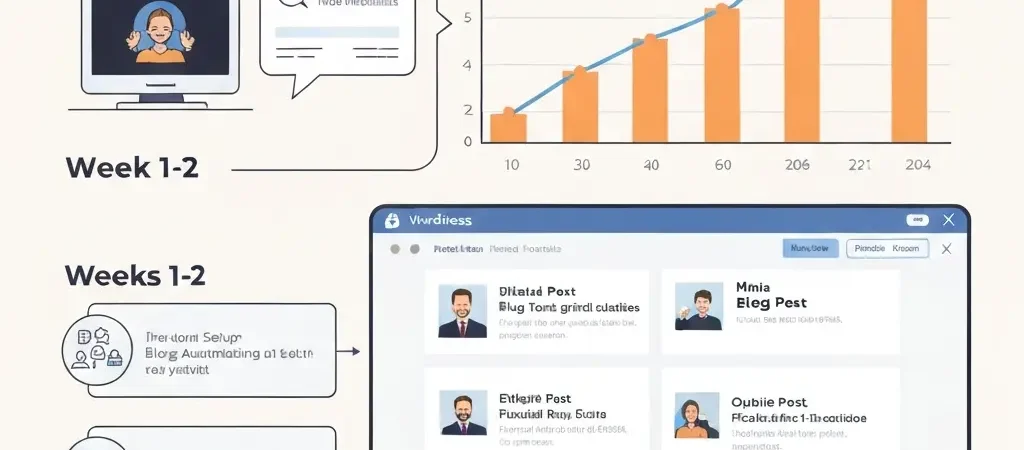
Getting from zero to 100 organic visits with blog automation software is not just about publishing articles — it is about the sequence of actions in the first 30-60 days that determine whether your automated content builds real topical authority or disappears into Google’s crawl queue. Most guides cover the technology. This guide covers the timeline: what to do in week 1, week 2-4, and month 2 to turn a new blog automation setup into a site that is actively accumulating organic traffic.
Week 1: Platform Setup and First Article Batch
Day 1-2: Platform and WordPress Connection
- Sign up for your blog automation platform (Authenova recommended for full automation).
- Install the WordPress plugin on your site. Verify the connection is active — most platforms show a “Connected” status in your dashboard after plugin installation.
- Configure your publishing defaults: categories, default author, post status (draft vs. publish directly), and time zone.
- Connect Google Search Console to your WordPress site if not already done. This is required for indexation monitoring.
Day 2-3: Keyword Research and Strategy Setup
Before generating a single article, define your first topical cluster. For a new blog, target a narrow, defined subject area where you can realistically cover all subtopics within 8-12 articles. Broad topics (“content marketing”) require hundreds of articles to establish authority. Narrow topics (“automated blog publishing for WordPress sites”) require 8-12.
Use Google’s autocomplete, People Also Ask, and a free keyword tool (Ubersuggest free tier or Google Keyword Planner) to identify 8-12 specific keywords at KD 0-15. For a brand new site with zero backlinks, targeting anything above KD 20 in the first 60 days is wasted effort — the domain has no authority to compete. See our AI SEO content generator guide for the full strategy setup process.
Day 3-5: First Article Batch Generation
Generate your first 4-6 articles in the first week. Prioritise supporting articles (KD 0-15, specific long-tail questions) over cluster and pillar articles. These rank fastest and build the initial link equity that your cluster articles will need.
Review each article before publishing. For a first batch with no track record, spend 15 minutes per article (not 10 — you are calibrating your quality standard for the first time). Check: factual accuracy of any statistics cited, brand voice alignment, focus keyword in the first paragraph, internal links pointing to other published articles in the cluster.
Day 5-7: Publish and Submit
Publish your first articles. After publishing each one, go to Google Search Console > URL Inspection and request indexation manually. New sites without established crawl frequency can wait weeks for passive indexation — manual submission brings it to days.
Weeks 2-4: Completing Your First Cluster
The second through fourth weeks follow a simple cadence: publish 3 articles per week until your first topical cluster is complete (8-12 articles). Each new article should:
- Link to the cluster pillar page if it exists, or to 2-3 existing published articles in the cluster if the pillar is not yet written
- Be manually submitted to Google Search Console via URL Inspection
- Have a unique focus keyword (no two articles targeting the same primary keyword)
When to Publish the Pillar Article
Publish your pillar article (the broadest, highest-traffic keyword in the cluster) last — not first. By the time the pillar goes live, it will receive internal links from all 7-11 supporting and cluster articles already published. This gives the pillar the maximum internal PageRank concentration from day one, accelerating its ranking timeline significantly.
Update the pillar article with explicit links to all cluster articles after publishing. Then go back to every supporting and cluster article and confirm each has a link pointing to the pillar. This completes the hub-and-spoke link architecture. See our full blog automation software comparison for other platform options.
Month 2: Indexation Check and First Rankings
At the start of month 2, run your first indexation audit:
- In Google Search Console, go to Pages > All submitted URLs.
- Identify any articles not indexed after 14 days of manual submission.
- For unindexed articles: check for noindex tags, robots.txt conflicts, and canonical URL mismatches. Fix any issues and resubmit.
- For articles still unindexed after correction: improve the article (add 300 words of unique content, add an original image, improve the internal link count) and resubmit.
First Rankings Expectations
In month 2, expect to see your first rankings for KD 0-10 keywords. Check position tracking in Ahrefs or Semrush (or the free version of Google Search Console’s Performance report, filtered to your target keywords). Target keywords in position 11-50 are normal at this stage for a new site.
Do not optimise yet. Month 2 is too early to optimise — rankings are still moving. Your focus in month 2 is: continue publishing (weeks 5-8), maintain your 3 articles/week cadence, and start your second topical cluster. The compounding effect of two interlocking clusters building simultaneously accelerates topical authority faster than maxing out a single cluster before starting the second.
Early Errors That Delay Your First 100 Visits
- Publishing a pillar article first. Pillar articles target the highest-competition keywords in your cluster. Without supporting article equity behind them, they rank slowly. Publish supporting articles first.
- Targeting keywords over KD 25 on a new site. You will not rank for these for 6-12 months, regardless of content quality. They are a waste of early publishing velocity.
- Skipping manual indexation requests. New sites with no crawl history can wait 3-6 weeks for passive indexation. Manual requests accelerate this to 3-7 days. Skip this step and your first 100 organic visits take twice as long.
- Writing all articles in one topic. If all 8-12 articles in your cluster are published in week 1 and Google does not crawl them all immediately, you lose the compounding internal link benefit. Spread publishing over 4 weeks so each new article can link to previously indexed articles.
- No internal links. Orphaned articles — published without links from other pages — index slowly and rank poorly. Every article must have at least 2-3 internal links from existing published pages within 48 hours of publication.
Blog Automation Software Setup Checklist
Use this checklist before generating your first article batch:
- [ ] WordPress plugin installed and connected to your automation platform
- [ ] Google Search Console connected and site ownership verified
- [ ] XML sitemap submitted to Google Search Console
- [ ] WordPress SEO plugin (Rank Math or Yoast) installed and configured
- [ ] Default author bio created with credentials and photo
- [ ] First keyword cluster defined (8-12 keywords, all KD 0-25)
- [ ] Brand voice guidelines documented in platform
- [ ] Publishing schedule configured (minimum 3 articles/week)
- [ ] Quality review checklist created (10 points minimum)
- [ ] IndexNow enabled for automatic URL submission on publish
Frequently Asked Questions
How long does blog automation software take to produce organic traffic?
Blog automation software typically produces first measurable organic traffic (100+ monthly visits) within 60-90 days for new sites targeting KD 0-15 keywords at a 3 articles/week publishing rate. Sites targeting KD 15-30 keywords typically see 100+ monthly visits at months 3-4. The specific timeline depends on domain age (older domains rank faster), keyword difficulty, and publishing consistency. Inconsistent publishing — pausing and restarting — significantly delays results.
Does blog automation software work for a brand new website?
Yes, blog automation software works for brand new websites. The strategy is different from established sites: new sites should focus exclusively on long-tail, low-competition keywords (KD 0-15), build complete topical clusters before targeting competitive terms, and prioritise manual indexation submission for every published article. New sites typically take 60-120 days longer than established sites to see equivalent ranking results — this is a domain trust issue, not a content quality issue.
What is the minimum number of articles needed to see SEO results from blog automation?
The minimum is one complete topical cluster: 8-12 articles covering a defined subject area comprehensively. Fewer than 8 articles in a cluster rarely produces topical authority signals strong enough for consistent rankings. The 100 organic visits milestone is typically achievable with a single complete 10-article cluster targeting appropriate keyword difficulty for the site’s domain authority. Beyond that, each additional cluster compound the results of all previous clusters.
Ready to Start Your First Automated Blog?
Authenova handles the complete setup: strategy, content generation, WordPress publishing, and indexation submission — in one platform designed for exactly this use case.