Google Search Console for AI Content: The 2026 Setup and Monitoring Guide
Google Search Console is the only source of truth for how Google sees your AI-generated content — no third-party tool can replace its indexation data, coverage reports, and direct search performance metrics. Yet most teams that launch AI content programs configure Search Console once and never revisit the setup, missing the specific reports and configurations that are most valuable for high-volume AI publishing programs. This guide covers the complete setup and monitoring workflow optimised for AI content programs publishing 10+ articles per month.
Initial Setup for AI Content Programs
1. Property Verification
Verify your domain as a Domain property (not URL-prefix property) if you have not already. Domain property verification covers all subdomains and protocols — you see data for all versions of your site in one view. URL-prefix property only covers one URL variation. For AI content programs publishing to multiple subdirectories or with CDN complications, Domain property verification eliminates data gaps.
2. Sitemap Submission
Submit your XML sitemap URL in Sitemaps (found in the left navigation of Search Console). For WordPress sites with Yoast SEO or Rank Math, the sitemap URL is typically yourdomain.com/sitemap_index.xml. Confirm the sitemap updates automatically with each new published article — both plugins do this by default.
For AI content programs publishing in batches, confirm the sitemap refresh timing. If your AI platform pushes 10 articles at once, the WordPress sitemap should update after the final article is published and show all 10 URLs. Use the “Refresh” button in the Sitemaps report after each batch publication to trigger Google’s re-examination of the updated sitemap.
3. IndexNow Integration
IndexNow is a protocol that sends new URLs directly to Bing, Yandex, and (with Google’s pilot integration) Google immediately upon publication — bypassing the passive crawl queue. For AI content programs, IndexNow is the highest-leverage indexation speed improvement available. WordPress plugins that support IndexNow include Rank Math Pro, Yoast SEO Premium, and the dedicated IndexNow plugin. Enable this before your next article batch.
4. Email Alerts
Enable Search Console email alerts in Settings > Email Notifications. Enable alerts for: “Increase in coverage errors,” “Increase in soft 404 errors,” and “Crawl anomalies.” For AI content programs, these alerts catch publishing configuration errors (articles published with noindex tags by mistake, broken redirects from cannibalisation fixes, or CMS misconfigurations) before they accumulate into domain-level quality problems.
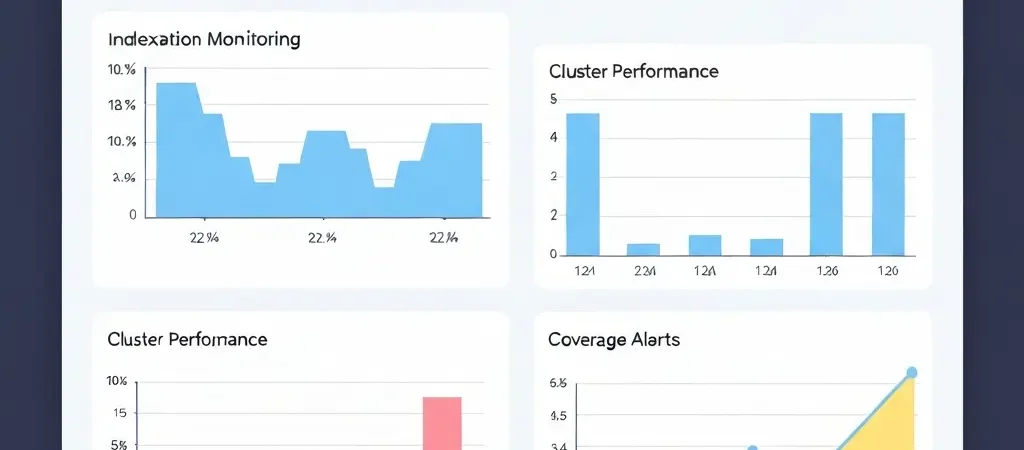
Indexation Monitoring: The Critical Weekly Check
Indexation is the prerequisite for all rankings. An AI content program that publishes 20 articles per month and indexes only 50% of them is effectively publishing 10 articles per month. Weekly indexation checks are non-negotiable for programs at this scale.
The Weekly Indexation Workflow
- Go to Pages (in the left navigation, under Indexing).
- Click “Why pages aren’t indexed”. This shows all your pages divided by indexation status.
- Check the “Submitted URL not indexed” count. If this is growing week-over-week, you have a crawl budget or content quality problem.
- Click into “Crawled – currently not indexed” — these pages were found by Google but not deemed worth indexing. This status is a quality signal: Google visited the page and concluded it was not worth including in the index. Review these pages for thin content, duplicate content, or low-information-gain content.
- Click into “Discovered – currently not indexed” — these pages are known to Google but have not been crawled yet. For large AI content batches, this is normal for the first 1-2 weeks. If pages stay in “Discovered” for more than 3 weeks, submit them manually via URL Inspection.
Manual URL Submission for New AI Content
For each new batch of AI-published articles, use the URL Inspection tool to manually request indexation for the top 5-10 most important articles in the batch (pillar and cluster articles — supporting articles can wait for passive crawling). Manual indexation requests prioritise the submitted URL in Google’s crawl queue, typically delivering indexation within 3-7 days versus 2-6 weeks for passive crawling. See how faster indexation affects organic traffic compounding.
Performance Tracking for Content Clusters
The default Search Console Performance view shows aggregate site data. For AI content programs with multiple topical clusters, cluster-level analysis is more actionable than site-level aggregate metrics.
Creating Cluster-Level Performance Views
- Go to Performance > Search Results.
- Click “+ Add Filter”.
- Select “Page” and “Contains”.
- Enter a URL pattern that identifies your cluster (e.g., “/content-automation” to catch all URLs with this slug pattern).
- Save this view as a report (via the Share or Export function).
For each topical cluster, create a filter view that captures all articles in that cluster. This lets you track cluster-level metrics: total impressions, total clicks, average position, and click-through rate. Cluster metrics are more meaningful than individual article metrics early in a cluster’s lifecycle because topical authority benefits all articles simultaneously.
The Four Metrics That Matter for AI Content Programs
- Total clicks and impressions per cluster: Is the cluster generating search visibility? Are impressions growing month-over-month? Stagnant impressions after 90 days indicate a topical authority or content quality problem.
- Average position per cluster: Is the average position for cluster articles improving over time? Improving average position without proportional traffic growth indicates CTR issues — titles or meta descriptions that are not compelling enough despite good rankings.
- CTR by content type: Pillar articles typically have higher CTR (7-12%) than supporting articles (2-5%). Pillar articles with CTR below 5% suggest meta title and description optimisation issues.
- Top queries by cluster: Which specific queries are driving impressions? Unexpected high-impression queries that you are not ranking well for are content gap opportunities — these represent demand your cluster is not fully capturing.
Rich Results and Schema Monitoring
For AI content programs with FAQ schema, HowTo schema, and Article schema, Search Console’s Rich Results reports confirm which schema implementations are producing rich results and which have errors.
Go to Search Appearance in the left navigation. You will see reports for FAQ, HowTo, Article, and other schema types detected on your site. For each schema type:
- Valid items = schema detected and eligible for rich results
- Errors = schema detected but with invalid structure that prevents rich result eligibility
- Warnings = schema detected with non-critical issues that reduce rich result probability
For AI content programs, run this check after every major content batch publish. Authenova’s WordPress plugin applies schema automatically — but verify the schema output in Search Console after the first batch to confirm the plugin configuration is producing valid structured data.
Common Issues in AI Content Programs Flagged by Search Console
| Issue | What It Means | Fix |
|---|---|---|
| Crawled – not indexed (increasing) | Google deems content not worth indexing | Audit for thin content; improve or consolidate affected articles |
| Duplicate without canonical | Two URLs serve identical content | Add canonical tag to preferred URL; redirect or noindex duplicate |
| Soft 404 | Page returns 200 but appears empty or thin | Add substantive content or redirect to relevant page |
| Submitted URL returns redirect | Sitemap URL redirects to different URL | Update sitemap to use final destination URLs |
| FAQ schema error | FAQPage schema has invalid structure | Test in Rich Results Test; fix required properties (name, acceptedAnswer, text) |
Frequently Asked Questions
How quickly does Google Search Console update after publishing AI content?
Google Search Console updates with a 1-3 day delay for most data. Indexation status updates within 24-48 hours of Google crawling a new URL. Performance data (clicks, impressions) has a 2-3 day processing delay. Coverage reports update as Google recrawls your sitemap, typically within 24-48 hours of a sitemap refresh. For freshly published AI content batches, check indexation status 48 hours after the batch is published and manual indexation requests have been submitted.
What does “Crawled – currently not indexed” mean for AI content?
“Crawled – currently not indexed” means Google visited the page but decided not to include it in the search index. For AI content programs, this status typically indicates: thin content (under 500 words with little unique value), near-duplicate content (too similar to another indexed page), or low information gain (content that does not provide enough unique value beyond what is already indexed for that topic). Review affected articles against your quality floor checklist and expand or consolidate them before resubmitting.
Should I submit every AI-generated article to Google Search Console?
Submit your top-priority articles (pillar and cluster pages) manually via URL Inspection — these are the pages where fast indexation most impacts your topical authority timeline. For supporting articles, rely on passive crawl via sitemap submission, supplemented by IndexNow protocol if enabled. Submitting every article manually at scale is inefficient — Google’s crawl queue handles sitemap-submitted URLs efficiently, and manual submission is primarily valuable for accelerating indexation of high-priority pages in the first 1-2 weeks.
Publish AI Content That Gets Indexed and Ranked
Authenova publishes AI content to WordPress with automatic sitemap updates, schema markup, and IndexNow submission — the technical foundation for fast indexation and consistent rankings.