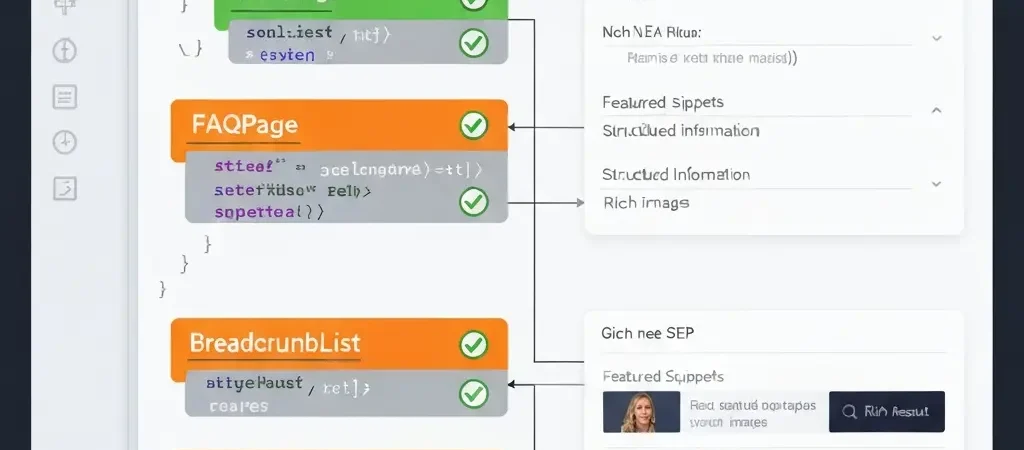
Schema Markup for Blog Posts: The 2026 Structured Data Implementation Guide
If your blog posts are not using structured data, you are handing a 25% click-through rate advantage to every competitor who is. Schema markup — the machine-readable layer that tells Google, Bing, and AI assistants exactly what your content is, who wrote it, and what it covers — is no longer optional SEO infrastructure. In 2026, it is the technical bridge between your content and visibility in AI Overviews, featured snippets, rich results, and People Also Ask boxes.
Google’s March 2026 core update changed how structured data influences rankings, narrowing rich result eligibility and shifting schema’s primary value toward AI Mode citation and E-E-A-T verification. Understanding these changes — and knowing exactly which schema types to implement on blog content, and how to use a schema markup generator to automate the process — is now a prerequisite for competitive SEO in content-heavy sites.
Why Schema Markup Matters More Than Ever in 2026
Structured data operates across three dimensions of SEO value in 2026: understanding (helping search engines and AI systems correctly interpret your content), visibility (enabling rich result formats that take more SERP real estate), and trust (E-E-A-T signals that influence both traditional rankings and AI citation eligibility).
The visibility dimension is quantified: pages with schema markup see 25% higher click-through rates compared to non-marked-up pages with equivalent rankings. At a site level, the compounding effect of this CTR advantage across 200+ articles is measurable in monthly organic traffic. A site publishing 20 articles per month without schema is systematically leaving traffic on the table with every article it publishes.
The trust and AI citation dimensions are newer but increasingly critical. Google’s Gemini-powered AI Mode actively uses schema markup to verify claims, establish entity relationships, and assess source credibility. Content with accurate, well-implemented Article schema — including authorship, publication date, and organisation details — has meaningfully higher AI Mode citation probability than unstructured content on the same topic, according to 2026 structured data research from ALM Corp.
Google’s March 2026 Structured Data Changes
Google’s March 2026 core update introduced the most significant structured data changes in three years. The key changes affecting blog content:
Rich Result Eligibility Narrowed
Google narrowed rich result eligibility to pages where schema describes the primary content purpose of the page. The era of adding FAQPage schema to every blog post as a SERP manipulation tactic is over. Specifically:
- FAQPage schema is now only eligible for pages where Q&A content is the main purpose — dedicated FAQ pages, product FAQ sections, support knowledge bases
- HowTo schema eligibility is limited to pages where step-by-step instruction is the primary content — recipe posts, tutorial guides, installation instructions
- Review schema eligibility tightened for sites without verifiable review acquisition processes
Article and Author Schema Elevated
Simultaneously, Article schema gained importance. Authorship markup, publisher details, and publication/modification dates now directly support E-E-A-T evaluation and AI Mode citation eligibility. Sites that previously neglected Article schema because it did not generate visible rich results are now at a disadvantage in AI Mode rankings.
Sites Aligned to Content Intent Retained and Improved
Sites that implemented schema aligned to genuine content intent — not as a SERP manipulation tactic — retained and in many cases improved their rich result rates post-March 2026. The update rewarded structural integrity over tactical gaming.
Article Schema: The Non-Negotiable Foundation
Every blog post should have Article schema. It is the minimum structured data implementation that signals to Google, Bing, and AI systems that your content is editorial — not product, not service, not a local business page — and provides the metadata fields that support E-E-A-T evaluation.
Required Article Schema Fields for Blog Posts
{
  "@context": "https://schema.org",
  "@type": "Article",
  "headline": "Your Article Title Here",
  "description": "Your meta description here",
  "author": {
    "@type": "Person",
    "name": "Author Name",
    "url": "https://yoursite.com/about"
  },
  "publisher": {
    "@type": "Organization",
    "name": "Site Name",
    "url": "https://yoursite.com",
    "logo": {
      "@type": "ImageObject",
      "url": "https://yoursite.com/logo.png"
    }
  },
  "datePublished": "2026-05-22",
  "dateModified": "2026-05-22",
  "image": "https://yoursite.com/featured-image.jpg",
  "url": "https://yoursite.com/your-article-slug",
  "mainEntityOfPage": {
    "@type": "WebPage",
    "@id": "https://yoursite.com/your-article-slug"
  }
}
The author and publisher fields are the most important for E-E-A-T signalling. Including a real, named author with a URL to an author bio page that itself has Person schema creates an entity graph that Google can verify — a meaningful trust signal in 2026’s E-E-A-T evaluation framework.
Article vs BlogPosting Schema
Both Article and BlogPosting (a more specific subtype) are accepted. Google treats them equivalently for most purposes. Use BlogPosting if your site is primarily a blog; use Article for editorial content on multi-purpose sites. The fields and requirements are identical.
FAQPage Schema: Updated Rules for 2026
FAQPage schema is the most misunderstood structured data type in 2026 because the pre-March 2026 guidance encouraged adding it to any post that included a FAQ section. Google’s update changed this. The current guidance: FAQPage schema is appropriate when the page’s primary purpose is answering a set of related questions — not when FAQ is a supplementary section on an otherwise comprehensive article.
When FAQPage Schema Is Appropriate
- Dedicated FAQ pages (product FAQs, support FAQs)
- Blog posts where the entire structure is question-and-answer
- Topic overview pages organised primarily as Q&A
When FAQPage Schema Is Not Appropriate
- Comprehensive guides that include a FAQ section at the bottom (including this type of guide)
- How-to articles with an appended FAQ
- Product pages with a FAQs accordion
Correct FAQPage JSON-LD Implementation
{
  "@context": "https://schema.org",
  "@type": "FAQPage",
  "mainEntity": [
    {
      "@type": "Question",
      "name": "What is the question?",
      "acceptedAnswer": {
        "@type": "Answer",
        "text": "The answer text here. Keep it under 300 characters for People Also Ask eligibility."
      }
    },
    {
      "@type": "Question",
      "name": "Second question?",
      "acceptedAnswer": {
        "@type": "Answer",
        "text": "Second answer here."
      }
    }
  ]
}
HowTo Schema: When and How to Use It
HowTo schema is applicable when your blog post is primarily a step-by-step tutorial. Tutorial content, setup guides, recipe-style posts, and installation instructions are strong candidates. Articles that mention steps as part of a broader explanation are not.
HowTo Schema Requirements
- Each step must have a clear
nameandtextdescription - Steps should be independently actionable — a reader completing Step 3 should not need to re-read Steps 1 and 2
- Optional but recommended:
totalTime(ISO 8601 duration, e.g.,PT30Mfor 30 minutes),supply, andtoolfor relevant tutorials - Images for individual steps improve rich result eligibility
The guide to adding schema markup to WordPress without code covers the specific plugin configuration for HowTo schema on tutorial posts.
BreadcrumbList Schema
BreadcrumbList schema tells search engines and browsers how to display the navigation path to a page. For blog posts, the typical breadcrumb is: Home → Blog → Category → Article Title. Breadcrumbs appear in SERP snippets and improve the click-through rate for category-level pages by making site structure visually clear.
{
  "@context": "https://schema.org",
  "@type": "BreadcrumbList",
  "itemListElement": [
    {
      "@type": "ListItem",
      "position": 1,
      "name": "Home",
      "item": "https://yoursite.com"
    },
    {
      "@type": "ListItem",
      "position": 2,
      "name": "Blog",
      "item": "https://yoursite.com/blog"
    },
    {
      "@type": "ListItem",
      "position": 3,
      "name": "Category Name",
      "item": "https://yoursite.com/blog/category-name"
    },
    {
      "@type": "ListItem",
      "position": 4,
      "name": "Article Title",
      "item": "https://yoursite.com/blog/article-slug"
    }
  ]
}
Schema and AI Mode Citation
Google’s Gemini-powered AI Mode uses structured data in a fundamentally different way from the traditional rich results system. Rather than triggering visual SERP enhancements, schema in AI Mode is used to verify factual claims, establish entity relationships, and assess source credibility for citation decisions.
Research from 2026 indicates that content with accurately implemented Article schema — particularly authorship and publisher details — has meaningfully higher AI Mode citation probability than unstructured content. The mechanism is entity resolution: when Google can verify that a specific named author with a known entity record wrote a specific article for a verified publisher, that article becomes more credible as a citation source in AI-generated responses.
This has practical implications for content strategy. If AI citation is a priority metric in your AI content marketing ROI framework, investing in Author schema with real entity records (Google Knowledge Graph entries, Wikidata entries, or extensive author bio pages with outbound entity links) improves citation probability beyond what any keyword strategy alone can achieve.
Schema Markup Generator Tools Compared
Manual JSON-LD authoring is error-prone and time-consuming at scale. A schema markup generator handles the syntax and field requirements automatically. The main options for WordPress blog content:
| Tool | Type | Article Schema | FAQ Schema | Auto-generation | Price |
|---|---|---|---|---|---|
| Authenova | AI content platform | Auto | Auto | Yes (at generation) | Included |
| Yoast SEO | WordPress plugin | Auto | Manual blocks | Partial | Free / $99/yr |
| Rank Math | WordPress plugin | Auto | Rich Snippet widget | Partial | Free / $59/yr |
| Schema Pro | WordPress plugin | Auto | Auto | Yes | $79/yr |
| Google’s Rich Results Test | Validation tool | Validates | Validates | No | Free |
Implementation Workflow for WordPress
For WordPress sites publishing AI-generated content through a platform like Authenova, schema is generated automatically and injected into the article at the point of WordPress publication via the Authenova WordPress plugin. No manual schema configuration is required per article.
For sites publishing manually or with a different AI platform, the recommended workflow:
- Install a schema plugin: Rank Math or Yoast SEO for automatic Article schema generation on all posts.
- Configure global publisher settings: Set Organisation name, URL, and logo once — applied to all Article schema automatically.
- Configure author profiles: Add real author data with bio pages. Enable Person schema on author archive pages.
- Add FAQ schema per post where appropriate: Use the Rank Math Rich Snippets block or Yoast’s FAQ block to add FAQPage schema only on posts where Q&A is the primary content format.
- Add BreadcrumbList: Enable in your SEO plugin settings — typically a one-time toggle that applies site-wide.
- Test and validate: Run each published post through Google’s Rich Results Test before adding to your content calendar.
The full schema markup generator WordPress guide covers the detailed plugin configuration settings for each schema type.
Testing and Validation
Every schema implementation should be validated before publication. Three tools handle this:
- Google Rich Results Test (search.google.com/test/rich-results) — confirms rich result eligibility and surfaces syntax errors. The gold standard for validation.
- Schema.org Validator (validator.schema.org) — checks JSON-LD against the full Schema.org specification. Catches issues the Rich Results Test does not flag.
- Google Search Console — Enhancements tab — monitors schema performance at scale across all indexed pages. Shows which schema types have impressions, which have errors, and which have been manually reviewed by Google.
Run the Rich Results Test on the first article of each content type you implement. After that, monitor the Search Console Enhancements tab weekly rather than testing individual articles.
Frequently Asked Questions
Does schema markup directly improve Google rankings?
Schema markup is not a direct ranking factor in Google’s core algorithm. However, it indirectly improves rankings through three mechanisms: higher CTR from rich results (25% average improvement), improved E-E-A-T signals from author and publisher schema, and higher AI Mode citation probability which generates additional brand signals. The CTR improvement is the most concrete and immediate ranking-adjacent benefit — more clicks to your page signal relevance, which feeds back into ranking improvement over time.
Can I still use FAQPage schema on blog posts after the March 2026 update?
You can use FAQPage schema, but rich result eligibility now requires the FAQ to be the primary purpose of the page, not a supplementary section. Adding FAQPage schema to a comprehensive how-to guide that has a FAQ section at the end will not generate rich results and may be flagged as misleading structured data. Use FAQPage schema only on dedicated FAQ pages, support articles, or posts structured entirely as questions and answers.
What is the best schema markup generator for WordPress in 2026?
For most WordPress sites, Rank Math (free tier) or Yoast SEO handles Article and BreadcrumbList schema automatically. For full-stack automation including FAQ and HowTo schema without manual per-post configuration, Schema Pro ($79/year) or an AI content platform with built-in schema generation (like Authenova) is the most efficient option. The key decision factor is whether you need schema on pre-existing content (use a WordPress plugin) or primarily on new AI-generated content (use a platform that generates schema at content creation time).
How does schema markup help with AI Overviews and AI Mode?
Google’s AI Mode uses schema markup to verify factual claims and assess source credibility. Article schema with complete authorship data helps Google establish entity relationships — linking your content to a verified author entity and publisher entity. This entity verification increases citation probability in AI Mode responses. The effect is strongest for claims that Google can cross-reference against the Knowledge Graph, so author entities with established Google Knowledge Panels or Wikidata entries see the highest AI citation benefit from schema implementation.
Should I add schema to all existing blog posts or only new ones?
Prioritise adding Article schema to your top-performing existing content first — the posts already getting impressions and clicks. Google re-crawls high-traffic pages frequently, so schema added to them will be recognised quickly. For sites with 100+ posts, use a WordPress SEO plugin that applies Article and BreadcrumbList schema globally to all post types with a single configuration setting, rather than adding schema post by post. New content from an AI platform with built-in schema generation requires no retroactive work.