WordPress Auto-Blog in 2026: Best Plugins, Ethics, Real Setup
A WordPress auto-blog sounds like the dream — articles appearing on your site while you sleep, organic traffic compounding, revenue growing without editorial overhead. The reality is more nuanced. Done right, WordPress auto-blogging accelerates genuine content operations. Done wrong, it produces spam sites that Google’s Helpful Content system dismantles inside 90 days. This guide gives you the unfiltered picture: which plugins hold up in 2026, exactly where the ethical lines are, and a real configuration walkthrough you can follow from zero to publishing.
The key distinction in 2026 is between automated content generation and automated content aggregation. The former — using AI to write original articles from your strategy and keywords — is fully within Google’s guidelines when the output is useful and accurate. The latter — scraping and reposting other sites’ content — is not, and the penalties are swift and severe.
What Is a WordPress Auto-Blog?
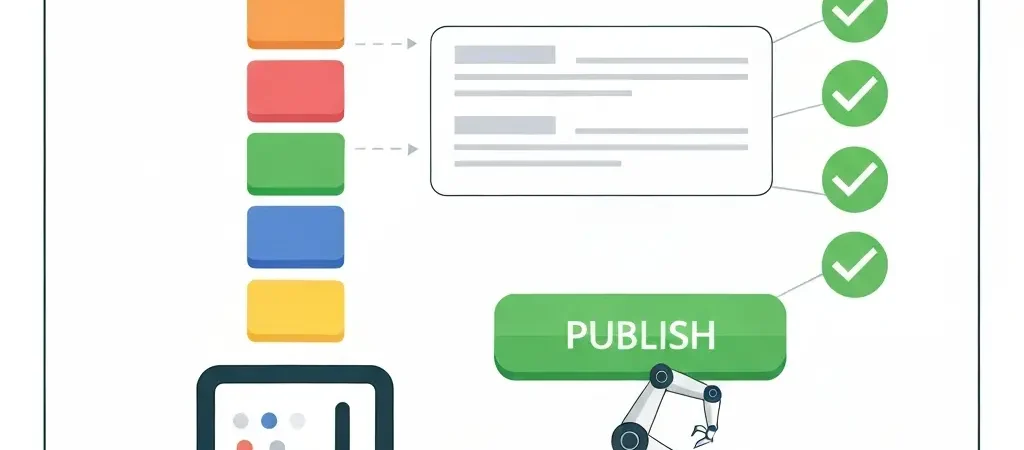
An auto-blog is a WordPress site where content is published automatically — without a human manually clicking the Publish button for each post. The automation can operate at different layers:
- Content generation: AI writes the article based on a keyword, strategy, and brand voice configuration.
- Content sourcing: RSS feeds, APIs, or web scrapers pull external content.
- Publishing automation: A cron job, webhook, or plugin pushes content from draft to live on a defined schedule.
- Metadata automation: SEO titles, meta descriptions, tags, categories, and featured images are set automatically.
Modern auto-blog setups combine all four layers. The difference between a spammy auto-blog and a legitimate content operation comes down to layer one: whether the content being published is original and useful, or scraped and thin.
The Ethical Lines: Google’s View in 2026
Google’s Helpful Content system and spam policies draw clear lines. Here is what is explicitly allowed and explicitly prohibited:
Allowed (with conditions)
- AI-generated original content that is accurate, useful, and written for humans first. Google has confirmed it does not penalise AI content — it penalises low-quality content regardless of how it was produced.
- RSS aggregation with substantial transformation — adding original commentary, analysis, or context around syndicated snippets (not full articles).
- Automated meta generation (titles, descriptions, schema) applied to human-written content.
- Scheduled publishing of pre-approved drafts.
Prohibited (spam policy violations)
- Scraping and republishing other sites’ full articles verbatim or with minor modifications (synonym spinning, word shuffling).
- Auto-generating content with no editorial review that contains factual errors, hallucinated statistics, or misleading claims.
- Doorway page generation — publishing hundreds of near-duplicate pages targeting minor keyword variations with no additional value.
- Cloaking — showing different content to Googlebot vs human visitors.
Best WordPress Auto-Blog Plugins and Tools in 2026
1. Authenova WordPress Plugin (Best for Original AI Content)
Authenova is not a WordPress plugin in the traditional sense — it is a full content operations platform with a WordPress plugin as its publishing endpoint. You configure content strategies (keywords, brand voice, content types, publishing schedule) in the Authenova dashboard. The platform generates original AI-written articles, and the WordPress plugin receives them via webhook and publishes them directly into your WordPress installation as posts or pages.
What makes it different:
- Content is strategy-driven, not just keyword-driven. Each article follows your brand voice, internal linking rules, and content type ratios.
- Schema markup, SEO metadata, featured images, and categories are all set automatically at publish time.
- The scheduling system respects blackout dates, publishing windows, and per-strategy frequency caps — preventing the content flooding that triggers spam signals.
See how the full pipeline connects in the guide to automated WordPress content publishing.
2. WP Automatic Plugin
WP Automatic ($29 one-time) pulls content from RSS feeds, YouTube, Twitter/X, Amazon, and custom APIs and creates WordPress posts automatically. It supports content transformation rules — prepending/appending custom text, replacing terms, setting categories — which is how you use it without triggering duplicate content penalties.
Correct usage pattern: Pull RSS summary (not full article), prepend 200+ words of original analysis, set rel=”canonical” to source, and noindex if content is primarily sourced. This creates a content curation play rather than scraping.
Incorrect usage: Pulling full articles from competitor RSS feeds and publishing them verbatim. This is a manual review penalty trigger in 2026.
3. RSS Aggregator by Feedzy
Feedzy is a purpose-built RSS import plugin ($99/yr for the auto-posting Pro tier). It supports feed filtering by keyword, content transformation, featured image import, and category assignment. Better UI than WP Automatic for non-developers. Limitations: no AI content generation, no webhook support, limited to RSS sources.
4. n8n + OpenAI + WordPress REST API (Custom Pipeline)
For teams with developer resources, a custom n8n workflow gives complete control:
- n8n trigger: schedule (daily cron) or webhook from keyword research tool
- OpenAI node: generate article body, title, excerpt, and meta description
- WordPress node: POST to
/wp-json/wp/v2/postswith content, status, categories, and featured image
This is exactly the pipeline CampaignOS documents in their marketing automation tutorial — n8n as the workflow engine connecting AI generation to WordPress publishing. The advantage over dedicated plugins is full auditability and no vendor dependency.
# Example WordPress REST API post creation
curl -X POST https://yoursite.com/wp-json/wp/v2/posts
  -H "Authorization: Bearer YOUR_JWT_TOKEN"
  -H "Content-Type: application/json"
  -d '{
    "title": "Your Auto-Generated Post Title",
    "content": "<p>Full HTML body here...</p>",
    "excerpt": "Short excerpt for archives and social sharing.",
    "status": "future",
    "date": "2026-04-28T09:00:00",
    "categories": [5],
    "tags": [12, 18],
    "meta": {
      "_yoast_wpseo_focuskw": "focus keyword here",
      "_yoast_wpseo_metadesc": "Meta description under 160 chars."
    }
  }'
5. PublishPress Future (Scheduling Layer)
PublishPress Future (free) adds advanced scheduling to any WordPress post — including future unpublish, status transitions on a schedule, and recurring publishing patterns. It is a useful complement to any auto-blog pipeline for managing content lifecycle without manual intervention.
Real Setup: Authenova + WordPress Plugin
Here is a complete walkthrough of the most reliable legitimate auto-blog setup available in 2026.
Step 1: Create a Content Strategy
In the Authenova dashboard, create a new Strategy. Define:
- Brand voice: Tone, vocabulary, target audience (e.g., “developer-friendly, direct, no fluff”)
- Keywords: Add 10–30 target keywords, each with a role (PILLAR, CLUSTER, or SUPPORTING)
- Publishing schedule: Days of week, time windows, frequency (e.g., 3 posts/week, Monday/Wednesday/Friday, 8–10am)
- Content type ratios: e.g., 20% PILLAR, 60% CLUSTER, 20% SUPPORTING
Step 2: Install the WordPress Plugin
Download the Authenova WordPress plugin from your dashboard. Install via Plugins > Add New > Upload Plugin. Activate, then navigate to Settings > Authenova and paste your API key and webhook secret. The plugin registers a REST endpoint that receives content payloads from the Authenova platform.
Step 3: Configure Publishing Behaviour
In the plugin settings, configure:
- Default post status:
publish(immediate) orfuture(scheduled per strategy config) - Category mapping: Map Authenova content types to WordPress category IDs
- Featured image: Enable auto-import of AI-generated featured images
- Schema injection: Enable to inject the
schemaMarkupfield from each content record into<head>
Step 4: Run Your First Strategy Cycle
Authenova’s generation cron runs on its own schedule. On the configured publishing days, it selects keywords from your strategy, generates articles, and pushes them to your WordPress site. You can monitor the job queue in the Authenova dashboard and review content in the WordPress editor before it goes live if you prefer a human review step.
Step 5: Monitor in Google Search Console
After 2–3 weeks, check Search Console for indexing coverage and rich result detection. Auto-published content with valid schema should appear in the Enhancements tab. If you see indexing gaps, verify the sitemap is submitting the new URLs and that the auto-publish status is not accidentally set to private.
RSS Aggregation Done Right
If you want a news or industry roundup auto-blog rather than AI-generated original content, RSS aggregation can work — with strict editorial guardrails.
The Transformation Rule
Google’s duplicate content guidance says: if your page adds no value beyond what is already on the source page, it should not be indexed. The transformation rule for RSS aggregation:
- Import the RSS headline and a 1–2 sentence summary (never the full article)
- Auto-generate 150–300 words of original commentary via AI based on the headline and your site’s niche
- Link to the source article prominently with rel=”noopener”
- Apply a consistent editorial angle (e.g., “what this means for [your audience]”)
This creates a curated newsletter-style blog that Google treats as original commentary. The email marketing automation strategy from CampaignOS shows how this content curation model feeds into email engagement sequences — each auto-blog post becomes a newsletter item without additional manual work.
Scheduling Configuration for Consistent Publishing
Publishing consistency matters for both Googlebot crawl frequency and audience trust. Here is the configuration approach for a legitimate auto-blog:
| Site Size | Recommended Frequency | Rationale |
|---|---|---|
| New site (<50 pages) | 3 posts/week | Build crawl budget before scaling. Avoid triggering spam signals on a new domain. |
| Established site (50–200 pages) | 1/day | Matches crawl budget. Googlebot returns daily for sites publishing consistently. |
| Authority site (200+ pages) | 2–5/day across strategies | Spread across topical clusters. Never flood a single category with multiple daily posts. |
Key scheduling rules:
- Never publish more than one post in the same category on the same day — this mimics content flooding, a spam signal.
- Stagger publishing times across strategies (9am, 11am, 2pm) rather than all posts at midnight.
- Set blackout windows around major Google algorithm update periods if you want to assess impact cleanly.
Quality Controls That Prevent Penalties
Auto-publishing without quality gates is the fastest path to a manual action penalty. These controls are non-negotiable:
1. Fact-Check Layer
For any article containing statistics, dates, named people, or product claims, implement a fact-check step before auto-publish. In an n8n pipeline, this can be a conditional branch that flags articles containing numbers or proper nouns for human review before the WordPress publish step runs. Authenova handles this at the strategy level by grounding content in strategy-defined products and verified keyword contexts.
2. Duplicate Detection
Before publishing, check that the new article’s content does not substantially overlap with an existing post. A simple approach in PHP:
// Check for similar titles before publishing
function check_duplicate_title( $new_title ) {
    global $wpdb;
    $similar = $wpdb->get_var( $wpdb->prepare(
        "SELECT ID FROM {$wpdb->posts}
         WHERE post_status = 'publish'
         AND LOWER(post_title) LIKE %s
         LIMIT 1",
        '%' . $wpdb->esc_like( strtolower( $new_title ) ) . '%'
    ) );
    return ! empty( $similar );
}

// In your webhook handler:
if ( check_duplicate_title( $incoming_title ) ) {
    wp_send_json_error( ['message' => 'Duplicate title detected, skipping publish.'] );
    exit;
}
3. Minimum Word Count Gate
Set a minimum word count threshold in your pipeline. For CLUSTER articles, reject anything under 1,200 words before it reaches WordPress. For PILLAR articles, the threshold should be 1,800 words. Thin content auto-published at scale is the single most common trigger for Helpful Content demotions.
4. Internal Link Validation
Auto-generated articles must link to real pages on your site. If the generation layer produces internal links to URLs that do not exist, you will accumulate 404 errors that waste crawl budget. Validate all internal links in the content payload before publishing — strip or replace any that return non-200 status.
For a complete view of how these quality controls fit into a full SEO automation workflow, see the complete SEO automation playbook for solo operators and small teams. The guide to WordPress SEO automation beyond plugins also covers how to structure your WordPress site to support auto-publishing without creating technical SEO debt. If you’re also building an academic content site and need to understand how structured, high-quality content at scale works in a completely different domain, Tesify’s thesis writing software comparison is a useful parallel — the same content quality principles apply across verticals.
Frequently Asked Questions
Is WordPress auto-blogging against Google’s guidelines?
WordPress auto-blogging is not inherently against Google’s guidelines. What matters is the quality and originality of the content being published. Auto-publishing original AI-written articles that are useful, accurate, and written for humans is fully allowed. Auto-publishing scraped, spun, or thinly reworded content from other sites is a spam policy violation. Google’s guidelines focus on the content quality outcome, not the method of publishing.
What is the best WordPress auto-blog plugin in 2026?
For original AI-generated content, Authenova (platform + WordPress plugin) is the most complete solution in 2026. For RSS-based curation, Feedzy Pro or WP Automatic are the most reliable. For custom pipelines, n8n with the WordPress REST API node gives full control without vendor dependency. The right choice depends on whether you are publishing original AI content or curating external sources.
How many posts per day can I auto-publish without triggering spam signals?
There is no universal limit, but publishing patterns matter. A new site should publish no more than 3-5 posts per week. An established site with 200+ indexed pages can safely publish 2-5 posts per day across different topical categories. The key rules are: never publish multiple posts in the same category on the same day, spread publishing times across the day, and ensure each article meets minimum quality and word count thresholds before it goes live.
Can auto-published content rank on Google?
Yes, definitively. Hundreds of sites using platforms like Authenova rank auto-published AI-generated content on page one for competitive keywords in 2026. The ranking factors are identical to manually published content: quality, relevance, internal linking, schema markup, E-E-A-T signals, and backlinks. Auto-publication is simply the delivery mechanism. If the content is good, it ranks. If it is thin or scraped, it does not — and may be deindexed.
Do I need to review auto-published posts before they go live?
It depends on your risk tolerance and the sophistication of your pipeline. For a fully automated operation, implement automated quality gates (word count, duplicate detection, fact-check flags) rather than manual review. For high-stakes content (health, finance, legal), always include a human review step. Most legitimate auto-blog setups use a “DRAFT first, auto-publish after 24 hours if no edits flagged” pattern — this combines the efficiency of automation with a safety window for human intervention.
How does Authenova’s WordPress plugin differ from WP Automatic?
WP Automatic pulls and transforms external content from RSS feeds and third-party sources. It is an aggregation and curation tool. Authenova’s WordPress plugin is a publishing endpoint for the Authenova platform, which generates entirely original AI-written articles based on your keyword strategy and brand voice. Authenova produces content; WP Automatic distributes existing content. They solve different problems and are not direct competitors.
Build a Real Auto-Blog That Ranks
The difference between a WordPress auto-blog that compounds traffic and one that gets deindexed is the content layer. Authenova generates original, strategy-driven articles with schema markup, internal links, and SEO metadata — all auto-published to WordPress on your schedule.
Start with the WordPress SEO automation guide to understand how to structure your site for automated publishing, then see the complete AI SEO content automation guide for the full pipeline. If you’re also running outreach or email nurturing alongside your content operation, CampaignOS’s marketing automation setup guide covers the email side of the same growth system.