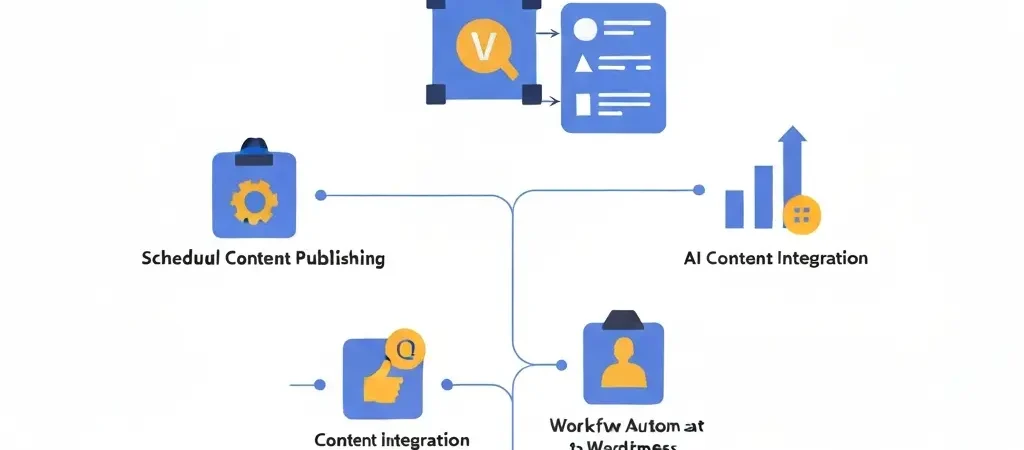
WordPress Content Automation in 2026: The No-Code Setup That Publishes 30 Posts a Month
WordPress content automation is the bridge between an AI content system and a live WordPress blog. It’s what allows an AI platform to generate 30 articles and have them published on schedule across the month without you logging into WordPress once. In 2026, this is standard infrastructure for any content program running at volume — and it’s achievable with no coding skills.
This guide walks through the specific tools, connections, and configurations that make a no-code WordPress content automation system work — from AI generation through to scheduled live posts with featured images, meta tags, and schema markup intact.
What WordPress Content Automation Actually Automates
Many marketers assume WordPress automation just means scheduled posts. The real value is in the full publishing metadata — all the fields that determine whether an article gets indexed well and displays correctly in search results:
- Post title and H1 — SEO-optimized, contains focus keyword
- SEO meta title and description — within character limits, populated automatically
- Slug / URL — keyword-rich, generated from article title
- Categories and tags — assigned based on strategy configuration
- Featured image — AI-generated image set as featured, with alt text
- Schema markup — Article or FAQPage schema embedded in the post
- Canonical URL — set to prevent duplicate content issues
- Scheduled publication time — article goes live at the configured time without manual action
When all these fields are populated automatically, the published post is SEO-complete from day one. Compare this to manual publishing where meta descriptions get skipped, featured images get forgotten, and schema markup never gets added. Automation enforces completeness at scale.
Plugin Options: What Each Approach Does
Option 1: Authenova WordPress Plugin (Recommended)
The Authenova plugin creates a direct REST API connection between your Authenova content platform and your WordPress site. When an article is scheduled in Authenova, it automatically creates a WordPress post at the right time with all fields populated. No intermediate tools required.
- Installation: Add plugin to WordPress, authenticate with your Authenova account
- Configuration: 15 minutes, no coding
- What it handles: Post creation, meta fields (via Yoast or Rank Math compatibility), featured image, schedule, categories, tags, schema markup
Option 2: WordPress REST API + Zapier/Make
For teams using non-Authenova AI platforms, Zapier or Make (formerly Integromat) can bridge the gap. Trigger: new article in your CMS. Action: create WordPress post via REST API. Limitation: meta fields and schema markup must be pushed separately; featured images require additional steps. More flexible but more configuration overhead.
Option 3: Custom WordPress Importer
For advanced users, a custom PHP script or WP-CLI command can bulk-import articles from a CSV or API. This provides maximum control but requires development. Not recommended for teams without technical resources.
Setting Up Authenova WordPress Automation
Here is the step-by-step setup for the most common automation scenario:
- Install the Authenova WordPress plugin from the plugin marketplace or via ZIP upload. Activate it in your WordPress admin.
- Connect your Authenova account. In the plugin settings, enter your Authenova API key. The connection is authenticated via OAuth — no password sharing.
- Configure your publishing defaults. Set the default post status (Draft, Scheduled, or Published), default post type, default categories, and author attribution for AI-generated posts.
- Test with a single article. Generate one test article in Authenova and trigger a manual push. Verify in WordPress that all fields are populated correctly — title, meta, featured image, slug, schema.
- Enable auto-publishing in your Authenova strategy. Set the strategy to AUTO_PUBLISH or SCHEDULED mode. Authenova’s cron will now push articles to WordPress automatically at the configured times.
For troubleshooting common connection issues, see our full guide on WordPress content automation setup.
Quality Control Without Manual Review
A fully automated publishing pipeline works best with a lightweight quality monitoring process rather than per-article manual review. Set this up once:
Automated Monitoring
- Google Search Console alerts for coverage issues (soft 404s, indexing errors)
- Uptime monitoring to catch plugin conflicts that could break the publishing connection
- Monthly GSC impressions review to confirm articles are indexing and ranking
Random Sample Review
Review a random 10% of published articles each month. Check: does the article sound on-brand? Are internal links present? Are statistics cited correctly? Is the CTA pointing to the right URL? If the sample passes, the system is working.
Read our article on AI content for WordPress best practices for the complete quality framework.
SEO Performance: Does Automation Help or Hurt?
The evidence is clear: sites running WordPress content automation with quality AI-generated content consistently outperform equivalent sites publishing manually at lower frequency. The reasons are mechanical:
- Higher publication frequency increases crawl rate — Google visits more often and indexes new content faster
- More articles in a topical cluster = stronger topical authority signals
- Consistent internal linking (enforced by automation) improves link equity distribution
- Complete SEO metadata (enforced by automation) prevents the gaps that cost rankings
The risk is quality degradation at scale — which is why brand voice configuration and a monitoring process matter. See our WordPress SEO plugin guide for the technical SEO plugin layer that complements the automation setup.
Common Setup Issues and Fixes
- Plugin not connecting: Check that your WordPress site’s REST API is not blocked by security plugins. WP JSON API access must be enabled.
- Featured images not publishing: Verify the Authenova image generation is completing before the publish trigger. Add a 5-minute buffer between image generation and publishing.
- Meta fields not populating: Ensure Yoast SEO or Rank Math is active — the Authenova plugin writes SEO metadata to these plugins’ custom fields. Without them installed, meta fields are not stored.
- Duplicate posts: Check for conflicting automation triggers. Only one publish trigger per article should be active.
Frequently Asked Questions
What is WordPress content automation?
WordPress content automation is the process of automatically generating, optimizing, and publishing content to a WordPress site without manual intervention. It typically involves an AI content generation platform, a WordPress plugin for direct REST API publishing, and a scheduling system. The result is a blog that publishes optimized articles on schedule without manual post creation.
Is WordPress content automation safe for SEO?
Yes, when implemented with quality controls. WordPress content automation that produces well-structured, keyword-targeted articles with complete SEO metadata helps rather than hurts SEO performance. The risk is using a low-quality AI generator that produces thin, generic content — which can trigger Google’s Helpful Content penalty. High-quality AI content platforms with brand voice configuration and SEO structure enforcement produce content that ranks.
Can I automate WordPress publishing without a plugin?
Yes, via WordPress’s REST API directly. Tools like Zapier, Make, or custom scripts can create WordPress posts without a dedicated plugin. However, a dedicated plugin like Authenova’s simplifies the configuration significantly and handles SEO metadata fields automatically. The REST API approach requires additional configuration to populate meta titles, descriptions, and schema markup.
Automate Your WordPress Blog in 2–3 Hours
Authenova’s WordPress plugin connects your AI content strategy to your WordPress site in one setup session. Generate, schedule, and publish 30+ articles per month without logging into WordPress once.