WordPress Core Web Vitals Optimization 2026: Page Speed Plugins, Lazy Loading, and the Complete Performance Stack
WordPress powers 43% of the web — but as of late 2025, only 44% of WordPress sites on mobile pass all three Core Web Vitals, compared to 65% for Shopify and 60% for Wix. If your WordPress site is in the majority that fails Google’s performance benchmarks, you are not just leaving user experience on the table — you are losing rankings to competitors with faster pages. Core Web Vitals act as a quality tiebreaker when content parity exists, and in 2026 the gap between passing and failing sites has grown.
This guide covers the complete WordPress performance stack for 2026: which page speed plugins actually move the needle, how to implement lazy loading correctly, what the INP metric change means for your site, and the configuration decisions that separate a 44 PageSpeed score from a 92.
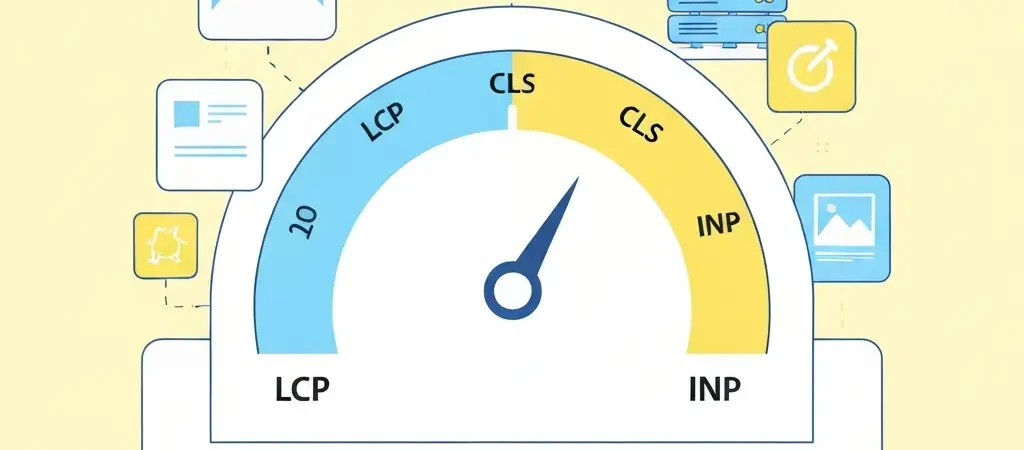
Core Web Vitals in 2026: LCP, CLS, and INP Explained
Google’s Core Web Vitals programme measures three aspects of page experience. INP (Interaction to Next Paint) replaced FID (First Input Delay) as an official Core Web Vital in March 2024, and 2026 is the first full year in which INP has been a ranking signal across all Google systems.
| Metric | What It Measures | Good | Needs Improvement | Poor |
|---|---|---|---|---|
| LCP (Largest Contentful Paint) | How fast the main content loads | <2.5s | 2.5–4s | >4s |
| CLS (Cumulative Layout Shift) | Visual stability — how much the page moves | <0.1 | 0.1–0.25 | >0.25 |
| INP (Interaction to Next Paint) | How quickly the page responds to clicks/taps | <200ms | 200–500ms | >500ms |
According to Sky SEO Digital’s 2026 Core Web Vitals analysis, INP is now the metric most WordPress sites fail — largely because bloated JavaScript from page builders, chat widgets, and analytics stacks blocks the main thread and prevents timely interaction responses.
Why WordPress Struggles with Core Web Vitals
WordPress’s flexibility is also its performance liability. The ecosystem of plugins, page builders, and shared hosting configurations creates four recurring performance failure patterns:
- Page builder bloat. Elementor, Divi, and WPBakery load significant CSS and JavaScript even on pages that use only a fraction of their features. A typical Elementor page loads 400–600 KB of CSS/JS before any content-specific assets.
- Plugin accumulation. The average WordPress site runs 20+ plugins. Even individually lightweight plugins accumulate: 20 plugins each adding 50ms of execution time create a 1-second delay before the first byte is served.
- Unoptimised images. WordPress historically served images at full resolution with no compression or modern format conversion. A hero image served as a 2 MB JPEG versus a 180 KB WebP with lazy loading is a 1.8s LCP difference on a mid-range mobile connection.
- Shared hosting latency. Shared hosting typically delivers Time to First Byte (TTFB) of 400–800ms. No caching plugin can fully compensate for a slow server response — the TTFB is the irreducible floor for LCP.
Hosting First: The Foundation of Performance
Before installing a single performance plugin, check your TTFB. Open Chrome DevTools, navigate to Network, load your homepage, and inspect the first HTML request’s waiting time. If TTFB consistently exceeds 400ms, switching hosting will deliver more improvement than any plugin.
| Hosting Type | Typical TTFB | LCP Achievable |
|---|---|---|
| Shared hosting (budget) | 400–800ms | 2.5–4s (borderline pass) |
| Managed WordPress (SiteGround, Kinsta) | 100–250ms | 1.2–2.0s (Good) |
| VPS with LEMP stack + Redis | 50–150ms | 0.8–1.8s (Excellent) |
| LiteSpeed server | 80–200ms | 1.0–2.0s (Good) |
Best Page Speed Plugins for WordPress in 2026
Real-world data from 2M+ sites published by NitroPack shows the following Core Web Vitals pass rates when each plugin is the primary performance tool:
- NitroPack: 54% CWV pass rate — highest of any plugin tested
- WP Fastest Cache: 51%
- Perfmatters: 51%
- WP Rocket: 50%
- LiteSpeed Cache: 48%
NitroPack
NitroPack is the most comprehensive performance plugin available — it handles caching, image optimisation, code minification, CDN delivery, and critical CSS generation automatically. The trade-off is cost ($17–$180/month) and a cloud-based processing model that introduces a dependency on NitroPack’s servers. For sites where performance is a primary ranking factor and budget allows, NitroPack delivers the highest consistent pass rates.
WP Rocket
WP Rocket ($59/year for 1 site) is the most-recommended paid caching plugin for sites that want significant improvement without full cloud dependency. It handles page caching, browser caching, GZIP compression, database optimisation, and lazy loading out of the box. Configuration is beginner-friendly — most sites see measurable improvement within 15 minutes of installation with default settings. It does not include its own CDN or image optimisation; pair it with ShortPixel or Imagify for images and Cloudflare for CDN.
LiteSpeed Cache
LiteSpeed Cache is free and delivers excellent results on LiteSpeed-powered hosting (A2 Hosting, Nexcess, WP Engine). Its object caching, image optimisation, and CDN integration are competitive with WP Rocket. The limitation: many of its advanced features only function correctly on LiteSpeed servers. On Apache or Nginx hosting, its advantage narrows significantly.
Perfmatters
Perfmatters ($34.95/year) is a script management and optimisation plugin rather than a full caching solution. Its primary value is disabling unnecessary WordPress features (emoji scripts, embed scripts, REST API for non-logged-in users) that add HTTP requests and JavaScript execution time. Use it alongside WP Rocket or LiteSpeed Cache — not as a standalone solution.
Lazy Loading Images: Setup and Common Mistakes
Lazy loading defers the loading of off-screen images until the user scrolls near them, reducing initial page weight and improving LCP by ensuring the browser focuses resources on above-the-fold content first.
Native HTML Lazy Loading (Recommended)
WordPress has implemented native lazy loading (loading="lazy" attribute) on all images automatically since WordPress 5.5. This requires no plugin — it is built in. However, there is a critical mistake many sites make: applying lazy loading to the LCP image (typically the hero image or featured image at the top of the page).
loading="eager" and fetchpriority="high" to your hero or featured image template to be safe.
Plugin-Based Lazy Loading for Advanced Use
For more granular control — lazy loading iframes, videos, and background images — Lazy Load by WP Rocket (free) extends native lazy loading to non-image elements. For sites with video embeds, lazy loading YouTube and Vimeo iframes using a facade (a thumbnail placeholder that loads the actual video only on click) can save 300–500 KB of JavaScript per embed.
Image Format Optimisation
Lazy loading alone is insufficient if your images are unoptimised. The full image stack for 2026:
- Convert all images to WebP format (ShortPixel, Imagify, or Cloudflare Polish)
- Resize images to their display dimensions before upload (a 4000px wide image served in a 800px container wastes 5x the bytes)
- Set explicit
widthandheightattributes on all images to prevent layout shift (CLS) - Use responsive images (
srcset) so mobile devices receive appropriately-sized images
INP Optimization: The 2026 Priority Metric
INP is the Core Web Vital most likely to be failing on your WordPress site and the least well-understood. It measures how long it takes for the browser to visually respond to a user interaction (click, tap, keyboard input). Poor INP is almost always caused by JavaScript blocking the main thread.
Common WordPress INP Causes and Fixes
| Cause | INP Impact | Fix |
|---|---|---|
| Live chat widgets (Intercom, Drift) | +150–400ms | Load chat script on user scroll or click-to-open |
| Heavy page builder JS (Elementor) | +100–300ms | Disable on pages not using page builder, or switch theme |
| Undeferred third-party scripts | +50–200ms per script | Delay script loading with Perfmatters or WP Rocket’s delay JS feature |
| WooCommerce add-to-cart JavaScript | +80–200ms | Load cart JS conditionally on shop/product pages only |
| Google Tag Manager with many tags | +100–500ms | Audit and remove unused tags; fire tags on interaction, not page load |
Recommended Plugin Configuration Stack
For a typical WordPress content site targeting 90+ PageSpeed Insights scores in 2026:
- Hosting: Managed WordPress or VPS (LiteSpeed or Nginx)
- CDN: Cloudflare Free (or Pro for image optimisation features)
- Caching: WP Rocket ($59/year) or LiteSpeed Cache (free on LiteSpeed hosting)
- Image optimisation: ShortPixel or Imagify (WebP conversion + compression)
- Script management: Perfmatters ($34.95/year) — disable unused WordPress features, delay non-critical JS
- SEO plugin: Rank Math (minimal performance impact)
- AI content automation: Authenova WordPress Plugin — pushes optimised content with pre-set image dimensions to prevent CLS
This stack, properly configured, achieves 75–92 PageSpeed Insights scores on most content themes. For the comprehensive technical SEO audit that validates these improvements, see our technical SEO audit and Core Web Vitals guide. For the WordPress SEO audit checklist that covers performance alongside on-page factors, see our WordPress SEO audit checklist.
Testing and Monitoring Core Web Vitals
Testing Tools
- PageSpeed Insights: Field data (real user experience from Chrome UX Report) + lab data. Use for before/after comparisons.
- Google Search Console (Core Web Vitals report): Shows actual user experience data segmented by URL group. The most authoritative data source because it reflects real-world conditions, not simulated lab tests.
- WebPageTest.org: Detailed waterfall analysis. Use when you need to identify specifically which asset or script is causing a bottleneck.
- Chrome DevTools Performance tab: Essential for INP diagnosis — record an interaction and inspect the main thread activity timeline.
Monitoring Cadence
Core Web Vitals data in Google Search Console updates weekly. Set a monthly review cadence: check the “Poor URLs” count, investigate any new failures with PageSpeed Insights, and correlate performance changes with plugin updates or content publishing patterns.
FAQ
Do Core Web Vitals affect WordPress search rankings?
Yes, Core Web Vitals are a confirmed Google ranking signal as part of the Page Experience update. However, they are a tiebreaker signal — if two pages have similar content quality and relevance, the faster page with better Core Web Vitals will rank higher. Sites failing Core Web Vitals are not algorithmically penalised in the same way as sites with manual actions, but they consistently underperform compared to passing competitors when content quality is comparable. The December 2025 core update increased the weighting of technical performance signals, with pages failing LCP above 3 seconds experiencing 23% more traffic loss than faster competitors.
What is the best free WordPress speed plugin in 2026?
LiteSpeed Cache is the best free WordPress speed plugin in 2026 for sites hosted on LiteSpeed servers (A2 Hosting, Nexcess, WP Engine’s LiteSpeed plan). For sites on Apache or Nginx hosting, W3 Total Cache or the free version of WP Super Cache are the strongest free options, though they require more manual configuration. NitroPack’s free tier (5,000 page views/month) offers a feature-complete entry point for small sites. None of the free options match paid solutions like WP Rocket for ease of configuration and overall performance impact.
Does lazy loading images improve Core Web Vitals?
Lazy loading improves LCP and overall page load time for below-the-fold images, but it can worsen LCP if applied incorrectly to above-the-fold images. The rule is: never lazy-load your LCP element (typically the hero or featured image). Instead, apply lazy loading to all images that appear below the fold, and add fetchpriority=”high” to your LCP image to ensure it loads as fast as possible. Lazy loading also reduces the initial HTTP request count and total page weight, which benefits INP by reducing main thread congestion during page load.
What is INP and why does it matter for WordPress in 2026?
INP (Interaction to Next Paint) measures how quickly a page visually responds to user interactions such as clicks, taps, and keyboard input. It replaced FID (First Input Delay) as an official Core Web Vital in March 2024. For WordPress sites, INP is often the hardest metric to pass because WordPress plugins frequently load heavy JavaScript that blocks the main thread — live chat widgets, page builders, and tag management scripts are the most common culprits. A Good INP score is under 200ms; most WordPress sites with multiple active plugins fail this threshold without specific JavaScript deferral configuration.
How do I fix LCP on WordPress?
To fix LCP on WordPress: (1) Upgrade to managed hosting if your TTFB exceeds 400ms — this is the highest-impact change available; (2) Add fetchpriority=”high” to your hero/featured image so browsers load it immediately; (3) Serve images in WebP format to reduce file size by 25–35% versus JPEG; (4) Enable a CDN (Cloudflare free tier) to serve assets from edge locations close to users; (5) Enable page caching (WP Rocket or LiteSpeed Cache) to serve pre-rendered HTML rather than generating pages dynamically on each request. Together, these changes typically improve LCP from 3–5 seconds to 1.5–2.5 seconds, moving most sites from “Poor” or “Needs Improvement” to “Good.”
Publish Fast, SEO-Optimised Content Automatically
Authenova’s WordPress plugin pushes AI-generated articles with pre-set image dimensions, optimised metadata, and schema markup — ensuring every published post is Core Web Vitals-ready from day one. See the full integration at authenova.site.