Internal Linking Strategy: The 2026 Guide to Building Topical Authority Through Links
An effective internal linking strategy is one of the most powerful, most underutilized SEO levers available to content teams. Unlike backlinks — which require outreach, relationship-building, and often months of effort — internal links are entirely within your control. You can implement a complete internal linking overhaul this week and see measurable ranking improvements within 30-60 days.
Yet most sites treat internal linking as an afterthought — adding links arbitrarily, using generic anchor text, and never auditing whether the links are actually distributing authority effectively. This guide covers the strategic framework that changes internal linking from a chore to a competitive advantage.
Why Internal Links Matter More Than Most SEOs Realize
Internal links serve four simultaneous functions that compound to determine your site’s ranking potential:
1. PageRank Distribution
Google’s PageRank algorithm flows through internal links. When an authoritative external site links to your homepage, that PageRank flows to the homepage. Your internal links then distribute that authority to other pages. A well-architected internal link structure ensures every important page receives PageRank — not just your homepage and most-linked articles.
2. Topical Relevance Signals
Internal links with descriptive anchor text tell Google what each linked page is about — reinforcing topical relevance signals. A link with anchor text “internal linking best practices” helps Google understand the destination page is about internal linking best practices, contributing to that page’s topical relevance score for related queries.
3. Crawl Efficiency
Googlebot follows internal links to discover and re-crawl content. Pages with more internal links pointing to them get crawled more frequently — meaning updates appear in the index faster. Orphaned pages (no internal links) may rarely or never be re-crawled.
4. User Journey Optimization
Strategic internal links guide users from low-commercial-intent articles (how-to guides) toward high-commercial-intent pages (product pages, pricing pages). This improves time-on-site, reduces bounce rate, and increases conversion probability — all positive engagement signals.
Designing Your Internal Link Architecture
Effective internal linking starts with architecture design before you write a single article. The pillar-cluster content strategy provides the structural framework. Internal links are the implementation layer.
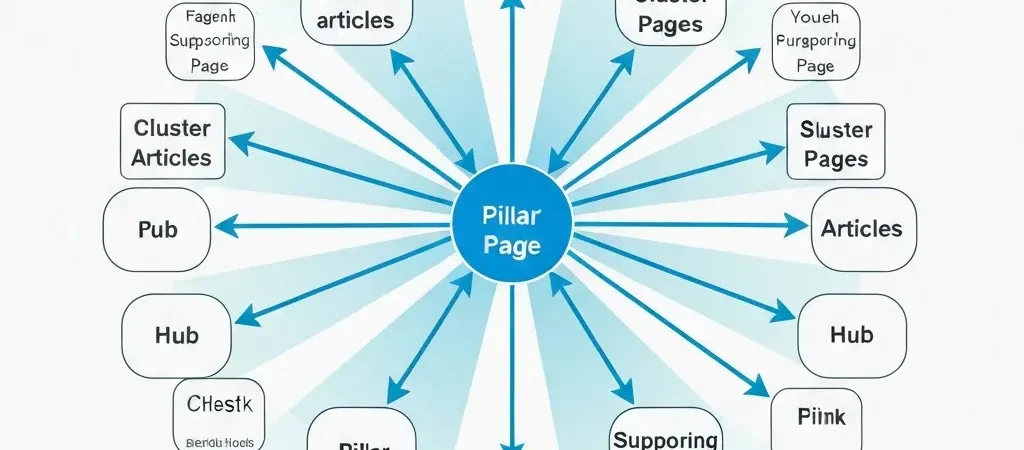
The Hub-and-Spoke Model
Every pillar-cluster system uses the hub-and-spoke model:
- Pillar page (hub): Links out to every cluster article in its group
- Cluster articles (spokes): Each links back to the pillar (and to adjacent cluster articles)
- Supporting articles: Link up to both the relevant cluster and the pillar
Link Depth Rules
Important pages should be reachable within 3 clicks from the homepage. Pages deeper than 3 clicks receive significantly less crawl attention and PageRank. Audit click depth with Screaming Frog: Site → Internal → Filter → Sort by Click Depth.
Minimum Internal Links Per Page
| Page Type | Min. Links Pointing To It | Min. Links From It |
|---|---|---|
| PILLAR page | 8-15+ (from all cluster articles) | 8-15+ (to all cluster articles) |
| CLUSTER article | 3-5 (pillar + adjacent clusters + supporting) | 3-5 (to pillar + adjacent clusters) |
| SUPPORTING article | 2-3 (cluster + supporting peers) | 2-3 (to cluster + pillar) |
Anchor Text Strategy
Anchor text is the visible text of your internal link. It’s one of the most direct topical relevance signals available — the anchor tells Google what the linked page is about. Get it right and you amplify the topical relevance signal; get it wrong and you miss the optimization opportunity or, worse, trigger over-optimization signals.
Anchor Text Distribution (Best Practice)
- Partial match (40%): “This internal linking guide” — includes the core topic keyword with surrounding natural language
- Semantic variation (30%): “Our link architecture framework” — related terms, synonyms
- Branded/URL (20%): “Authenova’s guide” or “authenova.site/internal-linking”
- Exact match (10%): “internal linking strategy” — use sparingly to avoid over-optimization
Generic Anchors to Avoid
Never use “click here,” “read more,” “this article,” or “learn more” as anchor text for important pages. These waste the anchor text optimization opportunity and provide no topical signal to Google.
Implementation: Adding Internal Links Efficiently
New Articles (Going Forward)
Every new article should include internal links during the writing process — don’t add them as an afterthought. For each new article:
- Identify the parent pillar page and link to it within the first 500 words
- Find 2-3 existing cluster articles on adjacent subtopics and link to them naturally
- After publishing, go back to the parent pillar and add a link to the new article
- Find 2-3 existing articles that would benefit from linking to the new article and add those links
Existing Articles (Retrofit)
Use Ahrefs Site Explorer → Internal Link Opportunities to find pages on your site that mention a keyword but don’t link to the relevant page. This surfaces your highest-value internal linking opportunities automatically.
Alternatively, use Google Search: site:yourdomain.com "keyword phrase" to find pages mentioning a term. These are candidates for adding internal links to the authoritative page on that topic.
Monthly Internal Link Audit
Internal linking audit using Screaming Frog (free for up to 500 URLs, paid for larger sites):
- Run a crawl of your site
- Export Internal Links report
- Filter for pages with fewer than 3 internal links pointing to them (orphaned or under-linked)
- Prioritize fixing pages that have external backlinks (these are wasting their authority potential without internal links distributing that authority)
- Add internal links from topically related pages to each under-linked page
Run this audit monthly. As your content library grows, new articles create new internal link opportunities that manual tracking misses. See how topical authority SEO and internal linking combine for maximum ranking impact. Platforms like Tesify and iQuitNow.life both use systematic internal linking as part of their content authority strategy — the former applying it across five language sites simultaneously. Content marketing agencies leverage CampaignOS to audit and manage internal linking health across multi-client content portfolios.
Frequently Asked Questions
How many internal links per page is too many?
Google recommends keeping the number of links on a page “reasonable” — no specific number given, but industry consensus suggests under 100 total links per page (internal + external). For a typical 1,500-2,500 word article, 5-15 internal links is a healthy range. Beyond 20-25 internal links per article, the authority value per link diminishes and the page may appear manipulative. Focus on quality and relevance over quantity.
Do internal links from sidebars and footers pass PageRank?
Yes, but less than contextual body links. Google weights links based on their position in the page — links embedded within relevant content (contextual links) receive higher weight than links in sidebars, headers, and footers. Use navigation/sidebar links to ensure all important pages are crawlable, but prioritize adding body-content internal links for your most important pages. Avoid stuffing sidebars with dozens of internal links — they dilute each other’s value.
Should I use nofollow on internal links?
Almost never. Nofollowing internal links (a tactic called “PageRank sculpting”) used to be a strategy but is now ineffective — Google treats nofollowed internal links by evaporating the PageRank that would have flowed through them rather than redistributing it. The only appropriate use of nofollow on internal links is on login pages, cart pages, or other pages that genuinely should not receive PageRank (and should be noindexed too).
How does internal linking differ from external link building?
Internal linking distributes existing authority within your site — it doesn’t create new authority. External link building (acquiring backlinks from other sites) imports new authority to your site from the external web. Both are necessary: external links bring authority in, internal links distribute that authority to where it’s most needed. A site with strong external links but poor internal linking wastes much of its backlink authority on pages that don’t need it.