How to Automate SEO Content Creation Step by Step (2026 Guide)
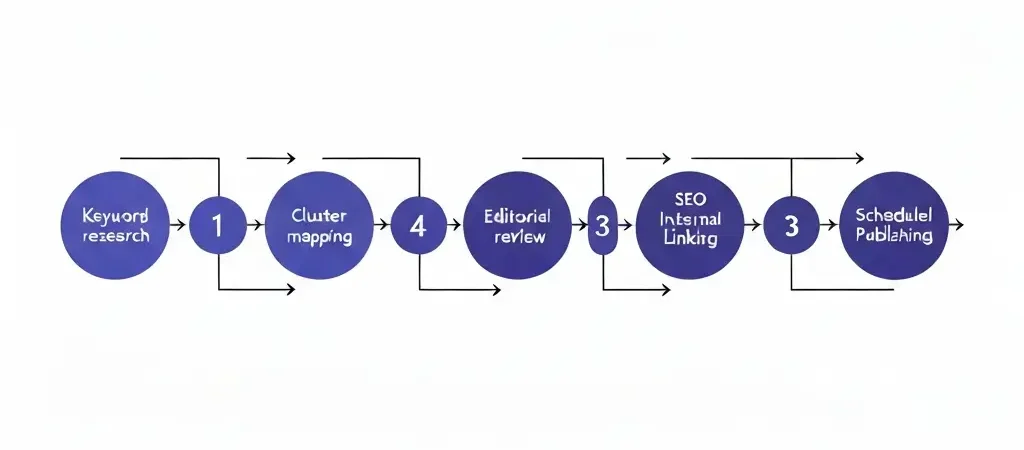
Learning how to automate SEO content creation step by step is the difference between a content program that scales and one that stalls every time your team hits capacity. Manual content production breaks at volume — AI-powered automation does not. This guide gives you the exact 11-step system to go from a blank keyword list to a fully automated publishing pipeline that generates, reviews, and schedules SEO content without constant manual intervention.
Every step below is independently actionable. You can implement them sequentially over a few weeks or adapt individual steps to bolt onto your existing workflow. Time estimates and difficulty ratings are included for each phase so you can plan accordingly.
Prerequisites and Setup
- Time to complete full setup: 5–10 hours across two weeks for initial implementation; ongoing system runs in 2–4 hours per week
- Difficulty: Intermediate — no coding required, but you need familiarity with SEO fundamentals and comfort with SaaS tools
- What you need: Access to Google Search Console, a keyword research tool (Ahrefs, Semrush, or free alternatives), an AI content generation platform, and a CMS (WordPress or equivalent)
- What you will produce: A repeatable, largely automated content pipeline that generates SEO-optimized articles at scale
Before starting, make sure you have Google Search Console verified for your domain and at least 3 months of data available. This is your baseline. If you are starting from zero traffic, the audit in Step 1 still applies — you are auditing the gap rather than existing performance.
Step 1: Audit Your Current Content
Time: 1–2 hours | Tool: Google Search Console, Screaming Frog (free tier)
Before you automate anything, you need to know what you are working with. A content audit tells you which pages are already ranking, which are cannibalizing each other, and which gaps your automation should fill first.
- Export all URLs from your CMS or use Screaming Frog to crawl your site
- Pull performance data from Google Search Console: clicks, impressions, average position per URL
- Tag each URL by topic cluster — even roughly
- Identify: (a) pages ranking on page 2 that could be updated, (b) keyword cannibalization pairs, (c) topic clusters with only 1–2 articles (thin coverage)
- Mark existing high-performers as anchor pages — your automation will link to these
The audit output is a spreadsheet: URL, topic, current ranking keyword, impressions, clicks, and a tag (Keep / Update / Merge / Create). This becomes your editorial backlog that automation will systematically fill.
Step 2: Build Your Keyword Universe
Time: 2–3 hours | Tool: Ahrefs, Semrush, or Google Keyword Planner
Your keyword universe is the master list of every term your site could realistically target. It is not a shortlist — it is a comprehensive map you will prioritize from.
- Enter your 3–5 core topics into your keyword tool and pull all keyword suggestions
- Filter by: search volume (minimum 100/month for cluster articles, 500+ for pillars), keyword difficulty appropriate to your domain authority
- Add competitor gap analysis: what are your top 3 competitors ranking for that you are not?
- Export the full list — typically 200–2,000 keywords depending on your niche
- Tag each keyword by intent: informational, commercial, navigational, transactional
For an automated system, informational keywords are your highest-volume opportunity. They power pillar and cluster content. Commercial keywords drive bottom-of-funnel articles that convert. Both belong in your universe. For a deeper view on building long-tail coverage systematically, see Long Tail Keyword Strategy: The Complete Playbook for 2026.
Step 3: Map Topical Clusters
Time: 1–2 hours | Tool: Spreadsheet or mind-mapping tool
Topical clusters are how Google understands your site’s expertise. Each cluster has one pillar page (broad, comprehensive) and multiple cluster articles (specific, deep). Your automation engine will generate content cluster by cluster — so this map is the production schedule.
- Group keywords from your universe into topic buckets — aim for 5–10 clusters
- For each cluster, designate one primary keyword as the pillar target
- Assign 5–15 cluster keywords to each pillar — these become individual articles
- Prioritize clusters by: search volume potential, competitive gap, and relevance to your product
- Sequence production: start with the cluster closest to your core product offering
This cluster map becomes the brief library your AI platform will work through systematically. See How to Build Topical Authority with AI Content in 2026 for the full topical authority framework that makes this map compound over time.
Step 4: Choose Your AI Content Platform
Time: 2–4 hours (evaluation) | Criteria: Multi-site support, brand voice config, WordPress integration, scheduling
Not all AI content tools are built for automation at scale. You need a platform that handles the full pipeline — not just the writing. Key criteria:
- Strategy-level configuration: The platform should let you define brand voice, target audience, and keyword strategy per site or campaign — not just per article
- Pillar-cluster awareness: The AI should understand content hierarchy and generate articles that link to each other coherently
- WordPress integration: Direct publish to WordPress via plugin, not just export to a doc
- Scheduling: Built-in scheduling so articles publish automatically on a cadence
- Image generation: Automated featured images save significant post-production time
Authenova is built specifically for this use case. You configure a strategy once — brand voice, target keywords, content types, publishing cadence — and the platform generates, schedules, and publishes to WordPress automatically. It handles pillar and cluster content types natively, including internal linking between generated articles. For a full feature comparison, see Best AI SEO Content Generators Compared in 2026.
Step 5: Configure Brand Voice and Strategy
Time: 30–60 minutes | Done once, applies to all content
Brand voice configuration is the highest-leverage step in the entire system. Get this right and every generated article sounds like your brand. Get it wrong and you spend hours editing every piece.
- Write a brand voice brief: tone (formal/casual), vocabulary preferences, things to avoid, audience level
- Define your target reader persona: their job, their pain points, what they already know
- Set content rules: no passive voice, always include data, use numbered lists for steps, specific CTA language
- Input 2–3 example articles that represent your ideal output
- In Authenova, configure this at the strategy level — it applies to every article generated under that strategy
Test your voice configuration by generating one article and reviewing it against your brand voice brief before running the full pipeline. Adjust prompts or strategy settings until the output matches. This is the only manual calibration step — everything after runs on rails.
Step 6: Generate Pillar and Cluster Drafts
Time: Automated — 5–30 minutes per article depending on platform | Output: Full HTML drafts with SEO metadata
With your strategy configured and cluster map ready, generation is straightforward. Work through clusters in priority order.
- Start with your highest-priority pillar article — generate it first as the anchor for its cluster
- Generate cluster articles one by one within that topic group
- Review each draft in your platform’s editor before moving to the next cluster
- For each article, confirm: focus keyword is in H1 and first paragraph, meta description is under 160 characters, article structure matches the content type (pillar vs cluster)
- Queue all reviewed drafts — do not publish yet
In Authenova, generation triggers automatically on a schedule once you have configured your strategy and keyword list. You review drafts in the dashboard, request regeneration for any that miss the mark, and approve for scheduling. The platform also generates featured images automatically. For a deeper look at what AI generation can and cannot do well, see What Is AI Content Generation for SEO? (2026 Complete Guide).

Step 7: Human Editorial Pass
Time: 10–20 minutes per article | Who: You or a junior editor
Automation generates at scale. Humans maintain quality. A systematic editorial pass is not optional — it is what separates automated content that ranks from automated content that gets filtered out.
- Read the introduction: does it hook the reader and include the focus keyword naturally?
- Check factual claims: any statistics or specific numbers should be verified against a primary source
- Scan for generic filler: delete any paragraph that does not deliver a specific insight or instruction
- Confirm the CTA section is present and links to the right product or next article
- Flag any sections where the AI hedged excessively (“it depends,” “there are many factors”) — replace with direct guidance
A disciplined editorial pass takes 10–15 minutes per article once you have a checklist. Build the checklist into your workflow from the start. See SEO Content Calendar: Strategic Planning Framework for 2026 for how to systematize editorial review into your publishing schedule.
Step 8: On-Page SEO Optimization
Time: 5–10 minutes per article (mostly automated) | Tool: Authenova SEO fields, or Yoast/RankMath in WordPress
Good AI platforms handle the majority of on-page SEO during generation. Your job in this step is to verify and fill any gaps.
- Meta title: under 60 characters, includes focus keyword, compelling click-through text
- Meta description: under 160 characters, includes focus keyword, includes a benefit or hook
- Slug: short, keyword-first, no stop words (e.g.,
/how-to-automate-seo-content-creation) - H1: matches or closely mirrors the target keyword
- Image alt text: descriptive, includes keyword where natural
- Schema markup: FAQ schema for FAQ sections, HowTo schema for step-by-step guides
Authenova auto-populates og:title, og:description, Twitter card metadata, and schema markup for each article. You verify and adjust in the content editor before scheduling.
Step 9: Internal Linking Automation
Time: Partially automated — 5 minutes manual review per article
Internal linking is what turns a collection of articles into a topical authority cluster. It is also one of the most tedious tasks to do manually at scale. Automate as much as possible.
- Identify anchor text opportunities: any mention of a topic you have an article about should link to that article
- Link pillar articles to all cluster articles in their topic group
- Link each cluster article back to its pillar and to 2–3 sibling cluster articles
- Link to high-authority external sources (1–2 per article) for credibility signals
- Avoid over-linking: 3–6 internal links per article is the right range for most content lengths
Authenova’s generation pipeline includes sibling article awareness — when generating cluster articles, it references other published articles in the same strategy and includes contextual links. Manual review still catches any missed opportunities. For the full internal linking system, see SEO Content Strategy in 2026: How to Build a System That Grows on Its Own.
Step 10: Publish and Schedule
Time: 10 minutes setup, then fully automated | Cadence: 1–5 articles per day depending on site age and goals
Scheduling is where the automation pays off. Rather than publishing everything at once (which can trigger spam signals), you spread publication over days or weeks at a consistent cadence.
- Set your publishing cadence in Authenova: daily articles, specific days of the week, or a custom schedule per strategy
- Configure the WordPress plugin connection — Authenova pushes published content directly to your WordPress instance
- Set the content order: pillar articles first within each cluster, then cluster articles over the following days
- Enable automatic image assignment so each post publishes with a featured image
- Verify the first scheduled article publishes correctly in WordPress before letting the pipeline run unattended
Once verified, the pipeline runs without intervention. New articles generate, queue, and publish on schedule. Your job shifts from production to quality oversight. The WordPress Auto Blog: How to Set Up Automated Publishing in 2026 guide covers the plugin configuration in detail.
Step 11: Measure and Iterate
Time: 1–2 hours per month | Tool: Google Search Console, Google Analytics 4, Authenova dashboard
Automation without measurement is noise. This step closes the loop and makes the system smarter over time.
- At 30 days: check which articles have been indexed (Google Search Console > Coverage)
- At 60 days: identify which articles are ranking on page 2–3 (position 11–30) — these are your quick-win update candidates
- At 90 days: measure organic traffic growth against your pre-automation baseline
- Review generation quality: which topic clusters produced the highest-performing articles? Adjust brand voice or prompts accordingly
- Expand: add new keyword clusters to your strategy based on what is working
The measurement loop feeds back into Step 2 (keyword universe) and Step 3 (cluster map). High-performing clusters get more articles. Underperforming clusters get content updates. The system compounds rather than plateaus. For the data benchmarks to measure against, see AI Content Generation Statistics 2026: Benchmarks and ROI Data.
Frequently Asked Questions
How long does it take to set up an automated SEO content creation system?
Initial setup takes 5–10 hours spread across 1–2 weeks: content audit (1–2 hours), keyword research (2–3 hours), cluster mapping (1–2 hours), platform configuration (1–2 hours), and first-batch generation review (1–2 hours). After setup, ongoing management is 2–4 hours per week focused on editorial review and monthly measurement.
How many articles per week can an automated system realistically produce?
Most automated systems can generate 5–30 articles per week depending on editorial review capacity. The bottleneck is not generation — AI can produce articles in minutes — it is the human review step. A single editor reviewing articles at 15 minutes each can clear 20–30 articles per week comfortably. Publishing cadence should be set to what Google can index, not what you can generate: 1–3 per day for newer sites, up to 5–7 for established domains.
Will Google penalize automatically generated SEO content?
Google’s 2026 guidance focuses on content quality and user value, not the method of production. AI-generated content that is accurate, helpful, and well-structured ranks the same as human-written content. The risk is not automation — it is thin, generic content that does not answer the search intent. The editorial pass in Step 7 is what keeps automated content above the quality threshold.
What is the best AI platform for automating SEO content creation in 2026?
The best platform depends on your use case. For teams that want a fully integrated pipeline — strategy configuration, AI generation, scheduling, image generation, and WordPress publishing in one tool — Authenova is the most complete option in 2026. For teams that already have strong editorial workflows and just need AI writing assistance, tools like Jasper or Byword work well as standalone writers that export to your existing CMS.
How do you maintain brand voice in automated content at scale?
Brand voice consistency comes from strategy-level configuration, not per-article prompting. Set your voice brief, audience definition, vocabulary rules, and example articles at the strategy level — then every article generated under that strategy inherits those constraints. Platforms like Authenova store this configuration permanently. After initial calibration (usually 3–5 test articles), output consistency is high enough that editorial review focuses on facts, not tone.
When should I update versus create new articles in an automated system?
Update existing articles when they rank in positions 11–30 (page 2–3) for their target keyword — these are easier wins than creating new content. Create new articles when a topic cluster has clear keyword gaps or when competitor analysis shows untargeted high-volume terms. A good ratio for an established automated system is 70% new creation, 30% updates to existing content.
Does automating content creation work for small sites with low domain authority?
Yes — in fact, automation is especially effective for new sites that need to build topical coverage quickly. The key is to target low-competition long-tail keywords first (difficulty under 30) and publish complete topic clusters rather than isolated articles. Google rewards topical completeness. A new site publishing 50 well-structured articles on a narrow topic will outrank an older site with 10 thin articles on the same topic.
Ready to Automate Your SEO Content?
Authenova is the all-in-one platform built for this exact workflow. Configure your strategy once, and Authenova generates, schedules, and publishes SEO-optimized content to WordPress automatically — pillar pages, cluster articles, featured images, and full SEO metadata included.