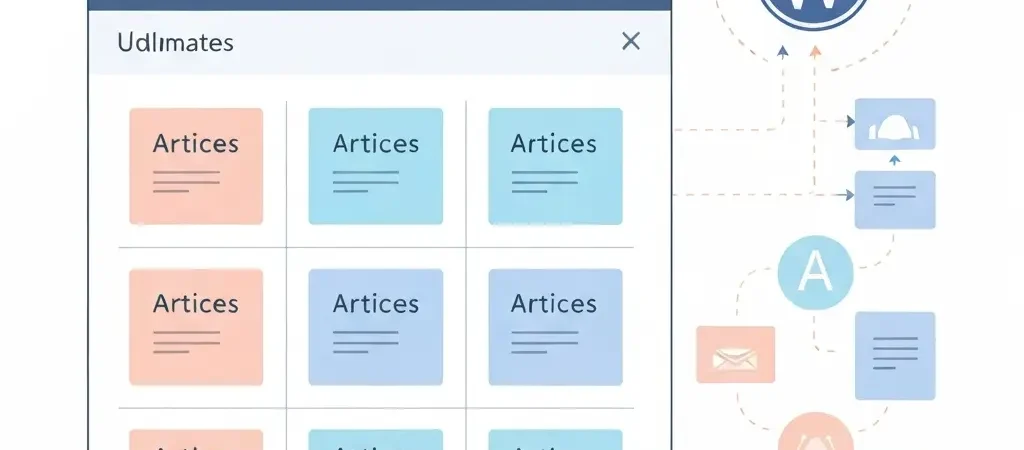
How to Set Up a Content Calendar With AI Automation in 2026
Setting up a content calendar with AI automation solves one of the most common content marketing failures: inconsistency. Manually managed content calendars break down when team members get busy, priorities shift, or a campaign interrupts the regular schedule. AI-automated content calendars don’t — they execute to a pre-defined strategy regardless of what else is happening in your business.
This guide walks through the complete setup process for an AI-automated content calendar in 2026, from defining your publishing rules through connecting to WordPress. The goal is a system where you make strategic decisions once and the calendar runs itself — with human review as the only recurring manual step.
Step 1: Define Your Content Strategy
Before configuring any automation, define your strategy document. This is the input that drives all automated outputs — garbage in, garbage out. Your strategy document needs:
- Topic focus: The niche your content will own (e.g., “AI SEO tools for small businesses”)
- Target audience: Specific role, pain points, and knowledge level (e.g., “Marketing managers at B2B SaaS companies with 10–50 employees who want to grow organic traffic without hiring a content team”)
- Brand voice: 2–3 sentence description of tone and style (e.g., “Practical expert. Direct, data-backed. Uses real examples. Avoids jargon and filler phrases.”)
- Content mix: Ratio of pillar : cluster : supporting articles (typical: 20% pillar, 50% cluster, 30% supporting)
- Monthly velocity target: How many articles per month (recommended: 8–15 for meaningful SEO impact)
In platforms like Authenova, this strategy document is entered once at the Strategy Builder level and applies automatically to all generated content for that strategy. No need to re-enter context per article.
Step 2: Configure Publishing Rules
Publishing rules determine when content goes live. 2026 research on publishing timing shows:
- Tuesday–Thursday mornings (08:00–10:00) consistently show highest CTR for informational content
- Publishing at consistent times trains crawlers to return predictably, improving indexing speed
- Spreading publications across the week prevents traffic concentration on single days
- Never schedule more than 2–3 articles per day (dilutes crawl attention)
Configuring publishing rules in a platform like Authenova:
- Select active publish days (recommend: Monday through Friday for B2B, all days for consumer content)
- Set publish times (2–3 time slots per day, spaced at least 2 hours apart)
- Set maximum articles per run (recommend: 1–2 to prevent bulk indexing signals)
- Configure blackout dates for major campaigns or seasonal pauses
Step 3: Build Your Keyword Queue
Your keyword queue is the content production backlog. A well-built queue ensures the automation always has the next article to create — you’re never in a position where the system is ready to publish but there’s nothing queued.
Best practices for keyword queue management:
- Maintain 30–60 days of content ahead in the queue (at your target velocity, that’s 8–15 keywords per month)
- Assign each keyword a content type (PILLAR, CLUSTER, SUPPORTING) and priority level
- Group keywords by topical cluster so related articles publish in proximity
- Reserve 20% of queue capacity for reactive content — trending topics or new developments in your niche
Tools for keyword research to populate your queue: Semrush, Ahrefs, or Google Search Console (for existing sites). See also our guide on how to build topical authority with AI content for cluster architecture guidance.
Step 4: Connect to WordPress
The WordPress connection is where AI calendar automation becomes fully autonomous. Without it, every published article requires manual copy-paste — which reintroduces the human bottleneck the calendar was supposed to eliminate.
Setting up Authenova’s WordPress Plugin:
- Install the Authenova plugin from your WordPress dashboard (Plugins → Add New → search “Authenova”)
- Navigate to the plugin settings and copy the generated API key
- Enter the API key in your Authenova account under Website Settings → WordPress Connection
- Test the connection to verify bidirectional sync
- Configure post settings: default category, tags, author attribution, featured image handling
Once connected, scheduled content publishes automatically to WordPress at the configured time — no manual intervention required. Post updates can also be pushed from Authenova to WordPress in-place for content freshness management.
For the full WordPress setup guide, see how to set up automated blog publishing on WordPress.
Step 5: Set Up the Approval Workflow
Fully autonomous publishing without human review is the highest-risk configuration in 2026. Google’s algorithm penalizes thin AI content — and without review, thin content can accumulate quickly. An approval workflow adds a single human checkpoint before publish.
A lean approval workflow for small teams:
- Set generated content status to DRAFT (not auto-publish) until reviewed
- Assign one reviewer responsible for weekly content review (30–60 minutes per week at 10 articles/month)
- Review checklist: fact-check top 3 statistics, verify keyword placement, add 1 original insight, check internal links, approve to SCHEDULED
- Schedule approved content for the next available publish slot
- Configure automated notifications when drafts are ready for review
This workflow reduces manual time to 30–60 minutes per week while maintaining quality control. Most users report saving 10–15 hours per week compared to fully manual content calendar management.
Step 6: Configure Performance Monitoring
The final step turns your content calendar from a publishing machine into a learning system. Connect Google Search Console data to inform future keyword prioritization:
- Connect Google Search Console to your Authenova account (via Settings → Analytics)
- Set up a monthly review cadence: check which published articles generate impressions and clicks
- Identify keywords where you’re ranking positions 5–15 (optimization candidates)
- Identify new keywords your published articles are generating impressions for (expansion candidates)
- Update your keyword queue to prioritize expansion candidates and schedule content updates for optimization candidates
This feedback loop is what separates accelerating content programs from flat ones. Each monthly review cycle makes the next 30 days of content more targeted. After 3–4 cycles, you’ll see measurable acceleration in both traffic growth rate and keyword ranking efficiency.
For context on how content automation programs are built at scale, see how to build a marketing automation strategy and the future of marketing automation trends 2026.
Tools Comparison for AI Calendar Setup
| Tool | Calendar Automation | WP Integration | Keyword Queue | Best For |
|---|---|---|---|---|
| Authenova | Full pipeline | Native | Built-in | End-to-end automation |
| CoSchedule | Calendar mgmt | Yes | Manual | Multi-channel calendar |
| Buffer + AI | Scheduling | Limited | No | Social + blog |
| StoryChief | Multi-channel | Yes | Limited | Agency multi-channel |
FAQ
How do I set up a content calendar with AI automation?
Set up an AI-automated content calendar in 6 steps: (1) define your content strategy document (topic, audience, voice, velocity target), (2) configure publishing rules (days, times, frequency), (3) build a keyword queue of 30–60 days of content targets, (4) connect your AI platform to WordPress via plugin for automated publishing, (5) set up an approval workflow for human review before publish, (6) configure Google Search Console monitoring to feed performance data back into keyword priorities.
How much time does AI content calendar automation save?
Most users report saving 10–15 hours per week on content management tasks with full AI calendar automation. Ideation and drafting that previously took 2–3 hours per article now takes 20–30 minutes. Scheduling, publishing, and WordPress management — previously manual — become fully automated. The main remaining time investment is the weekly editorial review (30–60 minutes for 10 articles/month).
What is the best tool for AI content calendar automation in 2026?
Authenova is the most complete tool for AI content calendar automation for WordPress sites in 2026 — it handles strategy management, content generation, keyword queue, scheduling, WordPress publishing via native plugin, and performance monitoring in one system. For multi-channel calendar management (blog + social), tools like CoSchedule or StoryChief add cross-channel visibility but require separate generation tools.
Should I use fully automated publishing or include a human review step?
Include a human review step. Fully automated publishing without review risks accumulating thin content that fails E-E-A-T requirements and can trigger Google quality penalties. A lightweight review workflow — 30–60 minutes per week for 10 articles — maintains quality while preserving the time savings of automation. The review checklist should focus on: fact-checking statistics, adding one original insight, verifying internal links, and approving the approved draft to scheduled.