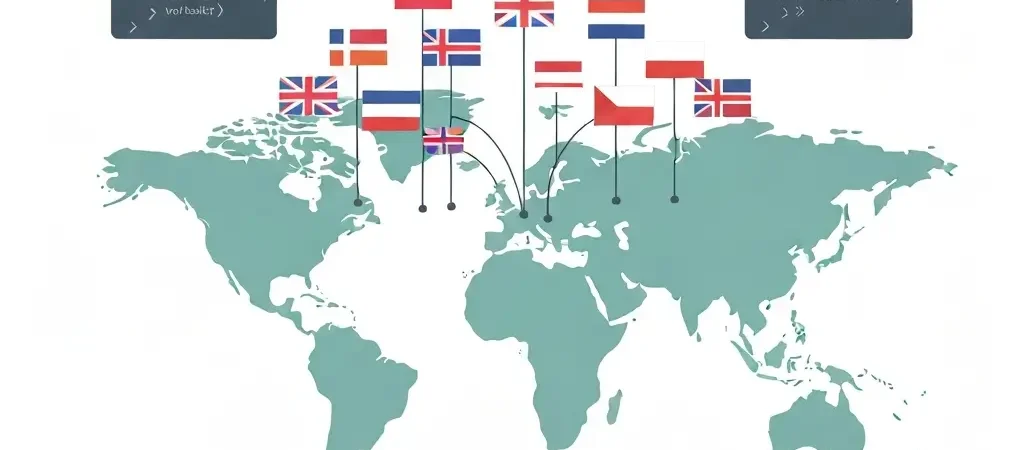
International SEO Hreflang: The Complete Implementation Guide for 2026
If your website serves multiple countries or languages, international SEO hreflang is the most technically consequential attribute you will implement. Get it right and Google routes each user to the version of your content that matches their language and location. Get it wrong — which over 65% of international sites do — and you generate crawl confusion, cannibalization, and ranking losses across every market you operate in.
This guide covers every dimension of hreflang implementation in 2026: the correct tag syntax, three deployment methods (HTML, sitemap, HTTP header), the critical x-default attribute, symmetric annotation requirements, and how to validate and monitor your implementation using Google Search Console.
Whether you are launching a new international site, auditing an existing multilingual setup, or migrating between URL structures, every scenario is covered with real code examples.
What Is Hreflang and Why It Matters in 2026
Hreflang is a link attribute introduced by Google in 2011 to solve a specific problem: when you have the same content in multiple languages or targeting multiple regions, how does Google know which version to show to which user? Without hreflang, Google has to guess — and it frequently guesses wrong, surfacing your Spanish-language content to German users, or your UK pricing page to US visitors.
In 2026 the stakes are higher because Google’s AI Overviews and answer engines draw on specific page versions. A misdirected signal not only loses a ranking — it directs AI citations to the wrong language version of your content.
Business Impact of Correct Implementation
- Eliminates duplicate content penalties from cross-language page cannibalization
- Increases click-through rate when users see their language in the SERP
- Prevents PageRank dilution across multiple versions of the same content
- Ensures correct currency and regional pricing pages rank in the right markets
- Supports AI engine routing in multilingual knowledge bases and FAQs
A study cited by Seer Interactive found that after correct hreflang implementation, one international e-commerce client recovered 34% of previously suppressed non-English organic traffic within 60 days.
URL Structure Options for International SEO
Before implementing hreflang, choose your URL structure. This is an architectural decision that affects crawlability, link equity, and operational complexity. There are three main approaches:
| Structure | Example | Pros | Cons |
|---|---|---|---|
| ccTLD | example.de, example.fr | Strongest geo-signal; trust in local markets | Expensive; dispersed link equity; complex ops |
| Subdomain | de.example.com | Easy to separate; independent servers possible | Weaker than ccTLD; link equity split |
| Subdirectory | example.com/de/ | All link equity consolidated; easiest to manage | Weaker geo-signal; requires careful hreflang config |
Google treats all three as equivalent when hreflang is correctly implemented. For most sites, subdirectories offer the best balance of link equity consolidation and operational simplicity.
Hreflang Tag Syntax: Language and Region Codes
The hreflang attribute uses two standards combined: ISO 639-1 for language codes and ISO 3166-1 Alpha-2 for country codes. The format is always language or language-COUNTRY — language code lowercase, country code uppercase.
Language-Only vs Language + Region
Use language-only when you have a single version for all speakers of that language regardless of location:
<link rel="alternate" hreflang="de" href="https://example.com/de/page/" />
<link rel="alternate" hreflang="fr" href="https://example.com/fr/page/" />
Use language + region when you have distinct content for users in different countries who share a language:
<link rel="alternate" hreflang="en-GB" href="https://example.com/en-gb/page/" />
<link rel="alternate" hreflang="en-US" href="https://example.com/page/" />
<link rel="alternate" hreflang="en-AU" href="https://example.com/en-au/page/" />
<link rel="alternate" hreflang="es-ES" href="https://example.com/es/page/" />
<link rel="alternate" hreflang="es-MX" href="https://example.com/es-mx/page/" />
Common Code Reference
| Language | Code | With Region |
|---|---|---|
| English (US) | en-US |
Language code: en, Region: US |
| English (UK) | en-GB |
Language code: en, Region: GB |
| Spanish (Spain) | es-ES |
Language code: es, Region: ES |
| Spanish (Mexico) | es-MX |
Language code: es, Region: MX |
| German | de |
Language code: de |
| French | fr |
Language code: fr |
| Portuguese (Brazil) | pt-BR |
Language code: pt, Region: BR |
| Chinese (Simplified) | zh-Hans |
Language code: zh, Script: Hans |
Three Implementation Methods
Google supports three ways to deliver hreflang signals. Each has different technical tradeoffs.
Method 1: HTML <head> Tags
Place all hreflang tags inside the <head> section of every page. This is the most straightforward method for smaller sites with under 1,000 internationalized pages.
<head>
  <!-- Self-referencing tag (required) -->
  <link rel="alternate" hreflang="en-US" href="https://example.com/page/" />
  <!-- Alternate language versions -->
  <link rel="alternate" hreflang="en-GB" href="https://example.com/en-gb/page/" />
  <link rel="alternate" hreflang="de" href="https://example.com/de/page/" />
  <link rel="alternate" hreflang="fr" href="https://example.com/fr/page/" />
  <!-- Fallback for unmatched locales -->
  <link rel="alternate" hreflang="x-default" href="https://example.com/page/" />
</head>Method 2: XML Sitemap
For large sites (1,000+ internationalized pages), embed hreflang in the XML sitemap. This avoids bloating every page’s HTML and is far easier to automate at scale. Every URL in the group still needs to appear, and the symmetry requirement still applies within the sitemap.
<?xml version="1.0" encoding="UTF-8"?>
<urlset xmlns="http://www.sitemaps.org/schemas/sitemap/0.9"
        xmlns:xhtml="http://www.w3.org/1999/xhtml">
  <url>
    <loc>https://example.com/page/</loc>
    <xhtml:link rel="alternate" hreflang="en-US" href="https://example.com/page/"/>
    <xhtml:link rel="alternate" hreflang="en-GB" href="https://example.com/en-gb/page/"/>
    <xhtml:link rel="alternate" hreflang="de" href="https://example.com/de/page/"/>
    <xhtml:link rel="alternate" hreflang="x-default" href="https://example.com/page/"/>
  </url>
  <url>
    <loc>https://example.com/en-gb/page/</loc>
    <xhtml:link rel="alternate" hreflang="en-US" href="https://example.com/page/"/>
    <xhtml:link rel="alternate" hreflang="en-GB" href="https://example.com/en-gb/page/"/>
    <xhtml:link rel="alternate" hreflang="de" href="https://example.com/de/page/"/>
    <xhtml:link rel="alternate" hreflang="x-default" href="https://example.com/page/"/>
  </url>
</urlset>
Method 3: HTTP Header
For non-HTML resources (PDFs, downloadable files), use HTTP response headers. This is rarely needed for standard web pages but is the only option for file-based content:
Link: <https://example.com/document.pdf>; rel="alternate"; hreflang="en-US",
      <https://example.com/de/dokument.pdf>; rel="alternate"; hreflang="de"
The x-default Attribute
The x-default value tells Google which page to serve to users whose language or region does not match any of your specific hreflang targets. It is also the page shown to users arriving from a country where you have no specific version.
Three common x-default strategies:
- Point to your language selector page — best for sites where no single version is the default
- Point to your English (US) version — best when English is your primary market and serves as the fallback for international visitors
- Point to a geo-detection landing page — best for e-commerce sites that need to route users based on currency/shipping availability
The Symmetry Requirement
This is the single most commonly violated hreflang rule. Symmetry means: if Page A declares Page B as its German alternate, then Page B must declare Page A as its English alternate. The annotation must be bidirectional and complete.
Think of it as a handshake protocol. Google will not trust a one-sided hreflang declaration. If the German page does not confirm the relationship, Google treats the signal as incomplete and may ignore it entirely.
Correct Symmetric Implementation
On the English US page (/page/):
<link rel="alternate" hreflang="en-US" href="https://example.com/page/" />
<link rel="alternate" hreflang="de" href="https://example.com/de/page/" />
<link rel="alternate" hreflang="x-default" href="https://example.com/page/" />
On the German page (/de/page/) — must contain identical tag set:
<link rel="alternate" hreflang="en-US" href="https://example.com/page/" />
<link rel="alternate" hreflang="de" href="https://example.com/de/page/" />
<link rel="alternate" hreflang="x-default" href="https://example.com/page/" />
Seven Most Common Hreflang Errors
These errors account for the majority of hreflang failures identified in international SEO audits:
- Missing self-reference. Every page must include a hreflang tag pointing to itself. Omitting the self-reference means Google cannot reliably identify which page is declaring the relationship.
- Broken symmetry. The alternate version does not contain a reciprocal hreflang tag. Google discards incomplete pairs.
-
Invalid language codes. Using
en-ukinstead ofen-GB, orchiinstead ofzh. Google uses strict ISO code matching. - Hreflang pointing to redirected URLs. Always point to the final destination URL — never a URL that 301 redirects to another page. Google may not follow the redirect when processing hreflang.
- Hreflang pointing to noindex pages. If a page is noindexed, hreflang signals to and from it are ignored. Audit for noindex conflicts before deployment.
- Inconsistent canonical and hreflang signals. If Page A canonicalizes to Page C, but hreflang points to Page A, the signals conflict. Canonicals and hreflang must be consistent.
- Mixing implementation methods. Using both HTML tags and sitemap entries for the same pages creates duplicate and potentially conflicting signals. Choose one method per URL and be consistent.
Sitemap vs HTML: Which Method to Use
| Factor | HTML Method | Sitemap Method |
|---|---|---|
| Site size | Under 1,000 pages | 1,000+ pages |
| Page load impact | Adds bytes to HTML head | Zero impact on page weight |
| Implementation complexity | Simple; CMS plugins available | Requires sitemap generation script |
| Crawl dependency | Discovered during page crawl | Discovered during sitemap processing |
| Maintenance | Must update all pages when adding a new locale | Update one sitemap file |
| Best for | WordPress sites with Yoast/Rank Math | Enterprise sites, headless CMS, custom platforms |
Validating and Monitoring Your Implementation
Step 1: Use Google Search Console
Navigate to the International Targeting report (Settings > International Targeting). This report shows detected hreflang errors including: missing return tags, unsupported language codes, and pages with conflicting signals. Note: GSC can take 2–4 weeks to fully process a new hreflang implementation.
Step 2: Use Specialized Validation Tools
- Hreflang Testing Tool (Merkle) — validates tag syntax and checks for symmetry errors
- Screaming Frog SEO Spider — crawls your entire site and maps hreflang relationships, flagging broken links and asymmetric pairs
- Ahrefs Site Audit — identifies hreflang issues at scale across crawled pages
- Sitebulb — visualizes hreflang clusters, making asymmetric annotation errors easy to spot
Step 3: Manual Spot-Check
Use curl -I [URL] to check HTTP headers, or view page source to confirm tags are present in the <head>. Test at least 5% of pages — especially the highest-traffic internationalized pages and any recently migrated URLs.
Ongoing Monitoring Cadence
- Weekly: Check GSC International Targeting report for new errors
- Monthly: Run a Screaming Frog crawl to catch newly broken pairs from content updates
- On every migration: Full hreflang audit before and 30 days after launch
Automating Multilingual Content Production
Correct hreflang is only half the battle. You also need to produce high-quality, consistently updated content across every target locale. For content teams managing SEO in multiple languages, the production bottleneck — not technical implementation — is typically what limits international rankings growth.
Platforms like AI-driven content automation systems let teams define per-locale strategies with separate keyword targets, brand voice guidelines, and publishing schedules. This makes it operationally viable to maintain five or more language versions of a site without a proportional expansion of headcount.
When building your international content pipeline, integrate it with your topical authority building strategy — the same cluster architecture that works in English works in every language, as long as keyword research is done in the target language rather than translated from English.
A well-structured approach to topical authority SEO allows each language version to independently build authority in its market, rather than relying solely on the main domain’s strength. You can also combine this with your internal linking strategy to ensure that within each locale, the link architecture reinforces the topical hierarchy you have defined.
If you are ready to scale content production across international markets, Authenova’s multi-strategy platform lets you define per-locale strategies, automate publishing schedules, and maintain consistent quality signals across every language version of your site — without building a separate team for each market.
Frequently Asked Questions
Does Bing support hreflang?
No. Bing uses its own international SEO signals: the HTML lang attribute, content-language HTTP headers, and geographic targeting settings in Bing Webmaster Tools. Hreflang tags are a Google-specific (and Yandex-supported) signal. This means your hreflang implementation does not negatively affect Bing, but you need separate Bing-specific configuration for international targeting in that search engine.
Can hreflang cause a penalty?
No. Incorrect hreflang implementation does not cause a manual action or algorithmic penalty. The consequence of errors is that Google ignores your signals and makes its own decision about which version to rank — which may mean the wrong version ranks in certain markets, or that you experience unnecessary duplicate content dilution. There is no “hreflang penalty” per se, but the opportunity cost of errors is significant.
Should I use hreflang for pages that differ only by currency or pricing?
Yes, and this is one of the strongest use cases. If you have a product page at /product/ with USD pricing and an identical page at /gb/product/ with GBP pricing, hreflang ensures UK users see the GBP version in SERPs. Without it, both versions compete for the same rankings and you risk the wrong pricing page appearing in the wrong market. Use language-region combinations (en-US and en-GB) to differentiate them clearly.
How long does it take for hreflang changes to take effect?
Google typically takes 2–6 weeks to fully process new or corrected hreflang signals, depending on crawl frequency. High-authority sites with frequent crawl budgets may see signals processed within days. You can accelerate this by submitting the updated sitemap in Google Search Console and using the URL Inspection tool to request indexing of the most important pages. Rankings shifts in international markets typically lag 4–8 weeks behind the technical fix.
What happens if I use hreflang with JavaScript-rendered pages?
If your hreflang tags are injected by JavaScript rather than present in the initial HTML response, Googlebot may not discover them on first crawl. Google renders JavaScript in a second wave, which can delay hreflang processing significantly. The safest approach is to ensure hreflang tags are present in the server-side rendered HTML or in the sitemap, never relying solely on client-side JavaScript injection.
Is hreflang necessary for a site in just one language targeting multiple countries?
Only if you have distinct URL versions for each country. If you have a single English site and want to target both US and UK users from the same URL, hreflang cannot help you — there are no alternate versions to annotate. In this case, use Google Search Console’s International Targeting tool to set a target country, or use a geo-targeting CDN. Hreflang is only applicable when you have different URLs serving different language or regional variants of your content.
Scale Your International Content Production with Authenova
Building hreflang-correct multilingual sites requires not just technical precision but consistent, high-quality content production across every locale. Authenova’s AI content platform lets you define per-language strategies with separate keyword targets, brand voice configurations, and publishing schedules — so every language version of your site gets the same depth of coverage as your primary market.