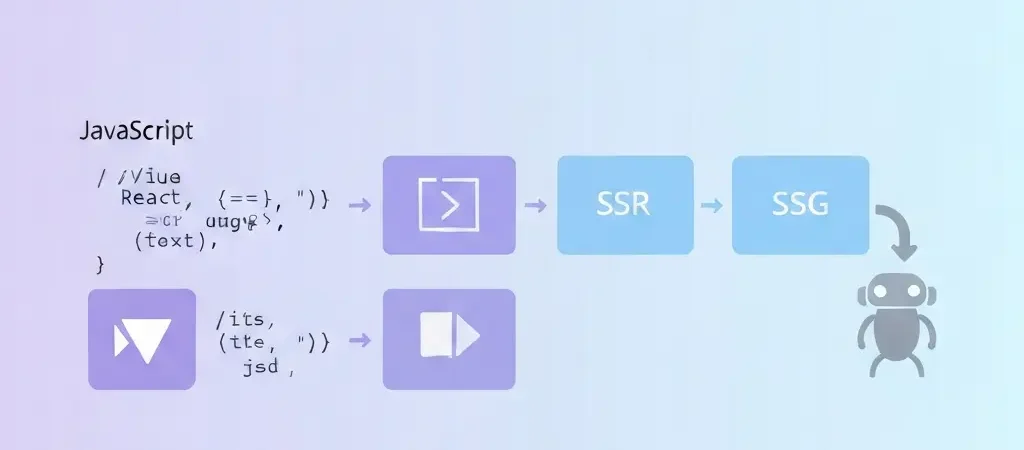
JavaScript SEO and Single Page App Rendering Strategies: The 2026 Technical Guide
JavaScript SEO is the most misunderstood discipline in technical SEO. Developers assume that because Google “can run JavaScript,” their SPA is crawlable. SEOs assume that because a page looks correct in a browser, it will rank. Neither assumption is fully accurate — and the gap between what Google renders and what ranks is where most JavaScript-heavy sites lose organic traffic they should be earning.
In 2026, the stakes are higher than ever. AI answer engines — ChatGPT, Gemini, Perplexity — often skip JavaScript execution entirely when crawling for source material. A page that renders correctly for Google may be completely invisible to the crawlers that determine AI Overview citations. Getting JavaScript SEO right is now a prerequisite for both traditional search and the emerging AI search ecosystem.
This guide covers how Google processes JavaScript, the four main rendering strategies and their SEO tradeoffs, SPA-specific indexing problems and their fixes, and a decision framework for choosing the right rendering approach for your site’s content and architecture.
How Google Processes JavaScript in 2026
Google’s crawl pipeline has three distinct phases for JavaScript-heavy pages:
- Crawl: Googlebot fetches the URL and receives the HTML response. For a CSR SPA, this initial HTML may contain only a minimal shell (
<div id="root"></div>) with no readable content. - Queue: The URL is added to Google’s rendering queue — a pool managed by the Web Rendering Service (WRS). Depending on site authority and crawl budget, pages may wait hours or days in this queue.
- Render: The WRS runs a headless Chromium instance to execute the JavaScript and capture the rendered DOM. This rendered HTML is then indexed.
The critical implication: there is always a lag between when Google first crawls your page and when it indexes the JavaScript-rendered content. For a high-authority site publishing new content daily, the two-wave system means new pages may appear in the index as empty shells for 24–72 hours before being fully rendered and indexed with their actual content.
What Google Can and Cannot Render
| JavaScript Feature | Google Support (2026) | Notes |
|---|---|---|
| React, Vue, Angular SPAs | Yes | Via WRS rendering queue; delayed indexing |
| Lazy-loaded content | Partial | Intersection Observer triggers may not fire |
| InfiniteScroll content | Partial | Googlebot does not simulate scrolling; use pagination |
| API-fetched content | Yes | Subject to API response time limits (~5 seconds) |
| Service Workers | Limited | WRS does not support SW caching; do not rely on it |
| localStorage / cookies | No | WRS renders pages stateless — no session state |
| WebAssembly | Partial | Supported but render time budget may be exceeded |
The Four Rendering Strategies Compared
Every JavaScript site uses one of four primary rendering approaches, or a hybrid combination. Each has distinct implications for SEO performance, time-to-first-byte, and development complexity.
| Strategy | How It Works | SEO Grade | Best For |
|---|---|---|---|
| CSR | Browser builds the full page from JS | D (High risk) | Authenticated apps, dashboards |
| SSR | Server renders full HTML per request | A | Dynamic, frequently updated content |
| SSG | HTML pre-built at deploy time | A+ | Blogs, docs, marketing pages |
| ISR | Static pages regenerated on interval | A | E-commerce, news, large catalogs |
Client-Side Rendering (CSR) SEO Problems
Pure client-side rendering — where the server sends an empty HTML shell and JavaScript builds the entire page in the browser — creates several specific SEO problems that cannot be fully resolved without changing the rendering approach:
Problem 1: Empty Initial HTML
The HTML that Googlebot receives on first crawl contains no meaningful content. Your title tag, meta description, H1, and body copy are all absent from the initial response. Google must queue the page for rendering before any content signals reach the index.
Problem 2: Crawl Budget Consumption
Every JavaScript-heavy page consumes rendering credits in addition to crawl credits. For large CSR sites, the rendering backlog means not all pages get rendered in a crawl cycle — some pages are indexed with empty content indefinitely.
Problem 3: Core Web Vitals Impact
CSR pages typically have high LCP values because the page must download, parse, and execute JavaScript before the largest contentful paint can occur. Poor Core Web Vitals directly impact rankings via Google’s Page Experience signals.
Problem 4: AI Engine Invisibility
Most AI answer engine crawlers (Perplexitybot, GPTBot, ClaudeBot, Gemini) do not execute JavaScript. A CSR page is effectively invisible to these crawlers — its content will never appear in AI Overviews or be cited by AI assistants, regardless of how well it ranks in traditional Google Search.
Server-Side Rendering (SSR) for SEO
With SSR, your Node.js server (Next.js, Nuxt.js, SvelteKit, Remix) executes the JavaScript and builds the full HTML document before sending it to the browser or crawler. Every visitor — human or bot — receives a complete, readable HTML document.
SSR Implementation Checklist
- Confirm that title, meta description, H1, and canonical tag are present in the server-rendered HTML (not injected post-render)
- All structured data (JSON-LD) is in the server-rendered HTML
- Open Graph and Twitter Card meta tags are rendered server-side
- Verify with
curl -A "Googlebot" [URL] | grep -i "title"— if title appears, SSR is working - Server response time (TTFB) is under 200ms — SSR adds server compute time; use edge rendering if needed
SSR Pitfalls to Avoid
- Hydration errors: When client-side React/Vue state does not match SSR output, React throws hydration warnings that can break rendering
- Rendering authenticated content: Never SSR content behind authentication — bots receive the same response as users, which means authenticated data is exposed in the HTML
- Uncached SSR at scale: Without caching (Varnish, Redis, CDN edge caching), SSR on high-traffic pages creates server load spikes
Static Site Generation (SSG): The SEO Gold Standard
SSG pre-builds every page as a static HTML file at deploy time. When a crawler or user requests a URL, the CDN serves a pre-built HTML file — there is no server computation, no JavaScript execution, and no rendering delay. This is the fastest possible TTFB and the most reliable indexing path.
SSG works best for content that changes infrequently or on a predictable schedule — blog posts, documentation, product pages, marketing landing pages. For a content-driven SEO strategy publishing 5–10 articles per week, SSG with a CI/CD pipeline that rebuilds on every publish event is optimal.
SSG Tradeoffs
- Build time scales with page count: A site with 50,000 pages may take 30+ minutes to rebuild — ISR (Incremental Static Regeneration) solves this by rebuilding only changed pages
- Real-time content is not supported: Stock prices, live inventory, user-generated content — all require a different approach
- Personalization is limited: You cannot serve per-user content in static HTML; use client-side fetching for personalized elements after initial load
Hybrid Rendering: The Practical Choice
Most production applications use a hybrid approach: SSR or SSG for public-facing, SEO-critical pages, and CSR for authenticated, personalized, or highly interactive application features.
A SaaS application architecture might look like:
- Marketing site, blog, documentation → SSG (Next.js static export or Gatsby)
- Product pages, pricing → SSR with aggressive CDN caching
- Dashboard, settings, user-specific views → CSR (behind authentication, never indexed)
This hybrid is the standard architecture recommended by the Next.js, Nuxt.js, and SvelteKit teams for production applications that need both SEO performance and dynamic application functionality.
SPA-Specific Indexing Issues and Fixes
Issue 1: History API Routing
SPAs use the HTML5 History API (pushState) for client-side routing. Google can generally follow these routes, but the prerequisite is that each URL must return a proper HTML response when accessed directly — not just when navigated to within the app. Fix: Configure your server (or CDN) to return the SPA shell for any URL under your app’s domain, not just the root.
Issue 2: Hash-Based Routing
Legacy SPAs using hash-based routing (example.com/#/page) are problematic because Google ignores URL fragments — all hash-based URLs appear as duplicates of the root URL. Fix: Migrate to History API routing. If migration is not immediately possible, implement a server-side routing layer that maps hash URLs to proper HTTP URLs and redirects crawlers.
Issue 3: Dynamically Injected Meta Tags
If your title tag, canonical URL, and meta description are set via JavaScript after page load (using libraries like react-helmet or vue-meta), they will be absent from the initial HTML response that crawlers and social sharing bots receive. Fix: Use SSR to render all meta tags into the initial HTML, or use a pre-rendering service (Prerender.io, Rendertron) as a middleware layer.
Issue 4: Infinite Scroll Pagination
Infinite scroll loads additional content as users scroll down, but Googlebot does not simulate scroll events. Content loaded below the initial viewport is not crawled. Fix: Replace infinite scroll with paginated URLs (/page/2/, /page/3/) that each return a full HTML page. Users can still get a smooth scroll experience via client-side virtual scroll, as long as each logical “page” has its own URL.
JavaScript SEO for AI Answer Engines
As of 2026, the major AI crawlers have confirmed policies on JavaScript rendering:
| Crawler | JavaScript Execution | Recommendation |
|---|---|---|
| GPTBot (OpenAI) | No | SSR or SSG required |
| Claude-Web (Anthropic) | No | SSR or SSG required |
| PerplexityBot | Partial | Critical content in initial HTML |
| Google Extended (Gemini) | Yes (WRS) | Same as standard Googlebot |
The practical implication: SSR or SSG is now a prerequisite not just for traditional Google rankings but for appearing in AI Overviews, being cited by AI chatbots, and having your content used as a source in AI-generated answers. A CSR-only site is invisible to the majority of AI search infrastructure.
Framework-Specific Recommendations
React
- Recommended: Next.js with SSR (
getServerSideProps) or SSG (getStaticProps) - Alternative: Remix for full-stack SSR with excellent SEO defaults
- Avoid for SEO: Create React App (pure CSR with no SSR support)
Vue
- Recommended: Nuxt.js with Universal rendering mode (SSR/SSG)
- Alternative: VitePress for documentation and content sites
- Avoid for SEO: Vue CLI SPA without a rendering layer
Angular
- Recommended: Angular Universal (official SSR solution)
- Note: Angular’s SSR support has improved significantly — Angular 17+ has SSR enabled by default in new projects
The Rendering Strategy Decision Framework
Use this decision tree to select the right rendering strategy for each section of your site:
- Is the content behind authentication? → Yes: CSR is fine. No: Continue.
- Does the content change in real time (live prices, stock, feeds)? → Yes: SSR with aggressive caching + edge CDN. No: Continue.
- Does the content change on a schedule (daily, weekly, per publish event)? → Yes: ISR or SSG with rebuild trigger. No: Continue.
- Is this a static content page (blog post, doc, landing page)? → Yes: SSG. No: SSR.
Content Pipeline Integration
JavaScript SEO is primarily a rendering infrastructure concern, but it connects directly to your content production pipeline. An automated content creation system needs to output content that integrates with your chosen rendering strategy. For SSG sites, this means triggering a rebuild pipeline on every content publish event. For SSR sites, it means ensuring published content is immediately accessible via your API layer without caching delays.
If you are running a programmatic SEO strategy at scale, the programmatic SEO implementation guide covers how to structure URL generation, template rendering, and sitemap updates when publishing thousands of pages through automated pipelines. This is where JavaScript SEO decisions and content strategy intersect most directly.
For content marketers who rely on AI tools to accelerate research and writing, your AI content strategy should include a rendering audit as part of the technical setup — ensuring that AI-generated content published to your CMS reaches Google’s index as fast as possible through the right rendering infrastructure.
Teams using WordPress with the Authenova plugin benefit from SSR-by-default — WordPress renders server-side HTML for every page, so published content is immediately indexable without any rendering queue delay. This is one of the structural SEO advantages of WordPress-based content platforms over headless CMS setups with CSR frontends. Explore Authenova’s WordPress integration for automated content that is index-ready from the moment it publishes.
Frequently Asked Questions
Does Google render JavaScript as well as a normal browser?
Google uses a headless Chromium browser to render JavaScript, so it supports the same ECMAScript features as a modern Chrome browser. However, the rendering environment differs from a typical user session in important ways: it does not have localStorage or cookie state, does not simulate scroll or user interaction events, has a strict time budget for rendering (typically 5 seconds), and does not run Service Workers. Content that depends on scroll events, user authentication state, or Service Worker caching will not render correctly for Googlebot.
How can I test whether Google can see my JavaScript-rendered content?
Use Google Search Console’s URL Inspection tool, which shows you the rendered DOM that Google sees for any specific URL — not just the initial HTML response. This is the most accurate way to verify what Google actually indexes. You can also use the “Inspect” feature to see the difference between the initial HTML and the rendered HTML. For a faster diagnostic, use the Rich Results Test tool or run a Screaming Frog crawl with JavaScript rendering enabled and compare the rendered vs non-rendered output.
Is dynamic rendering (cloaking) still viable in 2026?
Dynamic rendering — serving pre-rendered HTML to bots while serving the JS SPA to users — was a Google-approved interim solution as of 2019. Google has since deprecated their recommendation of it, and many SEOs consider it a risky long-term strategy because it requires detecting and classifying every bot correctly, and misclassification creates cloaking violations. For most sites, migrating to SSR or SSG is the more maintainable long-term solution. Dynamic rendering is still technically acceptable for sites where full SSR migration is not feasible, but it should be treated as a temporary fix rather than an architecture decision.
Can structured data (schema markup) be injected by JavaScript?
Google can process JSON-LD structured data injected by JavaScript, since it renders the page before processing schema. However, the rendering delay means that schema may not be processed on the first crawl. For critical structured data types (Product, FAQ, Article, LocalBusiness) that determine rich result eligibility, always include the JSON-LD in the server-rendered HTML to ensure it is processed on the first crawl visit. AI crawlers that do not execute JavaScript will miss JS-injected schema entirely — another reason to prefer server-side schema delivery.
Does JavaScript SEO affect Core Web Vitals scores?
Yes, significantly. Client-side rendering typically produces higher LCP (Largest Contentful Paint) values because the browser must download, parse, and execute JavaScript bundles before rendering the main content. SSR and SSG typically produce LCP values 2–4x lower than equivalent CSR implementations because the HTML content is available immediately. Since Google uses Core Web Vitals as a ranking signal (the Page Experience update), the rendering strategy you choose directly affects your SEO performance through LCP, CLS, and INP scores.
Should I use a JavaScript framework for a content-heavy SEO site?
It depends on your team’s capabilities and specific requirements. For a pure content site (blog, documentation, marketing pages) with no dynamic application features, a static site generator or a server-rendered CMS (WordPress, Webflow) will generally outperform a JavaScript SPA on both Core Web Vitals and indexing speed. If you need JavaScript framework features (complex interactivity, real-time data, rich UI components), Next.js or Nuxt.js with SSG or SSR is the right choice — but the rendering layer must be properly configured. Never use a vanilla SPA (Create React App, Vue CLI) for content-primary SEO sites.
Publish Index-Ready Content Automatically With Authenova
Authenova publishes AI-generated content directly to WordPress — which renders server-side HTML by default, ensuring every article is immediately indexable by Google and all AI crawlers without any rendering queue delay. No JS SPA overhead. No rendering lag. Just fast, SEO-correct content delivery from the moment of publish.