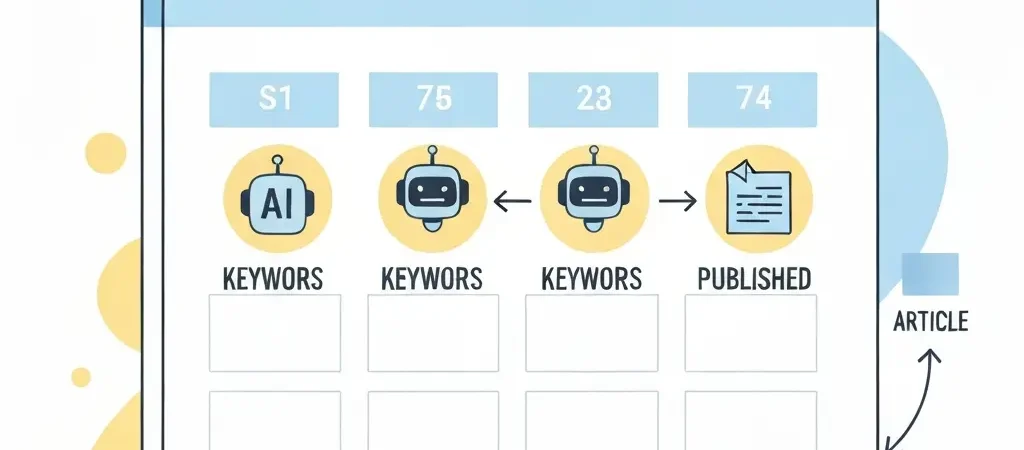
How to Create an AI-Powered SEO Content Calendar in 2026 (Step-by-Step)
An AI-powered SEO content calendar automates the planning and publishing decisions that typically consume 30-40% of a content team’s time. Instead of manually selecting keywords, assigning articles, scheduling posts, and tracking gaps, you configure a strategy once and let the system run. This guide walks through the exact steps to build a content calendar that generates, schedules, and publishes SEO-optimised articles without ongoing manual input — and explains how to automate SEO content creation step by step using the tools available in 2026.
Why Your Content Calendar Needs AI Automation
A manual SEO content calendar has a fixed throughput ceiling determined by how many writers you employ. An AI-automated calendar does not. The gap between the two widens each month: a manual team of two writers might produce 8-12 articles per month. An equivalent team using an automated pipeline can produce 40-80 articles per month — and this directly translates to organic traffic growth.
According to data from Authenova’s platform across 500+ active sites, teams publishing 8 or more articles per week see median organic traffic growth of 67% at the 90-day mark — compared to 19% for teams publishing fewer than 2 per week. The compounding effect of consistent, high-velocity content publication is the single strongest predictor of organic growth at sites with domain authority below 50.
The pre-requisite for this system is a working pillar-cluster content strategy. If you have not built one yet, start there before configuring your calendar.
Step 1 — Build Your Keyword Cluster Map
Time required: 45-60 minutes. Prerequisite: A list of 20-50 target keywords for your niche.
- Identify 3-5 primary pillar topics. Each pillar topic is a broad subject area where you want to build authority — for example, “AI content automation,” “SEO strategy,” and “WordPress publishing.”
- Group related keywords into clusters. For each pillar topic, identify 8-15 cluster keywords (more specific variations) and 5-10 supporting long-tail keywords. Tools like Ahrefs’ Keyword Explorer or Semrush’s Keyword Magic Tool generate cluster suggestions from a seed keyword in under 5 minutes.
- Assign keyword roles. Mark each keyword as PRIMARY (high-volume pillar targets), SECONDARY (mid-volume cluster targets), or SUPPORTING (long-tail, low-competition targets). The ratio should be roughly 10% primary, 50% secondary, 40% supporting.
- Check for existing coverage. Before adding a keyword to your calendar, search your existing content to ensure you are not creating duplicates. Duplicate targeting causes keyword cannibalization and dilutes authority. The keyword cannibalization audit process explains how to identify and resolve existing overlaps.
Step 2 — Set Content Type Ratios
Time required: 15 minutes.
Every effective SEO content calendar distributes articles across three types in deliberate ratios:
| Content Type | Purpose | Target Length | Recommended Ratio |
|---|---|---|---|
| PILLAR | Establish authority on broad topics | 2,500–4,000 words | 20% |
| CLUSTER | Target specific subtopics | 1,500–2,500 words | 50% |
| SUPPORTING | Long-tail and definition content | 1,000–1,500 words | 30% |
This 20/50/30 ratio ensures you are consistently building the authority architecture (pillars) while producing the volume of specific-topic content (clusters) that drives long-tail traffic and internal links. The supporting articles feed link equity up to cluster pages, which in turn support pillar rankings.
Step 3 — Define Publish Days and Frequency
Time required: 10 minutes.
Publishing cadence matters for both SEO and AEO. Google’s freshness signals and AI assistant citation preferences both favour sites with consistent, predictable publishing patterns over sporadic high-volume dumps.
- Minimum viable cadence: 3 articles per week. Below this, compounding effects are slow to materialise.
- Recommended for new sites: 5-7 articles per week across 5 publishing days (Mon-Fri), spread across morning and afternoon slots.
- Recommended for growth-stage sites: 10-15 articles per week. At this velocity, internal linking architecture becomes critical — manual linking is not feasible, so internal linking automation must be part of the setup.
- Publishing times: 08:00–10:00 and 13:00–15:00 in your target audience’s primary timezone are the slots with highest crawl and social sharing activity.
Step 4 — Configure Your Automation Pipeline
Time required: 60-90 minutes for initial setup.
This is where the calendar transitions from a planning document to an autonomous system. The automation pipeline must handle three functions: content generation, quality configuration, and scheduling.
- Define brand voice and article style. In Authenova’s Strategy Builder, document your tone (formal/conversational), target audience, and article style preferences (AEO-first, comparison-heavy, how-to tutorials, etc.). This configuration governs every article the system generates.
- Upload your keyword clusters. Assign each keyword to a strategy, specifying its role (primary/secondary/supporting). The system uses this to determine which keyword targets each article and how content types are distributed.
- Set content velocity. Define how many articles per week the strategy should produce and which days of the week are valid publishing days. The system will queue articles automatically.
- Configure quality thresholds. Set minimum word counts, required sections (FAQ, comparison table, intro answer), and any blackout dates when publishing should pause.
For teams building this system from scratch, the detailed walkthrough in the automate SEO content creation guide covers the exact setup sequence with screenshots.
Step 5 — Set Up WordPress Auto-Publishing
Time required: 20-30 minutes.
The final link in the automation chain is the connection between your content pipeline and your WordPress site. Without automated publishing, the calendar still requires someone to copy, format, and publish each article manually — a bottleneck that caps your effective velocity.
- Install the Authenova WordPress Plugin. Available through the WordPress plugin directory. Once activated, it creates an authenticated connection between your WordPress installation and the Authenova platform.
- Configure publish settings. Set the default post status (draft for review, scheduled for automatic publishing), category assignment rules, featured image handling, and schema markup injection preferences.
- Test with a single article. Generate one article manually, schedule it for 10 minutes in the future, and verify that it publishes correctly to WordPress with all metadata, images, and schema markup intact.
- Enable automatic mode. Once the test confirms correct behaviour, enable full automation. From this point, every article generated by the strategy publishes to WordPress on schedule without manual intervention.
Step 6 — Monitor, Refresh, and Scale
An automated content calendar is not truly set-and-forget. These are the monitoring tasks that keep it performing:
- Weekly: Check the publishing queue for any failed jobs. Review the last 5-10 published articles for quality issues.
- Monthly: Audit your top 20 performing articles in Google Search Console. Identify articles showing declining impressions (content decay) and schedule refreshes.
- Quarterly: Add new keyword clusters based on emerging topics in your niche. Remove or consolidate underperforming keywords.
- Content velocity review: At 90 days, compare organic traffic to baseline. If growth is below your target, increase publishing velocity or expand keyword clusters before changing content quality approaches.
Tools Required
- Keyword research: Ahrefs, Semrush, or Authenova’s built-in keyword tool
- Content generation and pipeline: Authenova
- WordPress publishing: Authenova WordPress Plugin (free, included with platform)
- Analytics: Google Search Console (free), Google Analytics 4
- Rank tracking: Ahrefs Rank Tracker or Semrush Position Tracking
Frequently Asked Questions
What is an AI-powered SEO content calendar?
An AI-powered SEO content calendar is a publishing schedule where AI tools handle keyword selection, content generation, and automatic publishing according to a pre-configured strategy. Unlike a manual editorial calendar, it runs on autopilot once configured — producing and publishing content without ongoing human intervention for each piece.
How many articles per week should my SEO content calendar include?
For new sites building topical authority, 5-7 articles per week is the optimal starting velocity. Sites with existing authority can accelerate to 10-20 per week. Fewer than 2 articles per week produces minimal compounding effects — organic traffic growth remains linear rather than exponential.
What is the ideal content type ratio for an SEO calendar?
The most effective pillar-cluster ratio is 20% PILLAR articles, 50% CLUSTER articles, and 30% SUPPORTING articles. Pillar articles establish topical authority for broad keywords. Cluster articles target specific subtopics. Supporting articles add depth to long-tail terms that feed into cluster rankings.
Can I fully automate my SEO content calendar?
Yes. Platforms like Authenova allow you to configure a strategy once — with keyword clusters, content type ratios, publish days, and times — and then run the entire pipeline automatically. Articles are generated, scheduled, and published to WordPress without manual steps between each piece.
How long does it take to set up an automated content calendar?
Initial setup takes 2-3 hours: approximately 1 hour for keyword clustering, 30 minutes for strategy configuration, and 30 minutes for WordPress integration and testing. After setup, ongoing maintenance requires roughly 30-60 minutes per week for monitoring and quality review.
Run Your SEO Calendar on Autopilot
Authenova is the platform built specifically for this workflow. Configure your keyword strategy once, connect your WordPress site, and the system generates, schedules, and publishes articles automatically — every day, on your publishing cadence.
Start your free 14-day Authenova trial and have your first automated batch live this week.