How to Use AI to Write Blog Posts That Rank: A Step-by-Step System for 2026
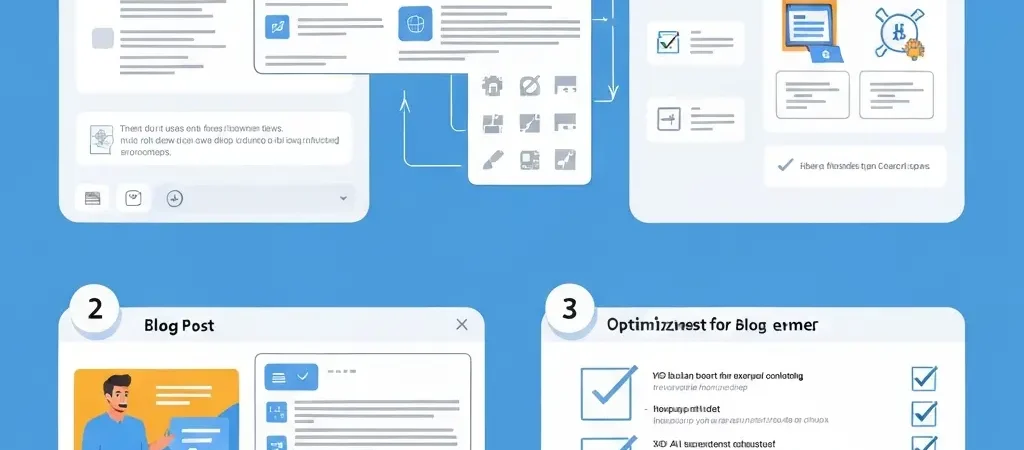
Knowing how to use AI to write blog posts that actually rank requires understanding that AI is a production layer, not a strategy layer. Feed it the right inputs — a focused keyword, a structured brief, brand voice guidelines, and SEO requirements — and AI produces a publication-ready article. Feed it a vague prompt with no context and you get generic content that indexes but never ranks. This guide gives you the exact workflow that produces the former.
The 2026 benchmark: AI-assisted content teams publish 47% more articles per month than manual teams. AI-written pages appear in over 17% of top search results. The technique works. The question is how to do it with enough strategic discipline to drive compounding results.
Step 1: Choose the Right Keyword
The article’s ranking potential is determined before a single word is written. Keyword selection is the most consequential step in the workflow.
For a blog post to rank, target a keyword with:
- Defined search intent: Is the searcher looking for information, a comparison, or a how-to guide? The article type must match the intent exactly.
- Achievable difficulty: For new or mid-authority sites, target keywords with KD under 50. For established domains, you can target up to KD 70.
- Sufficient volume: Minimum 300 monthly searches for supporting articles; 1,000+ for cluster articles; 5,000+ for pillar articles.
- Topical fit: The keyword must fit within your established content cluster — an isolated article on an unrelated topic won’t benefit from your topical authority signals.
Use Ahrefs or Semrush to evaluate these criteria. For bulk keyword selection, see our guide on keyword research for AI content.
Step 2: Configure Your AI Platform
Before generating any content, your AI platform needs to know your brand. This configuration happens once and applies to every article generated thereafter.
- Brand voice: Tone, vocabulary preferences, structural defaults (e.g., “always use a quick-answer box,” “address the reader as you”)
- Target audience: Specific demographic and knowledge level (e.g., “digital marketers with 2–5 years experience who use Ahrefs but haven’t tried AI tools”)
- Content style: How-to tutorial, comparison listicle, FAQ format, or data roundup
- Internal link targets: Your key existing articles that new content should reference
In Authenova, this configuration lives at the strategy level — meaning every article generated for that strategy inherits these settings automatically.
Step 3: Write an Effective Brief
The brief is the quality gate. A good AI article brief includes:
- Focus keyword: The exact keyword to target (e.g., “how to use ai to write blog posts”)
- Secondary keywords: 2–4 related terms to weave in naturally
- Content type: PILLAR / CLUSTER / SUPPORTING — determines target length and depth
- Required sections: List the H2 headings you want covered — this prevents the AI from covering obvious subtopics and missing the specific angles your audience needs
- Specific data or examples to include: Any statistics, case studies, or examples you know are relevant
- CTA destination: What product or article to point the CTA toward at the end
Step 4: Generate and Structure the Article
With the configuration set and brief written, trigger generation. A well-configured AI SEO platform produces output that includes:
- H1 containing the focus keyword
- Quick-answer box (2–3 sentence featured snippet target)
- Table of contents with linked anchors
- Body H2/H3 sections with tables, lists, and examples
- FAQ section with embedded FAQPage schema
- CTA section
- SEO meta title (under 60 chars) and meta description (under 160 chars)
The output should be publication-ready HTML, not plain text requiring reformatting. If your tool produces plain text, you’re adding unnecessary manual steps.
Step 5: Review and Enhance
Review for three things only — don’t over-edit:
- Factual accuracy: Check any statistics or specific claims. AI can hallucinate numbers — verify them against source.
- Brand voice: Does it sound like your site? Adjust 1–2 sentences if tone is off. If it’s consistently off, update your platform’s brand voice settings.
- Proprietary value-add: Add one specific example, case study, or insight that only you can provide. This is what creates genuine information gain over average SERP content.
For supporting articles, skip step 3. For pillar articles, invest 20–30 extra minutes adding original data and expert perspective. The quality tier system in our AI blog writer guide covers this in detail.
Step 6: Optimize for SEO Before Publishing
Complete this SEO checklist before publishing:
- Focus keyword in H1 and first paragraph — confirmed
- Meta title under 60 characters — confirmed
- Meta description under 160 characters with CTA — confirmed
- FAQPage schema embedded (if article has FAQ section) — confirmed
- 3–5 internal links to related articles — confirmed
- 1–2 external links to authoritative sources — confirmed
- Featured image with SEO alt text — confirmed
- URL slug contains focus keyword — confirmed
In Authenova, most of these are handled automatically at generation. The manual checklist is a safeguard, not a required workflow.
Step 7: Publish and Monitor
Publish immediately or schedule for a future date — the key is consistent cadence, not perfect timing. After publishing:
- Request indexing in Google Search Console if the article is time-sensitive
- Add the article’s URL to your internal link pool for future articles to reference
- Track the article’s impressions and ranking in GSC from week 2 onwards
- Flag for content refresh at 90 days if it has not progressed past position 20
Frequently Asked Questions
Can you use AI to write blog posts that rank on Google?
Yes. AI-written pages appear in over 17% of top search results in 2026. The key requirements are: targeted keyword selection with correct intent matching, SEO-structured generation (headings, schema, meta tags), quality review for factual accuracy, and consistent internal linking. Generic AI content without these inputs rarely ranks; structured AI content with strategic inputs performs comparably to manually written content.
How long does it take to write a blog post with AI?
With a configured AI SEO platform, a complete publication-ready blog post takes 20–30 minutes of total human time: 5 minutes for keyword selection and brief writing, 2–3 minutes for generation, 10–15 minutes for quality review and fact-checking, and 5 minutes for final SEO checks and publishing. Pillar articles require 45–60 minutes due to deeper content review and original additions.
What is the best AI tool for writing blog posts?
For blog posts optimized for SEO, Authenova is the most complete tool — it combines strategy-level configuration, keyword-targeted generation, schema markup, internal link suggestions, and direct WordPress publishing. For standalone blog writing with emphasis on brand voice, Jasper excels. For the best on-page optimization scoring, Surfer SEO leads. The right choice depends on whether your priority is scale and automation (Authenova) or individual article optimization (Surfer/Jasper).
Write Ranking Blog Posts at Scale With Authenova
Authenova’s AI blog writing system handles keyword targeting, SEO structure, schema markup, and WordPress publishing — so you can focus on strategy and review, not production. 20–30 minutes per article. Compounding organic results.